
Meta Ads
Breakdown by age, gender, placement and day
See how much each campaign, ad set or ad spent and brought in for each age range, gender, placement, device or day, without leaving Meta Ads.
Quick answer
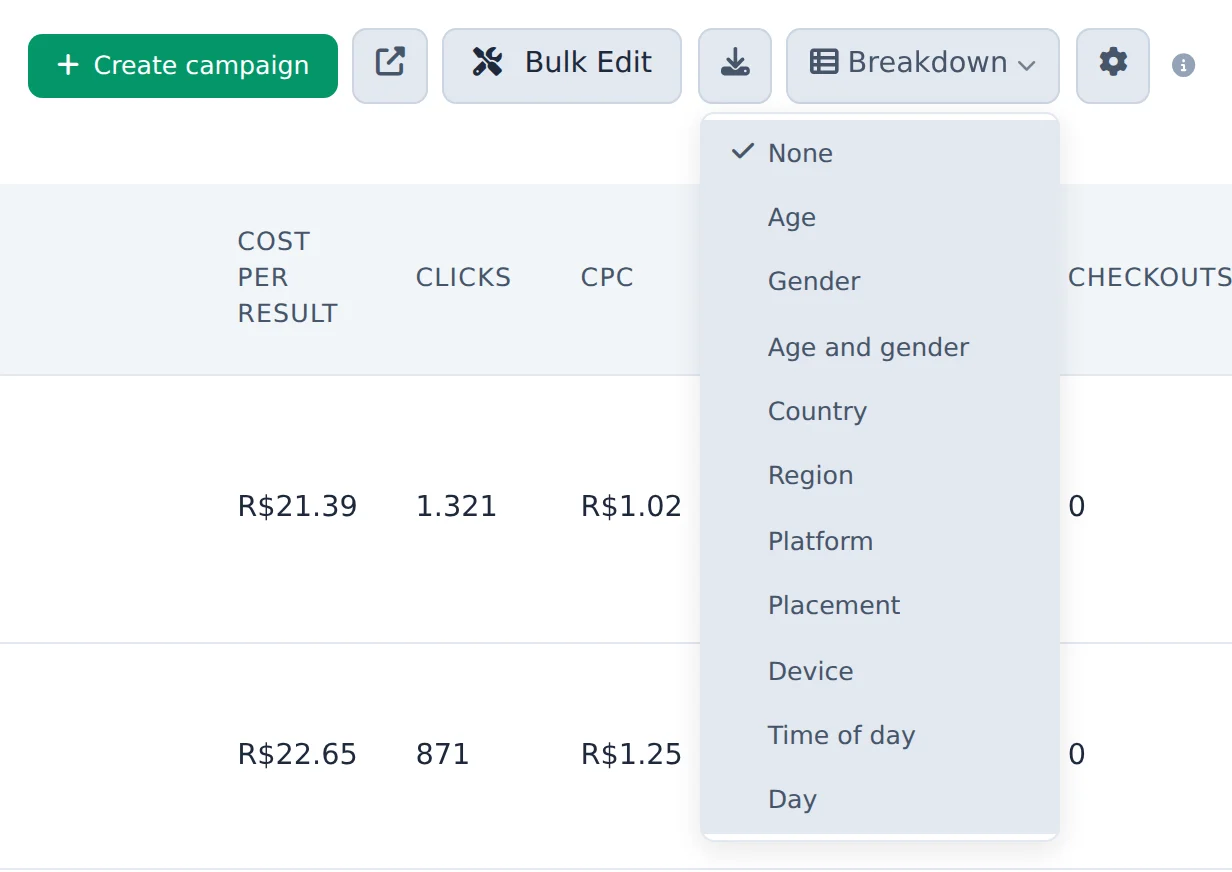
In Meta Ads, click Breakdown, above the table, next to the export button, and pick a view: Age, Gender, Age and gender, Country, Region, Platform, Placement, Device, Time of day or Day. Each table row gets sub-rows, one per segment, with the same metric columns. None brings the table back to normal.
Before you start
- It is the same Breakdown as in Meta Ads Manager, with the numbers Meta reports.
- It works in Meta Ads, on the Campaigns, Ad Sets and Ads tabs, for the period chosen on screen.
- Sub-rows are read-only: no checkbox, no switch and no editing.
Step by step
In this example, we see which age range sells cheapest in each campaign.
- 1
Pick the account, the period and the tab
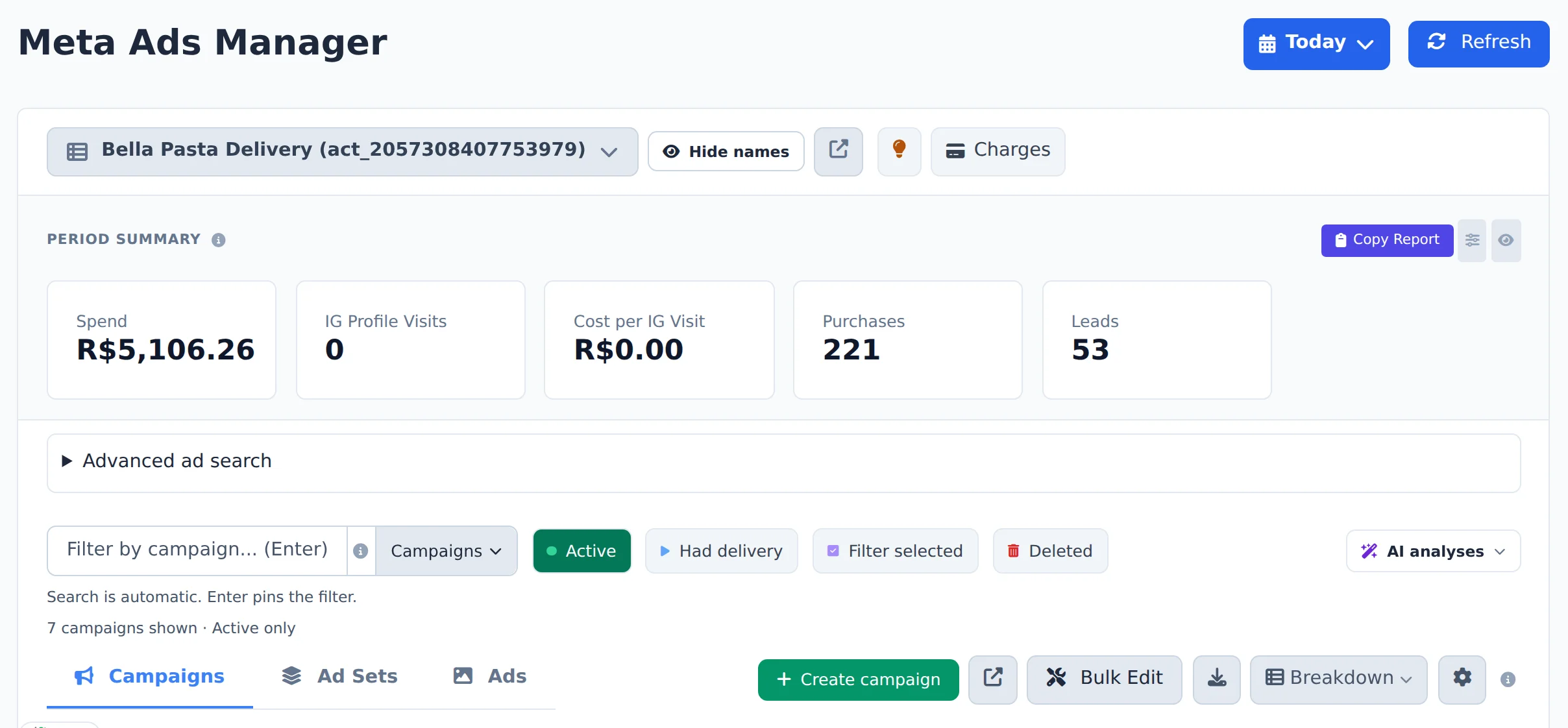
Open Meta Ads, pick the account and the period. Stay on the tab for the level you want to analyze: Campaigns, Ad Sets or Ads.
 123
- 1Account
- 2Period
- 3Tab for the level you want to analyze
- 2
Open Breakdown
Click Breakdown, above the table, and pick the view, for example Age. The button now reads Breakdown: Age.
 12
- 1Breakdown
- 2Age
- 3
Read the sub-rows
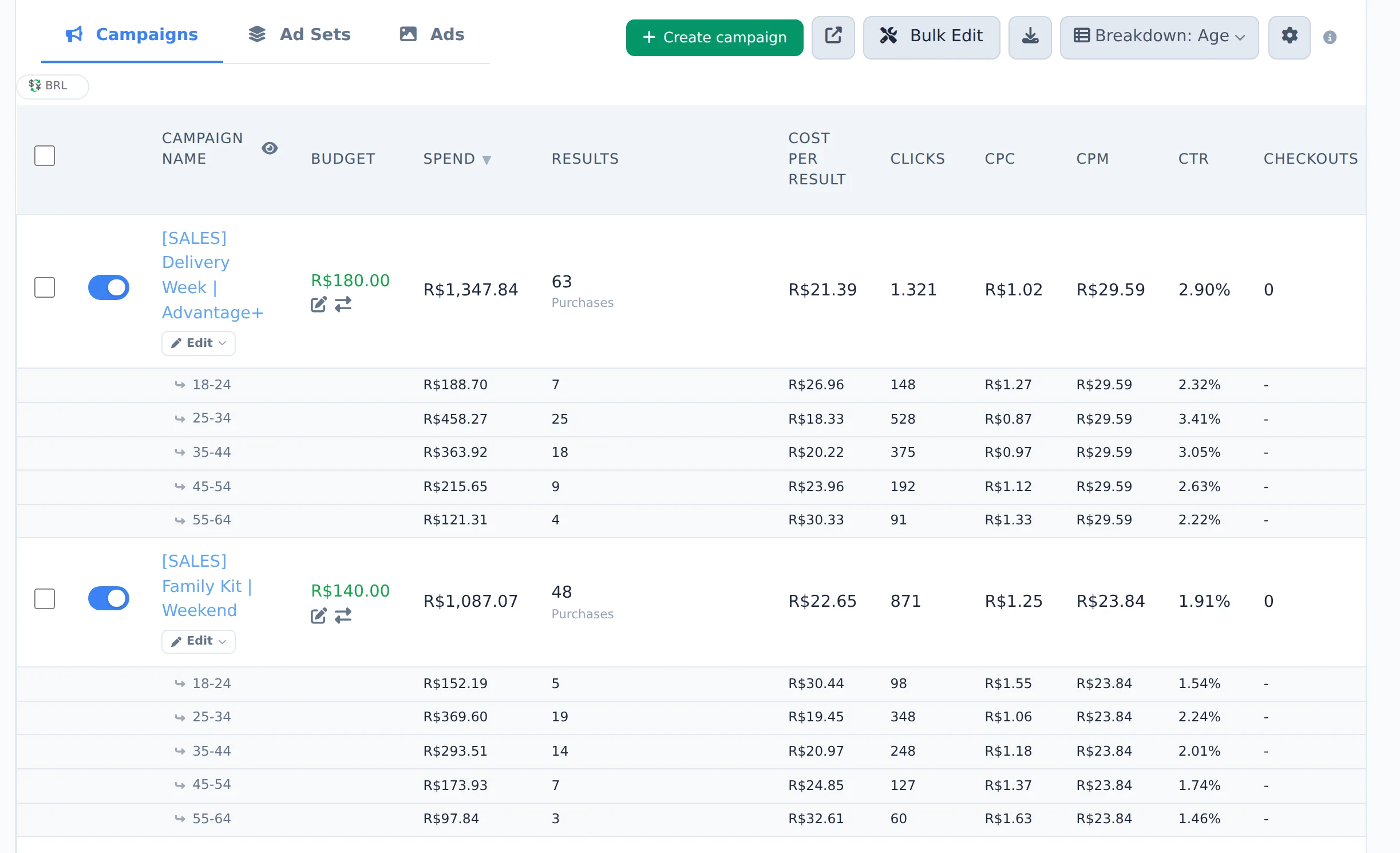
Below each campaign you see the ranges (18-24, 25-34...), with spend, results, cost per result and the other columns the table already shows. To compare another metric, turn the column on in Customize columns.
 12
- 1The button shows the chosen view
- 2One sub-row per age range
- 4
Change the view or go back to normal
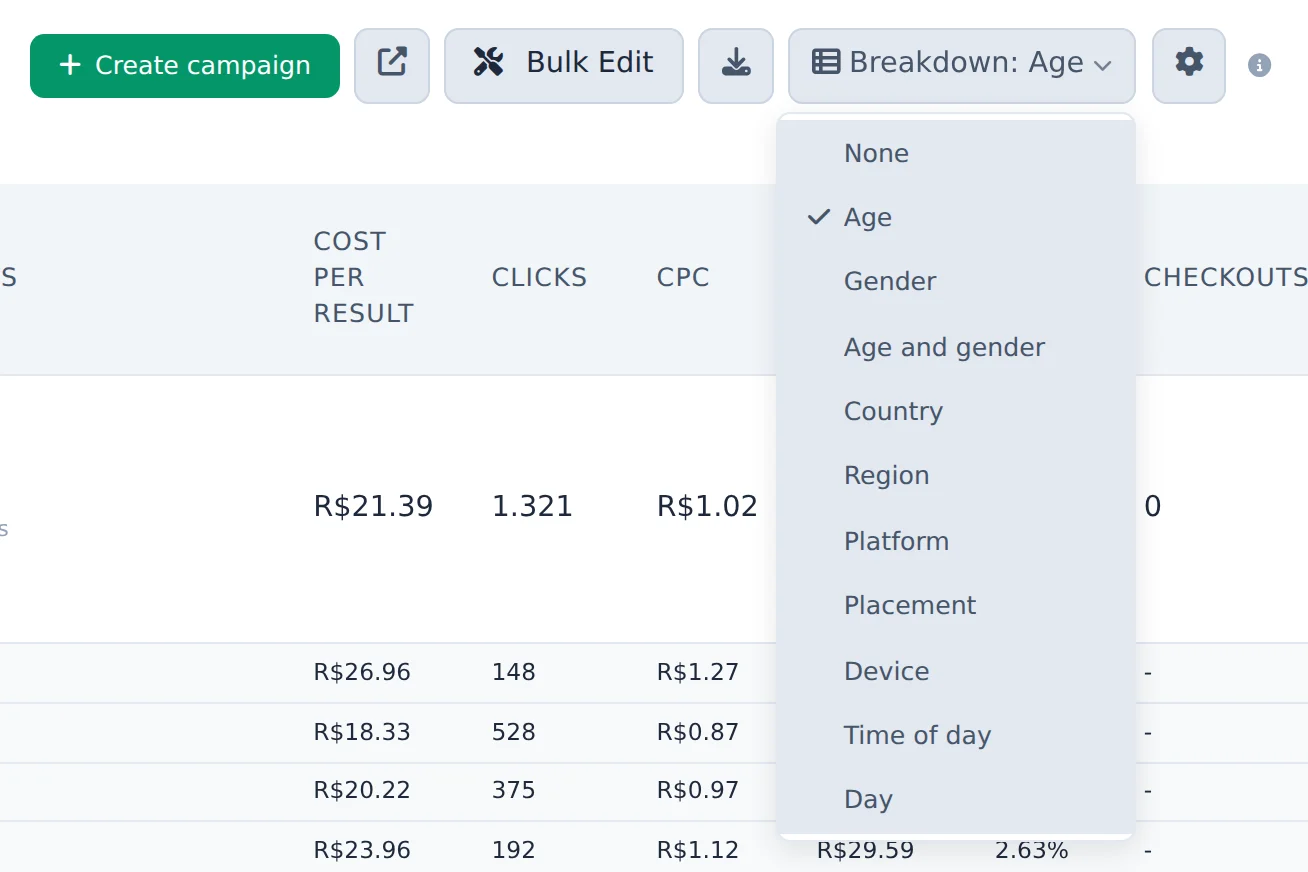
Open Breakdown again to change the view. None removes the sub-rows and the table goes back to what it was.
 12
- 1None brings the table back to normal
- 2Another view, such as Placement
To show the client
On the report link, the audience panels show age, gender, regions, placements and best days and times. See Create a report.
How to tell it worked
- The button shows the chosen view and each table row has its segments right below.
- A row with no delivery in the period shows No delivery in this breakdown for the period.
If something goes wrong
| Symptom | Likely cause | What to do |
|---|---|---|
| A notice says Meta limited requests | Too many requests to Meta in a short time | Wait a few minutes and pick the view again |
| Only the first rows came with a breakdown | The table has too many items to break down at once | Filter the table by name or status to see the rest |
| I cannot find the button in Google Ads | Breakdown belongs to Meta Ads | In Google Ads, open the Segments tab to see performance by device, time of day and day of the week |
Frequently asked questions
How do I see results by age, gender or placement in Meta Ads?
Use the Breakdown button, above the Meta Ads table, next to the export button. Pick a view and each campaign, ad set or ad gets sub-rows, one per segment, with the same columns as the table.
Available views: Age, Gender, Age and gender, Country, Region, Platform, Placement, Device, Time of day and Day.
- It applies to the open tab (campaigns, ad sets or ads) and to the period on screen.
- Sub-rows are read-only.
- None brings the table back to normal.
To show these views to a client, turn on the audience panels in the report.