
Meta Ads
Duplicate with a new objective
Turn a WhatsApp campaign into website sales (or the other way around) without rebuilding the ad sets and ads.
Quick answer
In Meta Ads, check the campaign, click Bulk Edit and Duplicate. Turn on Change objective/destination and pick the new objective, destination and optimization in the cascading lists. Fill in what the objective needs (such as the website and the conversion event) and confirm the duplication: Meta checks the combination before creating the copy.
Watch the walkthrough 0:36
Before you start
- The original campaign does not change: the new objective applies only to the copy.
- The copy Page and Instagram are the same as the source campaign.
- The Conversion event only lists the events Meta accepts for the new objective: Sales does not show Lead, and Leads does not show Purchase.
Step by step
In this example, we turn a WhatsApp messages campaign into website sales.
- 1
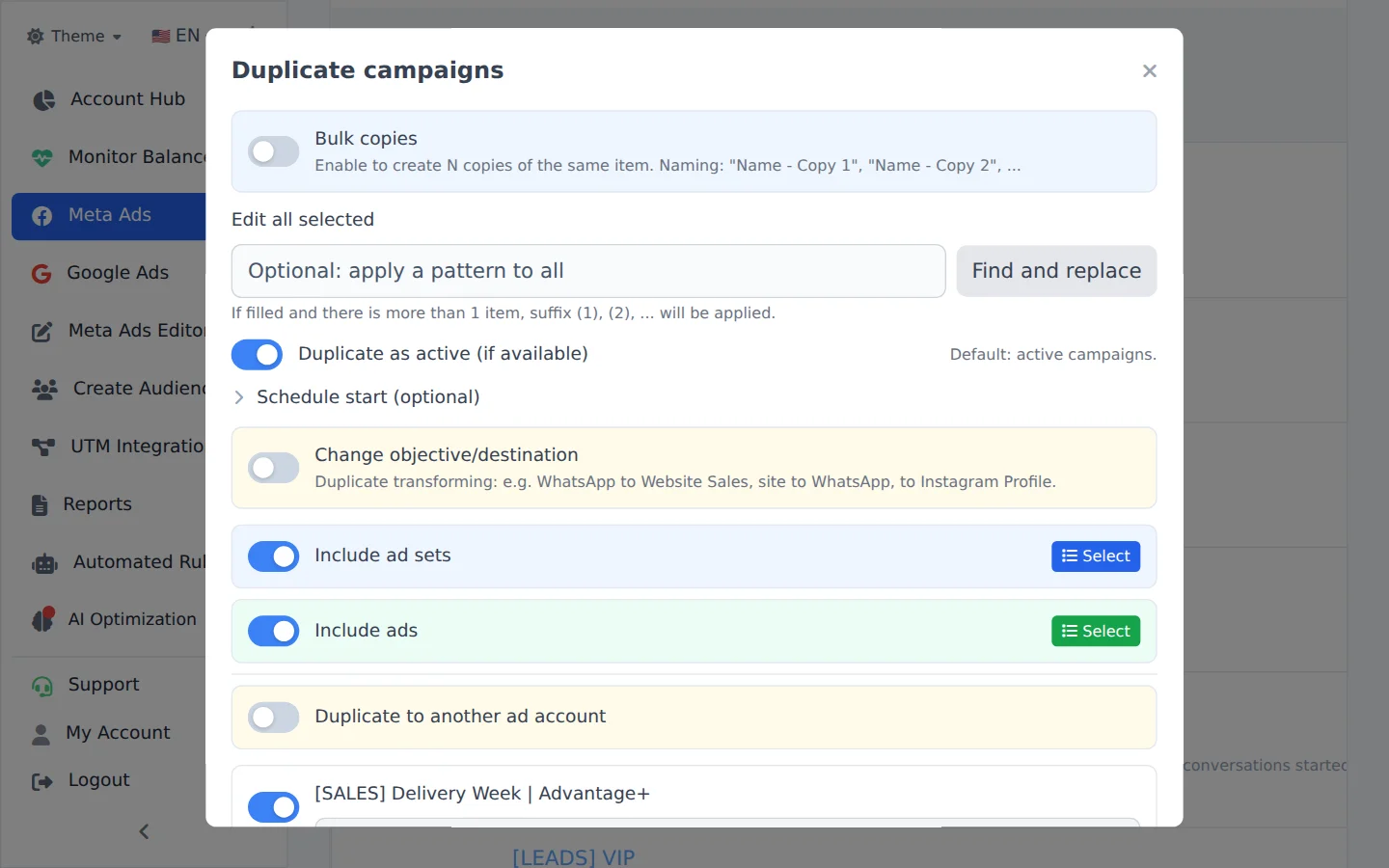
Open Duplicate
Check the campaign, click Bulk Edit and, in the action bar, Duplicate.
- 2
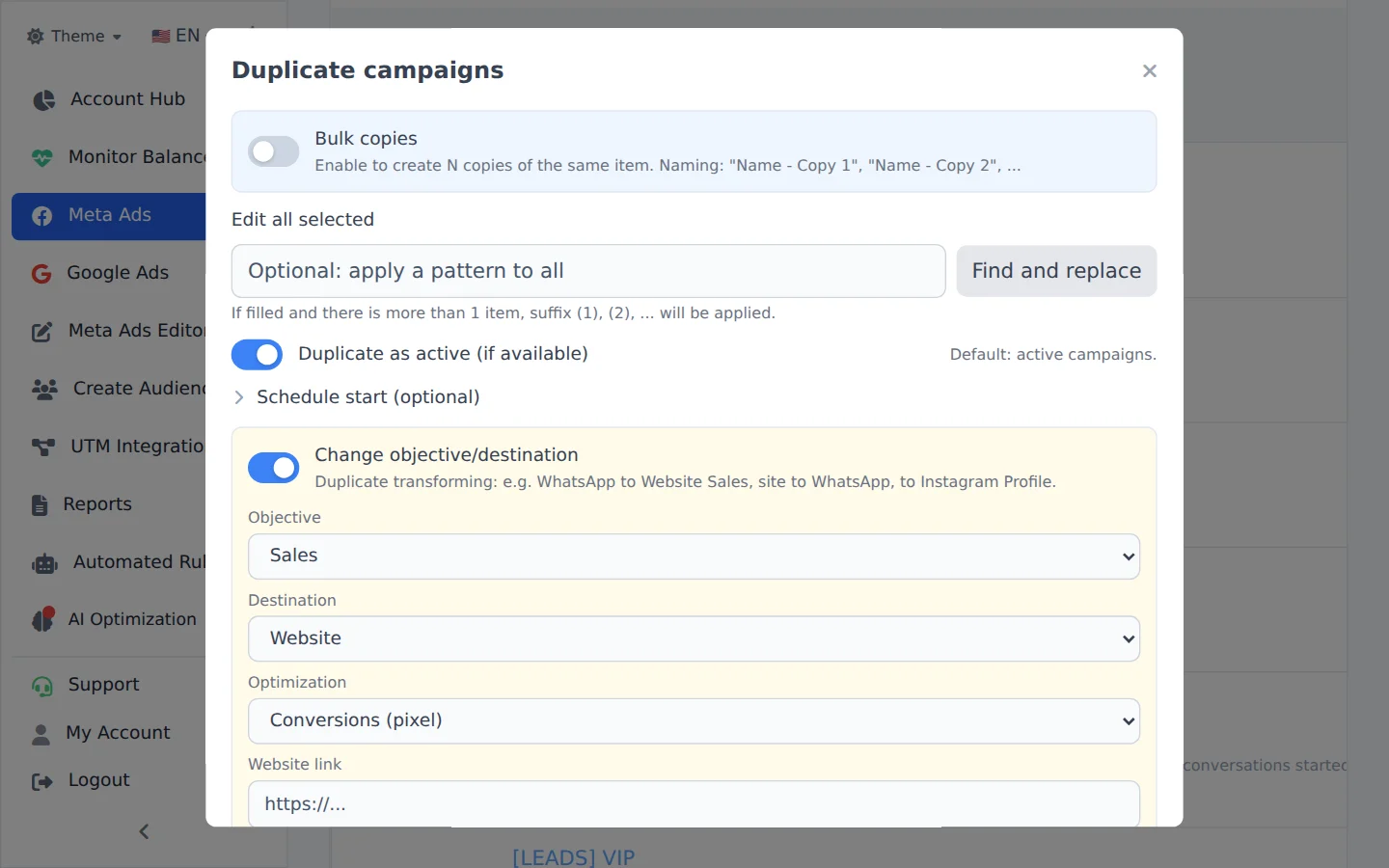
Turn on Change objective
Turn on Change objective/destination. Pick the new objective (here, Sales) and then the destination (here, Website).
- 3
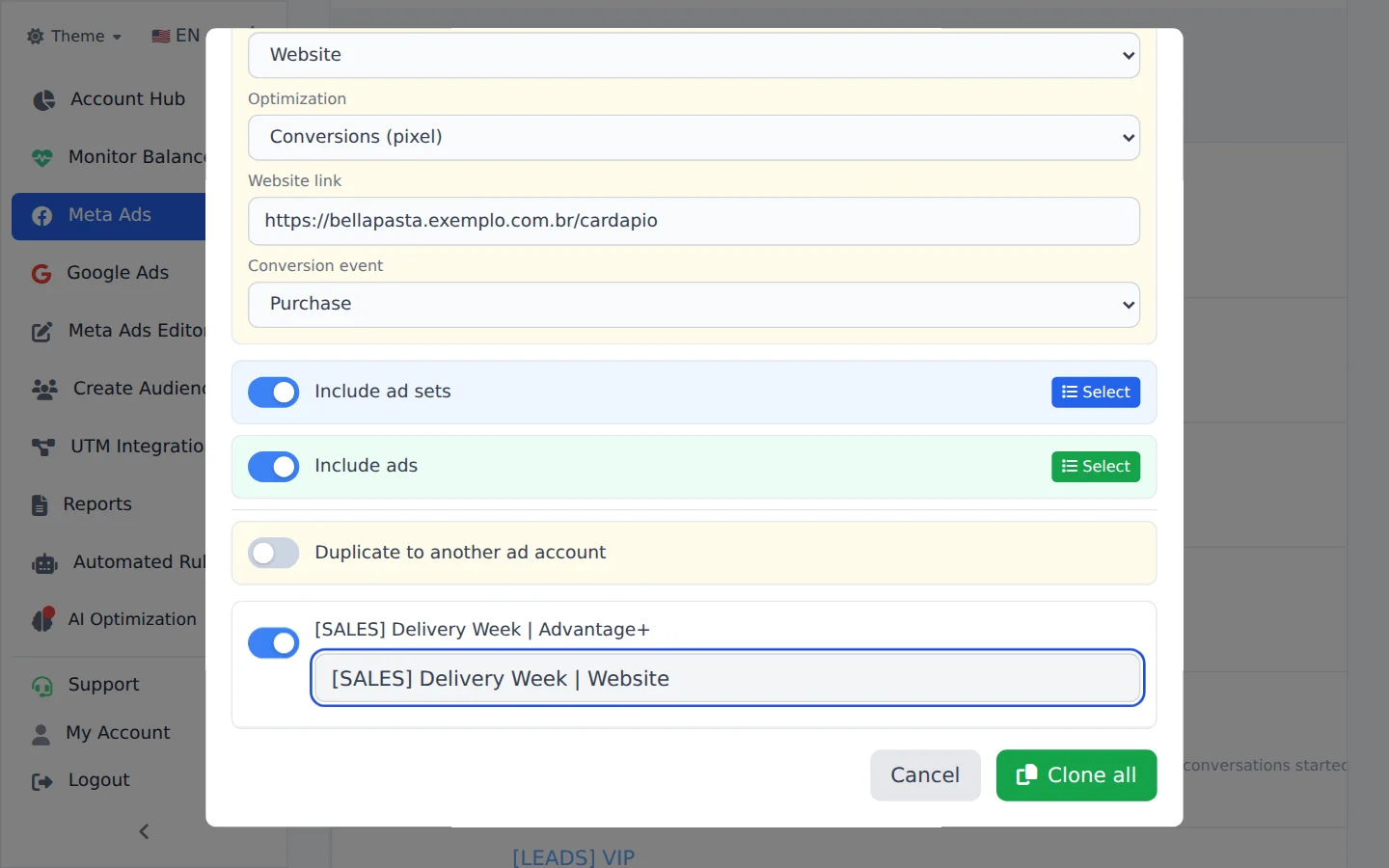
Fill in what the objective needs
Each combination asks for its own: for website sales, the page address, the Conversion event and the delivery optimization; the Pixel shows when the account has more than one. Rename the copy so you remember the new objective.
- 4
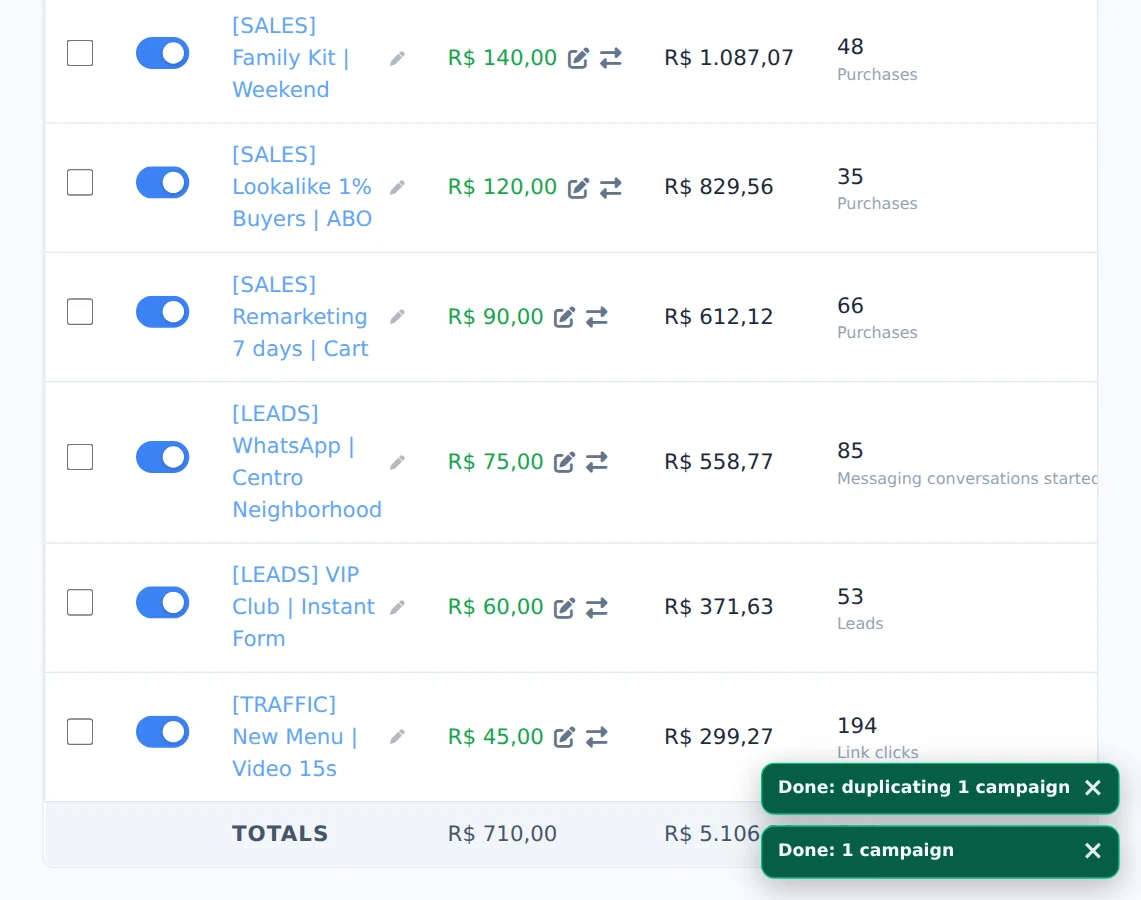
Confirm the duplication
Click the confirm button. The card in the corner follows the copy until the end.
Common combinations
WhatsApp to website Sales, website to WhatsApp and traffic to the Instagram Profile. The copy keeps the audiences and ads, so you can compare both objectives with the same creative.
How to tell it worked
- The card in the corner ends in Completed.
- The copy shows in the campaign list with the new name and the chosen objective.
- The copy ad sets optimize for the chosen event.
If something goes wrong
| Symptom | Likely cause | What to do |
|---|---|---|
| The event I wanted is not in the list | Meta does not accept that event for the chosen objective | Pick another objective or an event from the list |
| The duplication failed | The objective, destination and optimization combination is not valid for the account | Read the reason on the corner card and adjust the combination |
| The Change objective/destination option does not show | You are duplicating ad sets or ads | Go back to the Campaigns tab and duplicate the whole campaign |
Frequently asked questions
Can I duplicate a campaign with a different objective, for example from WhatsApp to Website Sales?
Duplicate the campaign and change the objective through Bulk edits. Choose the new Objective, Destination, and Optimization from the cascading lists. Depending on the combination, extra fields appear, such as Website link, Conversion event, Pixel (only when the account has more than one), Instagram username, or app details. The Conversion event list only includes events that Meta accepts for the new objective. For Sales, the Lead, Contact, Submit Application, and Schedule events are not available. For Leads, Purchase, Add to Cart, and the other purchase events are not available. The Facebook Page and Instagram profile stay the same as in the source campaign. Before creating anything, the system validates the combination with Meta to avoid invalid copies. Common examples: turning a WhatsApp campaign into a Website Sales campaign, turning a website campaign into a WhatsApp campaign, or sending traffic to an Instagram Profile.
See also
Duplicate campaigns in Meta AdsDuplicate a campaign to another accountCreate a campaign from scratch