
Audiences and UTM Integrations
Customer list
Upload a customer spreadsheet (CSV, XLSX or TXT) and create the audience in Meta, with the data prepared before sending.
Quick answer
In Create Audiences, pick the account and, under Customer list (file), turn on the block and pick the spreadsheet. Check the column mapping (it needs email, phone or an ID), name the audience and click Create list audience.
Watch the walkthrough 0:33
Before you start
- The file can be XLSX, CSV or TXT and needs at least email, phone, external ID or mobile ad ID.
- Ads Editor prepares the identifiers securely before sending them to Meta.
- Meta takes up to 24 hours to match the list with profiles.
Step by step
In this example, we create an audience from a delivery business customer list.
- 1
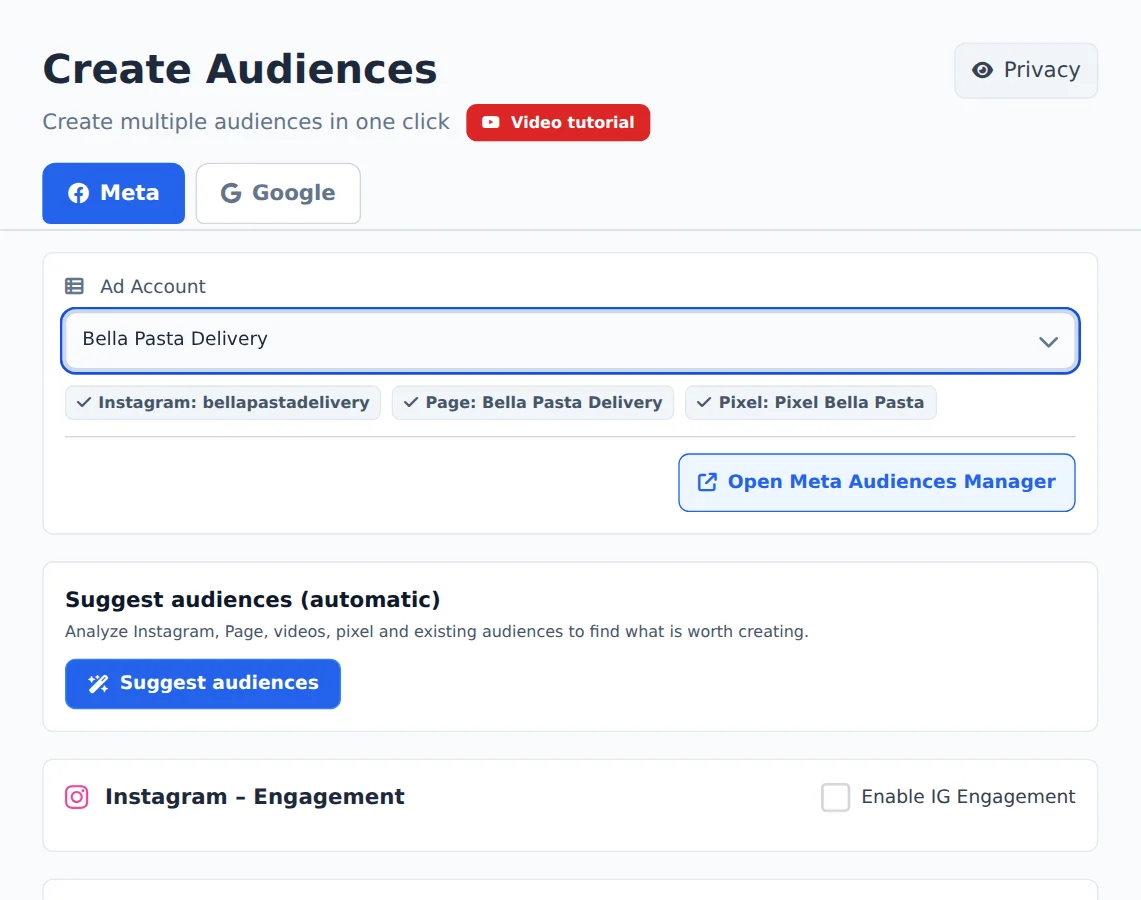
Pick the account
Open Create Audiences in the side menu and, on the Meta tab, pick the ad account in the selector at the top. Ads Editor finds its Instagram, Page and Pixel on its own.
- 2
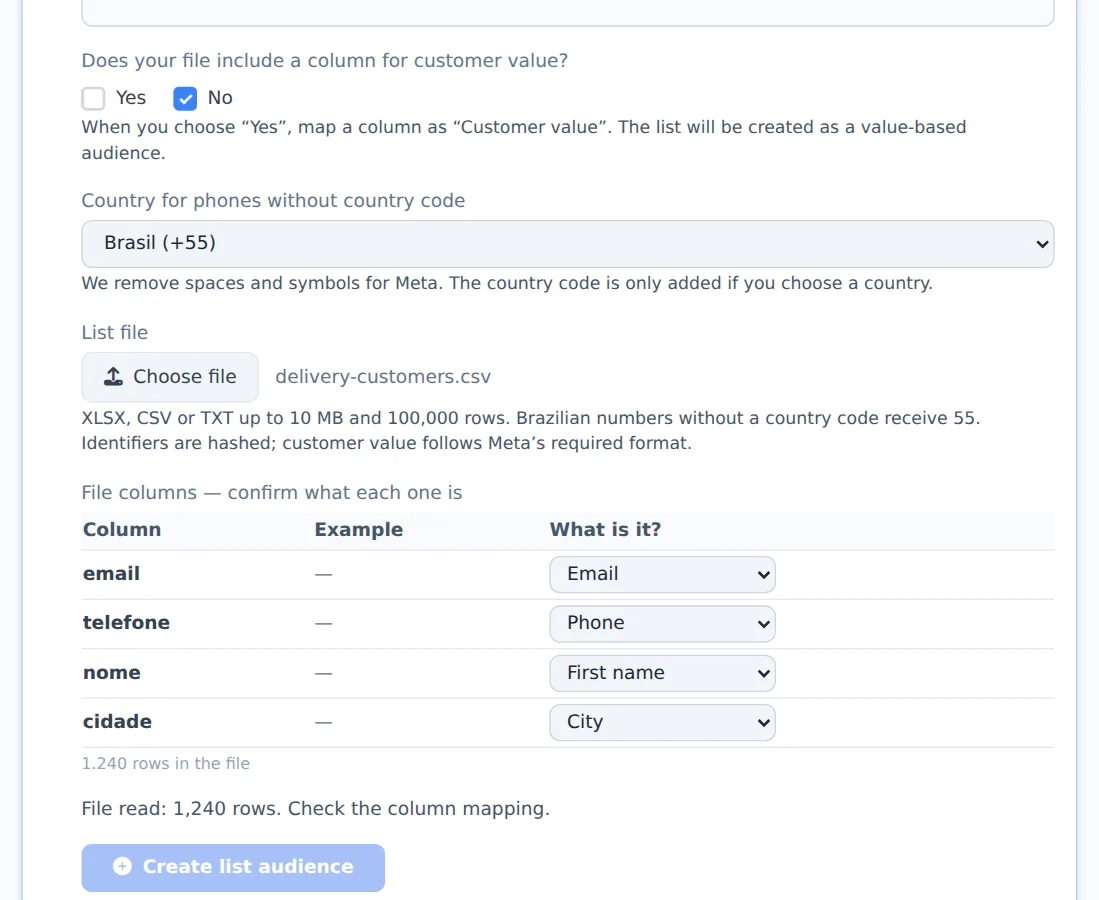
Pick the file
Under Customer list (file), turn on the block and click to pick the spreadsheet. Ads Editor reads the file and shows how many rows it has.
- 3
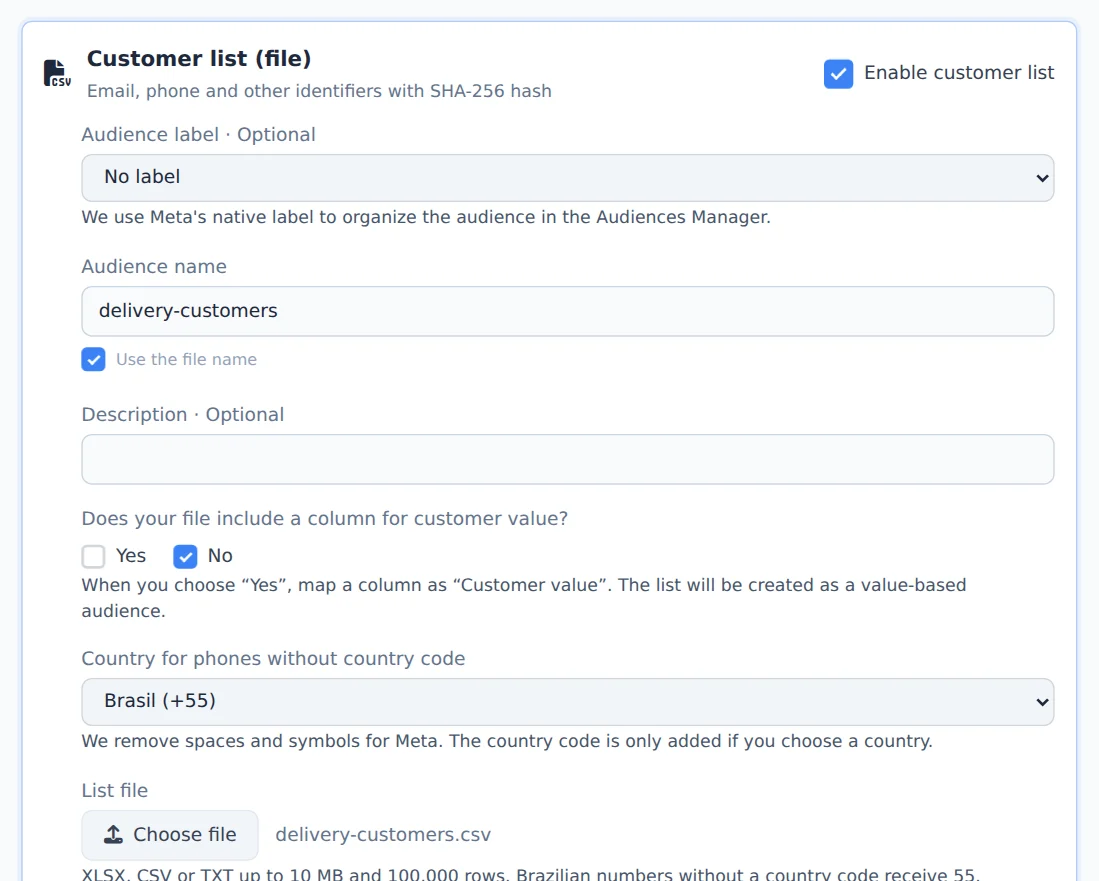
Check the columns and the name
In the mapping table, check what each column is (email, phone, name, city). Name the audience or check the option to use the file name. Label, description and customer value are optional.
- 4
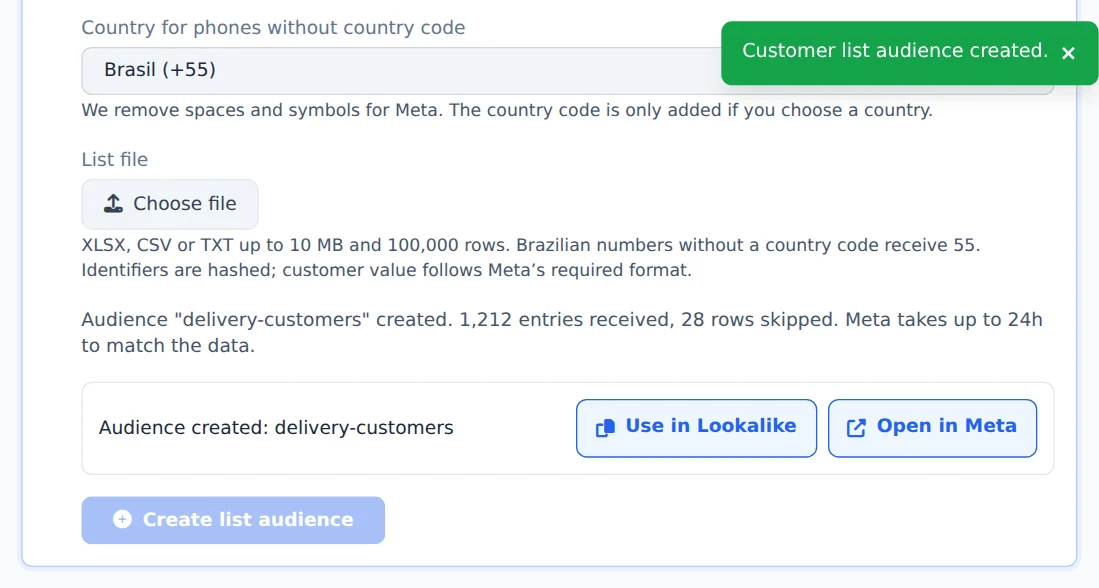
Create the list audience
Click Create list audience. The notice shows how many entries Meta received and how many rows were left out.
A good list becomes a lookalike
With the list audience created, use it as a lookalike source: Meta finds people similar to your customers.
How to tell it worked
- The notice confirms the audience was created and how many entries were received.
- In Meta, the audience shows under Audiences, with its size calculated within 24 hours.
If something goes wrong
| Symptom | Likely cause | What to do |
|---|---|---|
| The Create list audience button stays disabled | The name is missing or no column is mapped as email, phone or ID | Name it and map at least one of those columns |
| Many rows were skipped | The rows have no valid email or phone | Clean up the spreadsheet and check the country for phones without a country code |
Frequently asked questions
Can I create a custom audience from a customer list in Ads Editor?
Yes. You can create a customer list audience directly in Ads Editor.
- Open Audiences → Create Audiences and select the ad account.
- Under Customer list (file), choose an XLSX, CSV, or TXT file.
- Enter the audience name or use the file name.
- Review the column mapping. The file must include at least an email address, phone number, external ID, or mobile advertising ID.
- Optionally, add a label and a description, and indicate whether the file has a customer value column.
- Click Create list audience. When it's done, you can open the audience in Meta.
Ads Editor prepares the identifiers securely before uploading them. Meta may take up to 24 hours to match the list to profiles. You can also request the audience through Copilot or MCP.