
Google Ads
Google campaign conversions
Tell Google which result the campaign should go after: booking, WhatsApp, call or purchase.
Quick answer
In Google Ads, click Edit on the campaign and pick Conversion. Use account goals follows the conversions set for the whole account. Conversions specific to this campaign lets you check only the conversions this campaign should optimize for. Click Save.
Watch the walkthrough 0:22
Before you start
- A Maximize conversions campaign in an account with no active conversion gets created, but it does not optimize: there is no signal.
- A new conversion can be created in the Conversion step of Create campaign. Ads Editor gives you the tag to install on the website.
- A Maximize clicks campaign does not need a conversion.
Step by step
In this example, the dental implant campaign starts optimizing only for website booking and WhatsApp click.
- 1
Open Conversion
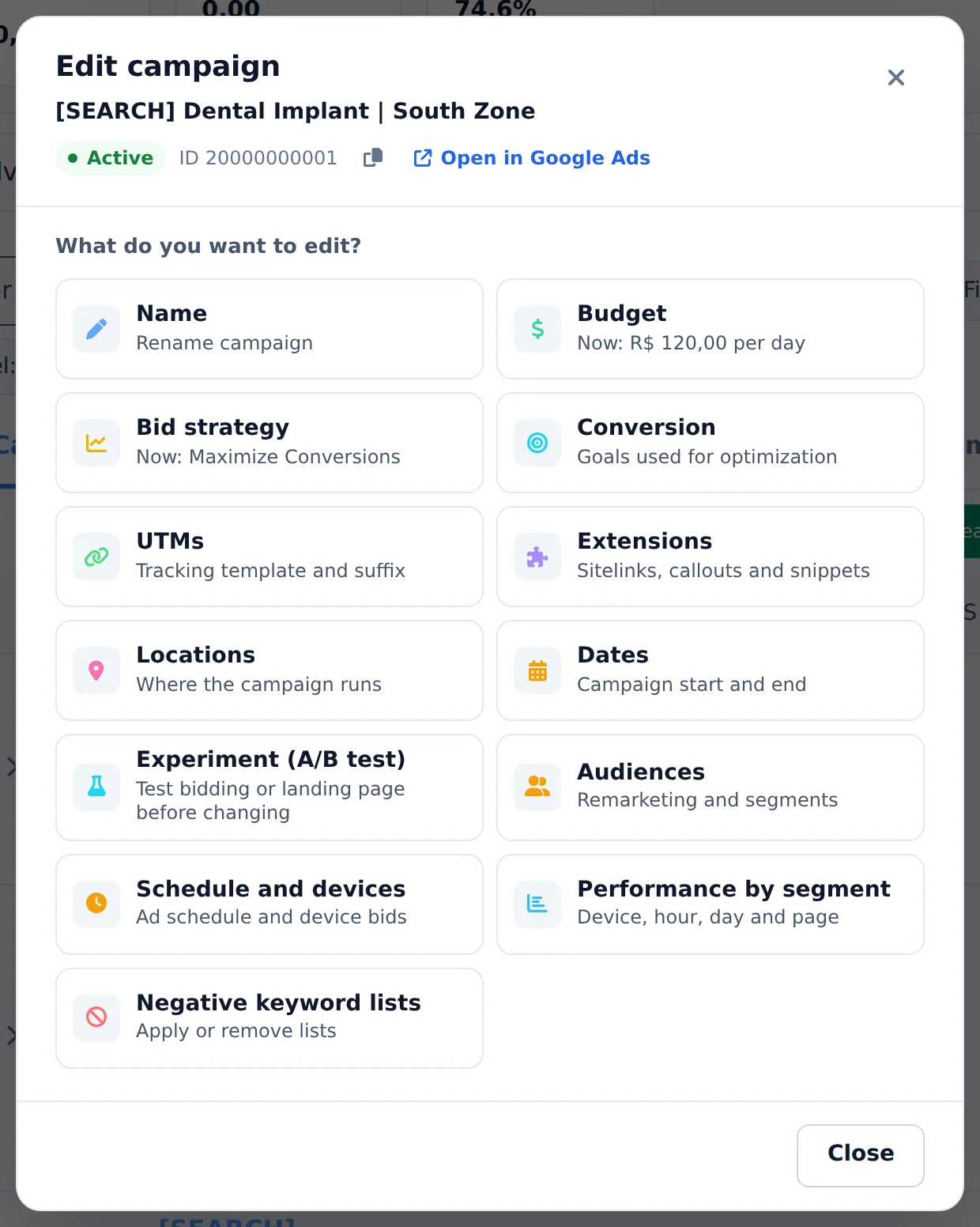
Click Edit, below the campaign name, and pick the Conversion card.
 1
1- 1Conversion
- 2
Pick the conversions
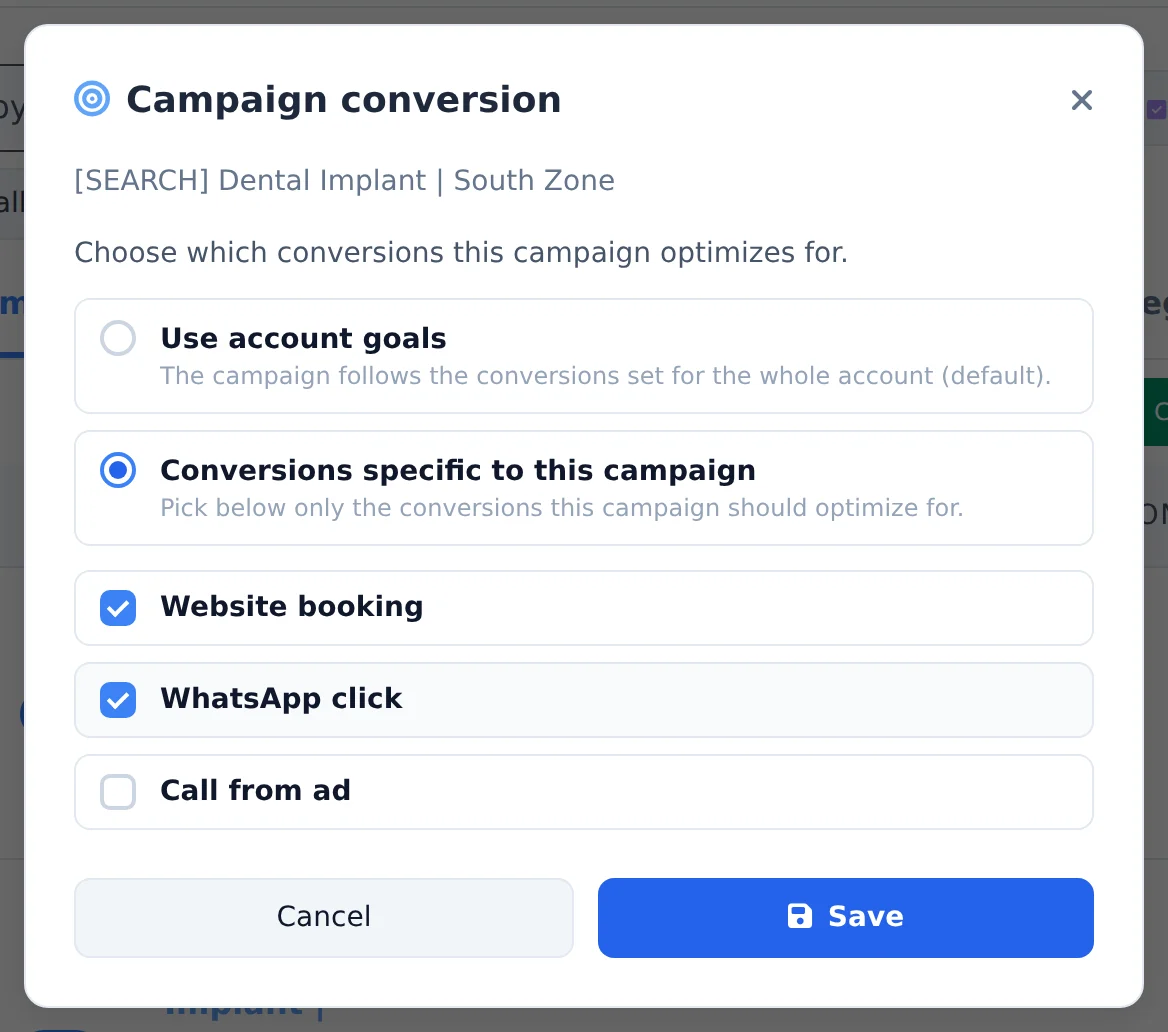
Use account goals follows what is set up in Google Ads. To optimize for only some of them, choose Conversions specific to this campaign and pick the conversions from the list.
 123
123- 1Use account goals
- 2Conversions specific to this campaign
- 3Save
- 3
Save
Click Save. From then on, Google optimizes the campaign bids for the checked conversions.
A conversion that really counts
Check only what is a result for the client, such as booking, purchase or message. Page visits and scrolling make Google chase cheap clicks, not customers.
How to tell it worked
- The notice in the corner confirms the change.
- The Conversion card in Edit shows the chosen conversions.
- The Conversions column of the table counts only the checked ones, from the change on.
If something goes wrong
| Symptom | Likely cause | What to do |
|---|---|---|
| The conversion list is empty | The account has no conversion created | Create the conversion in Create campaign or in Google Ads and install the tag |
| The conversion never records anything | The tag was not installed on the website, or fires on the wrong page | Check the tag installation on the website |
| The Conversion card does not show | It sits in the campaign Edit, not the ad group one | Open Edit on the campaign row |
Frequently asked questions
How do I choose or create a conversion in Google Ads and edit a campaign's conversion?
In Ads Editor you control Google Ads conversions in two places:
- When CREATING the campaign (Google Ads, "Create campaign" button), in step 2 (Conversion) you choose a conversion that already exists in the account or create a new one right there. When you create one, Ads Editor gives you the TAG (global site tag + event snippet) to install on your site so the conversion can start counting.
- Once the campaign exists, each campaign has the "Campaign conversion" action (target icon next to the campaign name in Google Ads).
There you switch between "Use account goals" (the campaign follows the conversions of the entire account) and "Conversions specific to this campaign" (you select only the conversions this campaign should optimize).
Important rule: a "Maximize conversions" campaign in an account with NO active conversion can be created, but it will NOT optimize (no signal), so create and install the conversion first. A "Maximize clicks" campaign doesn't need any conversion.