
Audiences and UTM Integrations
Instagram and Facebook engagement
Create audiences of people who visited the profile, engaged, messaged or saved, in several periods at once.
Quick answer
In Create Audiences, pick the account and turn on Enable IG Engagement. Check the profile, check the types (everyone who engaged, visited the profile, engaged with posts, sent a message, saved, followers) and do the same for the Page under Enable FB Engagement. Pick the Retention Periods and click Create Audiences.
Watch the walkthrough 0:47
Before you start
- Each checked type becomes one audience per period: 3 types in 7, 30 and 90 days make 9 audiences.
- Profile followers is a single audience of all followers, with no period.
- Engagement (Instagram, Facebook and video) accepts at most 365 days.
Step by step
In this example, we create the Instagram and Page engagement audiences of a delivery business.
- 1
Pick the account
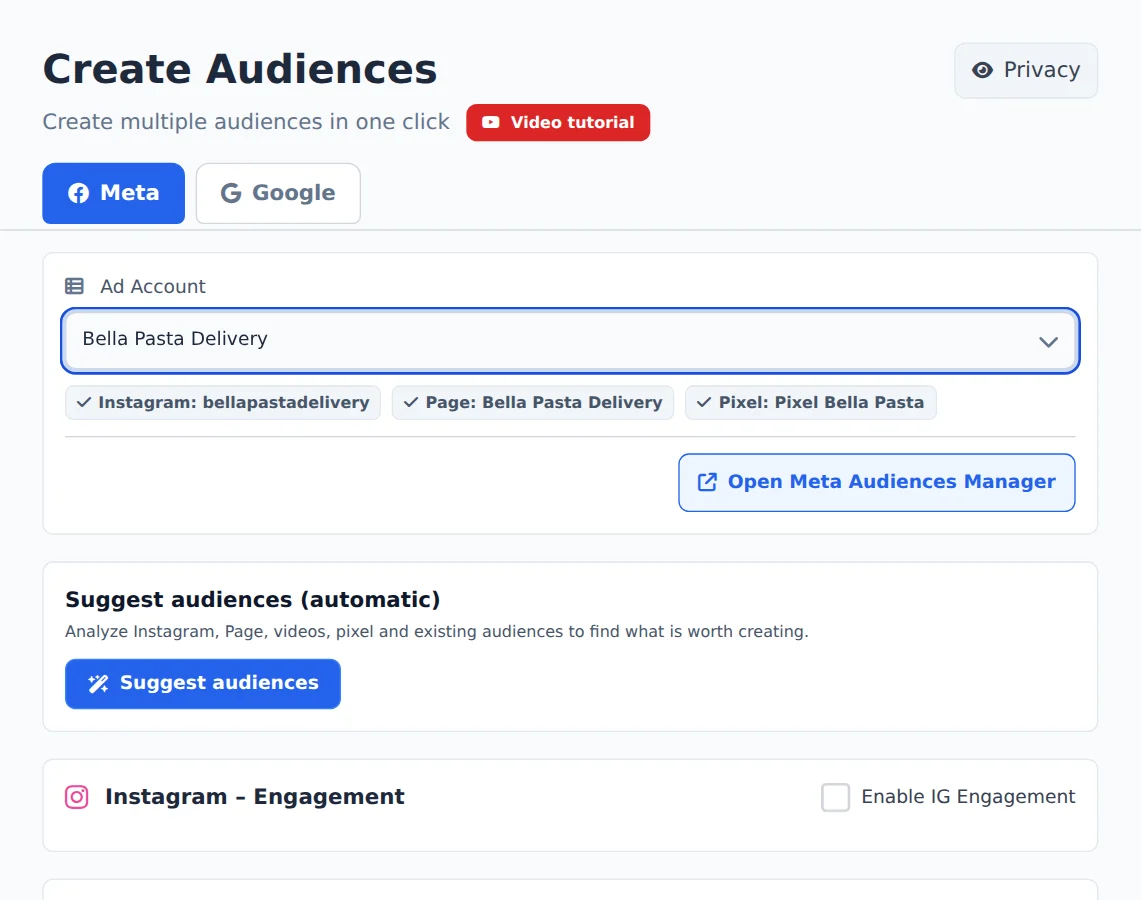
Open Create Audiences in the side menu and, on the Meta tab, pick the ad account in the selector at the top. Ads Editor finds its Instagram, Page and Pixel on its own.
- 2
Turn on Instagram
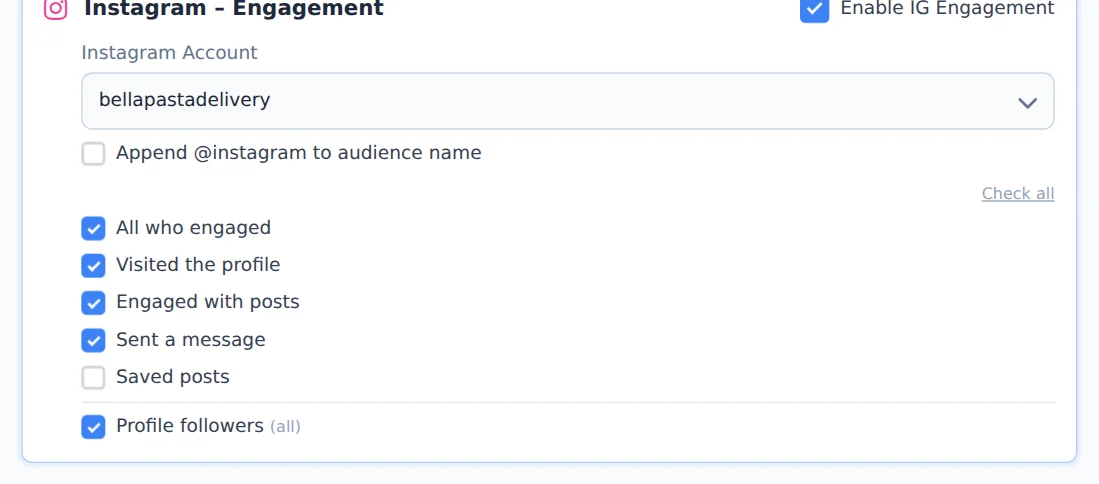
Turn on Enable IG Engagement and check the Instagram Account. Each checked box becomes an audience; uncheck what you do not want. Append @instagram to audience name helps when the account has several profiles.
- 3
And the Facebook Page
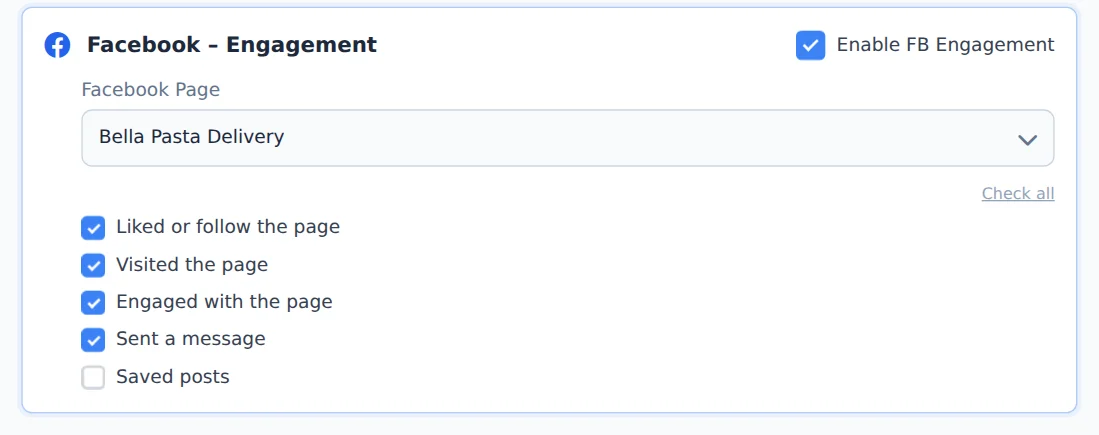
Turn on Enable FB Engagement, check the Page and check the types: likes and followers, visits, engagement, messages and saves.
- 4
Pick the periods
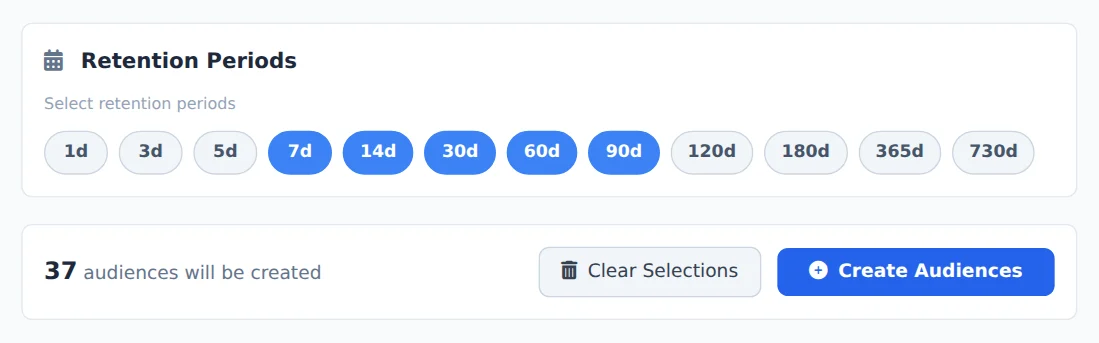
Under Retention Periods, click the days you want (the defaults are 7, 30 and 90). The counter below shows how many audiences will come out.
- 5
Create the audiences
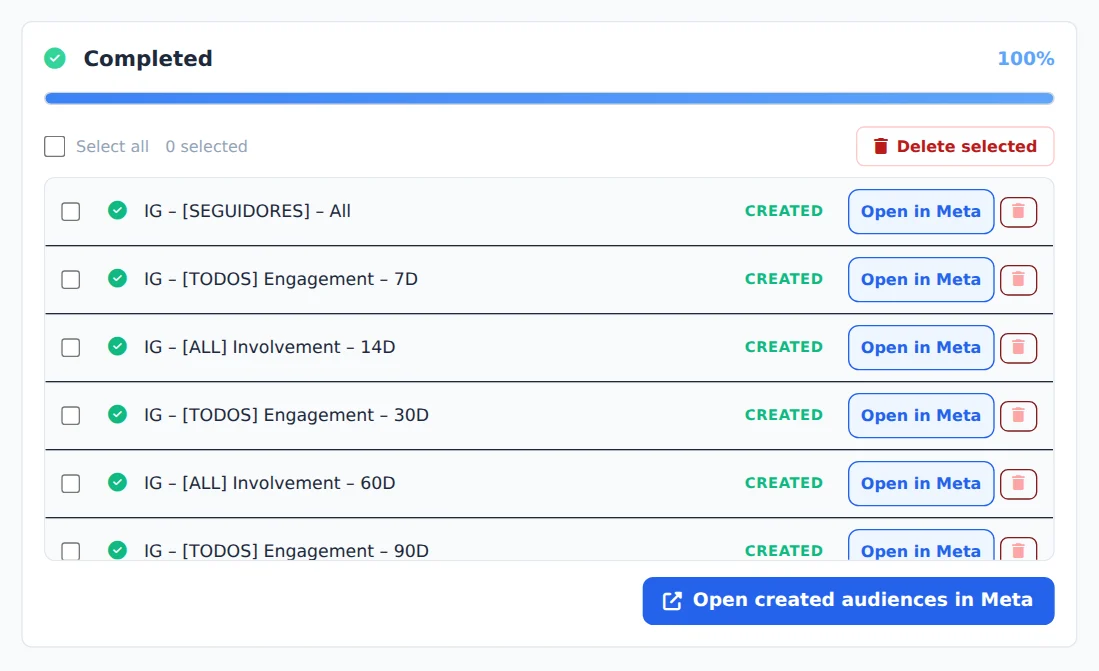
Click Create Audiences. Creation runs on the server and the progress panel shows each audience created in Meta.
Names Ads Editor recognizes
Names follow a pattern, such as IG - [VISITARAM] - 30D. Keep them that way: that is how Ads Editor recognizes what already exists and does not create it twice.
How to tell it worked
- The progress panel ends in Completed, with each audience in the list.
- In Meta, the audiences show under Audiences, with the name and the period.
If something goes wrong
| Symptom | Likely cause | What to do |
|---|---|---|
| The Instagram does not show | The profile is not linked to the ad account or you have no access to it | Link the profile to the account in Business Manager and pick the account again |
| An audience came out with Error | The period is over the Meta limit (365 days for engagement) | Pick a shorter period; the other audiences are created normally |
Frequently asked questions
Which Instagram engagement audiences can I create?
In the Instagram Engagement section, after you turn on Enable IG Engagement and choose the Instagram Account, you can select: Everyone who engaged, Visited the profile, Engaged with posts, Sent a message, Saved posts and Profile followers. Each selected type is combined with the selected Retention Periods, creating one audience per period (for example, 7, 30 and 90 day engagement). The exception is Profile followers, which is always a single audience of all followers, with no period. There's also the Add @instagram to audience name option, which appends the profile's @ to the end of the name. It's useful when you manage multiple profiles in the same account.
How do Retention Periods work, and what are the limits?
Retention Periods set the audience's time window. A 30-day audience includes people who took the action in the last 30 days, and it updates itself automatically in Meta. You can select several periods at once (1, 3, 5, 7, 14, 30, 60, 90, 120, 180 and 365 days), and each audience type you select is created once for each period. The preselected defaults are 7, 30 and 90 days. Keep Meta's limits in mind: engagement audiences (Instagram, Facebook and video) accept a maximum of 365 days, and pixel-based website audiences accept a maximum of 180 days. Meta rejects periods above the limit and the item shows Error in the list, but the other audiences are still created.
How are the audiences named? Can I customize the names?
Names follow a fixed pattern that identifies the type and period, for example: IG - [VISITARAM] - 30D, FB - [MENSAGEM] - 7D, VIDEO - [ThruPlay] - 90D, View Page - SITE - 30D, SITE - [Purchase] - 30D and Lookalike - SourceName - 1%. Two customizations are available: for Video View you can change the name Prefix (the default is VIDEO), and for Instagram there is the option Add @instagram to the audience name, which appends the profile's @ at the end (for example IG - [SEGUIDORES] - Todos - @seuperfil). We recommend keeping the generated names, because the system uses them to recognize existing audiences and avoid creating duplicates later.