
Reports
Manual metric and notes in the report
Add numbers from outside the platforms to the report, like WhatsApp sales, and write your note to the client at the top of the page.
Quick answer
On the report card, click Edit and switch to Advanced. In Metrics, click Add manual metric and fill in the name and values. In Sections, turn on Notes from the manager, write the text (Rewrite with AI makes it ready for the client) and save.
Watch the walkthrough 0:36
Before you start
- You type the manual metric yourself: Ads Editor does not fetch that number anywhere.
- The notes show up at the top of the report, before the numbers.
- Rewrite with AI uses your account AI credits. Review the text before saving.
Step by step
In this example, we add the sales the restaurant closed on WhatsApp and leave a note for next month.
- 1
Open the report in Advanced
In Reports, click Edit on the report card. At the top of the window, switch from Simple to Advanced: the Accounts, Metrics, Sections and Access tabs show up.
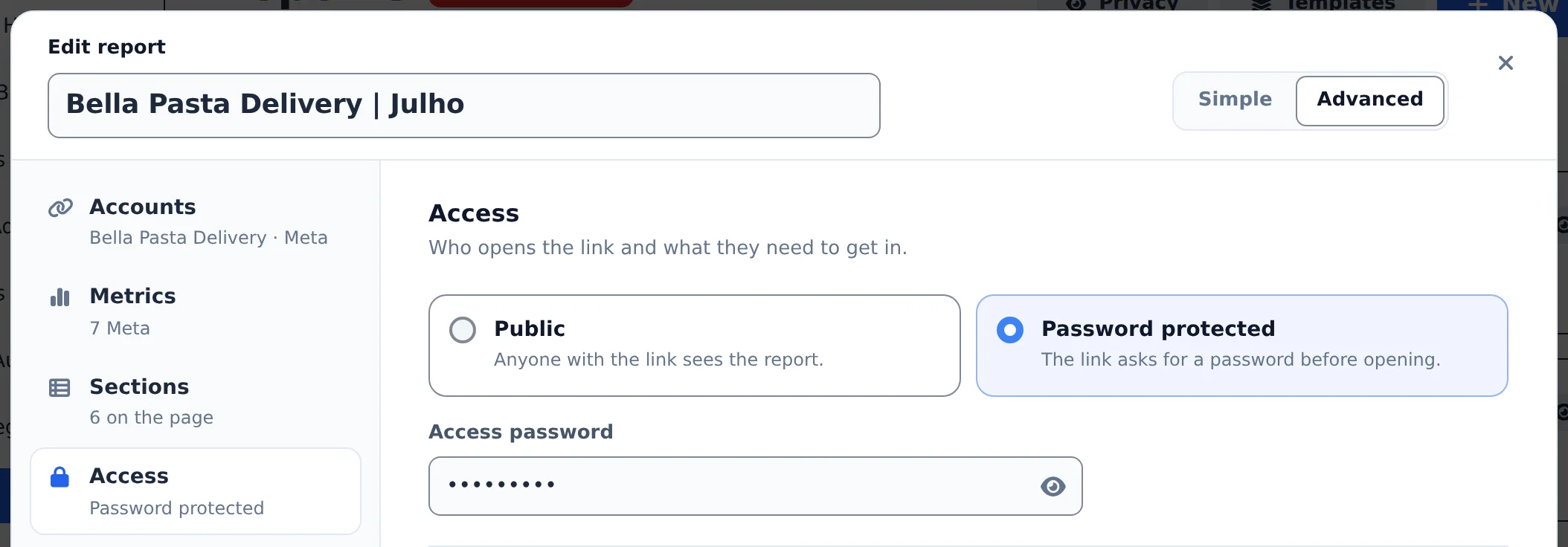 1
1- 1Advanced
- 2
Add the manual metric
In the Metrics tab, go down to Manual metrics and click Add manual metric. Enter the name (here, WhatsApp sales), the value for the period and, if you want, the previous one. It becomes a card at the top, with the change.
 12
12- 1The manual metric
- 2Add manual metric
- 3
Write your notes and save
In the Sections tab, turn on Notes from the manager and write it your way. Rewrite with AI rewrites the text in a report tone. Click Save changes.
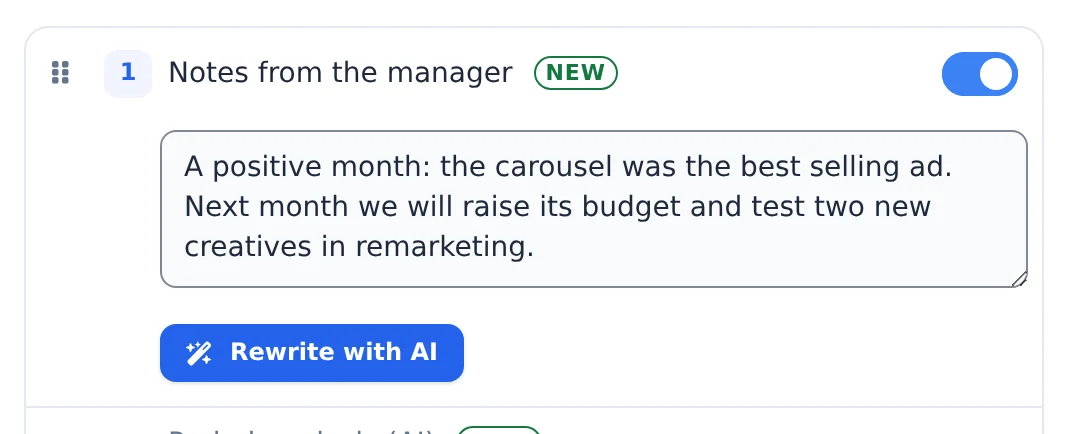 12
12- 1Notes from the manager
- 2Rewrite with AI
Update it every month
The manual metric and the notes stay fixed until you change them. Before sending the monthly report, open Edit and update both.
How to tell it worked
- Opening the link, the manual metric card shows up next to the others at the top.
- The notes text shows up right below the report header.
If something goes wrong
| Symptom | Likely cause | What to do |
|---|---|---|
| I cannot find Manual metrics | The editor is in Simple mode | Switch to Advanced at the top of the window |
| The notes do not show up on the link | The Notes from the manager section is off | Turn the section on in Sections and save |
| Rewrite with AI does not respond | The AI credits ran out | Buy credits in My Subscription or write the text without AI |
Frequently asked questions
How do I add a manual (custom) metric to the client report?
In the report editor you can create as many manual metrics as you want. They're perfect for indicators you track outside the ad platforms, such as closed sales on WhatsApp:
- In the report editor, add a manual metric with the name and value you choose.
- Optionally, also fill in the previous period value. The card shows the percentage change, just like the other metrics.
- It appears as a card in the client report, alongside the Meta and Google metrics.
- You control what shows: enable or hide each manual metric whenever you want.
How do I put my own notes (as the manager) at the top of the client report?
Use the Manager's Notes section, which is turned off by default. On the Reports page, click Analysis on the report card (or open the report to edit), turn on Manager's Notes, write your text and save. The text appears at the top of the report for anyone who opens the link.
You don't need to write it nicely. Jot it down your own way, for example "increased the budget on campaign 02, need to swap the creatives", and click Reword with AI. The AI returns a clear, friendly note for the client, without adding facts you didn't write. Don't like it? Click Undo to go back to your text. Rewording uses AI credits.
If you'd rather have AI write a text based on the numbers, use Period Analysis (AI). It's a separate section and can be turned on at the same time.
What does the Reword with AI button do in the report's Manager's Notes?
Reword with AI turns a quick note into a clear, friendly message for your client.
How to use it:
- On the Reports page, click Analysis on the report card (or open the report editor).
- In Manager's Notes, write it your own way, for example: "increased the budget on campaign 02, need to swap the creatives".
- Click Reword with AI and check the text. If you don't like it, click Undo.
- Save.
The AI only rewrites what you wrote. It doesn't invent numbers or add facts. Each rewrite uses AI credits. If you run out of credits, a warning appears with See plans (free plan) or Buy credits (paid plan).