
Meta Ads
Age and gender in bulk
Change the age range and gender of several ad sets at once, seeing the current range of each one.
Quick answer
In Meta Ads, on the Ad Sets tab, check the ad sets, click Bulk Edit and Edit Ad Set. Pick Edit Age, set the minimum and maximum age under Apply to all and click Save changes. Gender works the same way, under Edit Gender: All, Men or Women.
Watch the walkthrough 0:32
Before you start
- Each ad set can have a different range: the window shows the current one for each, and you can adjust them one by one.
- Changing the targeting may restart the ad set learning. Avoid changing ad sets that are already doing well too often.
Step by step
In this example, we move two ad sets to ages 25 to 54 and women only.
- 1
Open Edit Ad Set
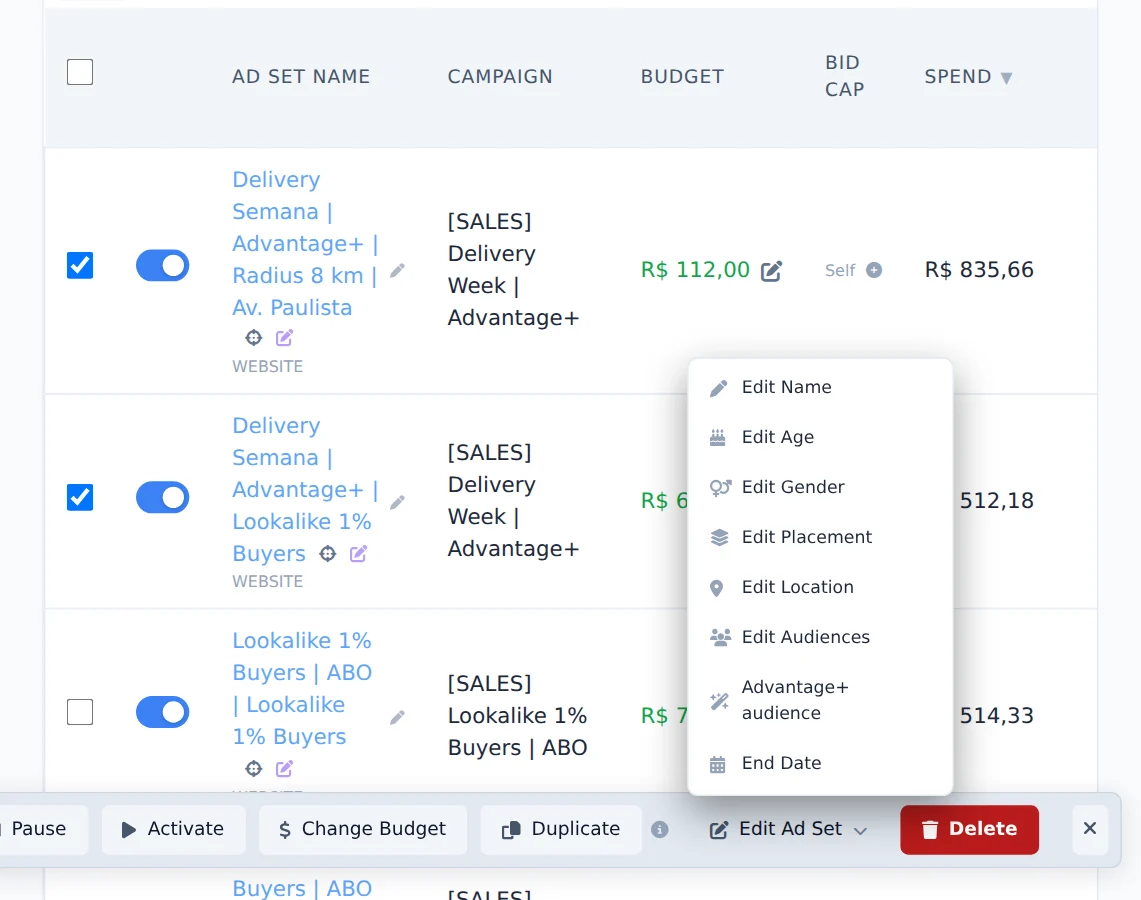
Open the Ad Sets tab, check the ad sets, click Bulk Edit and then Edit Ad Set.
- 2
Adjust the age
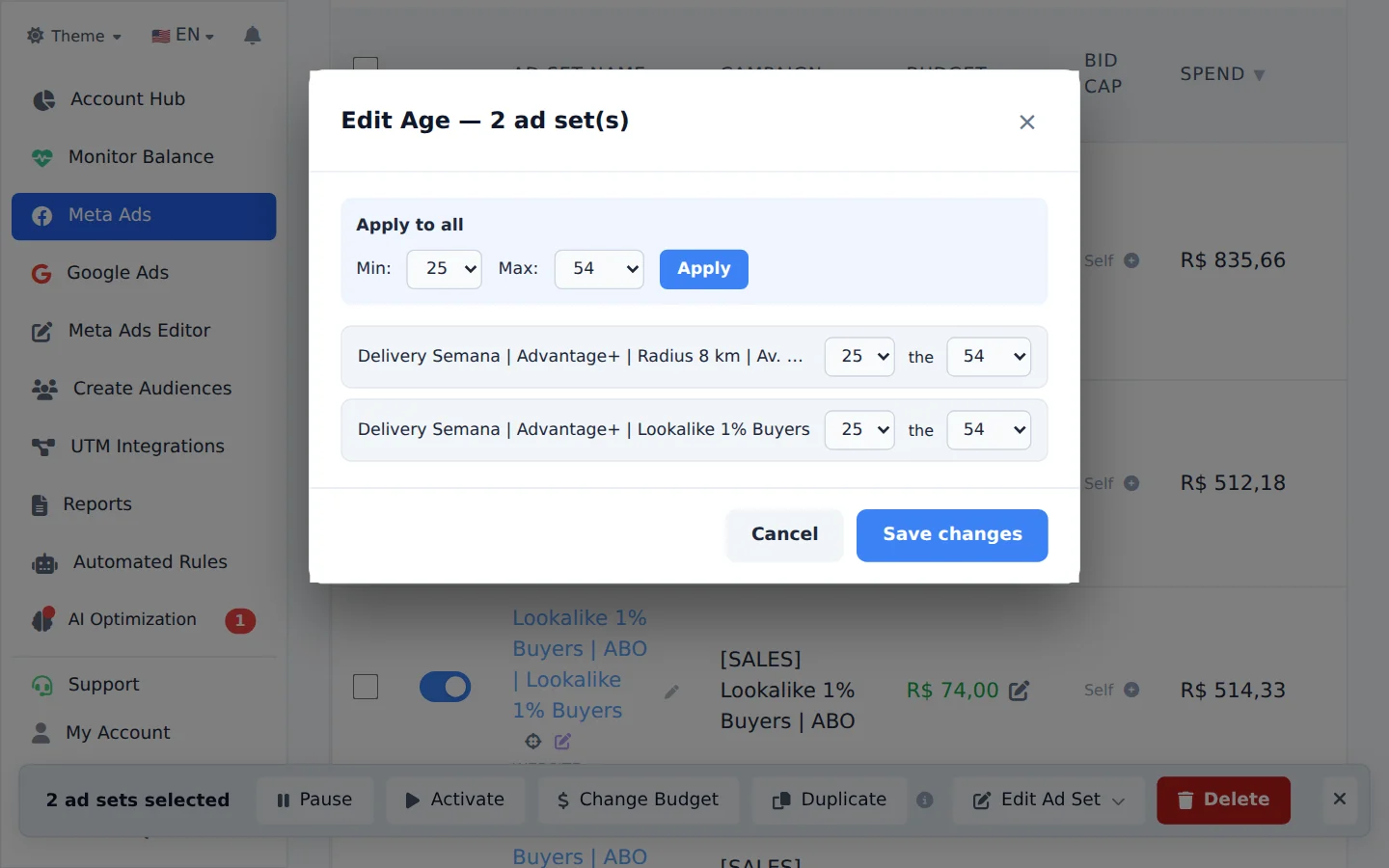
Click Edit Age. Each ad set shows its current range. Under Apply to all, pick the minimum and maximum age and apply; then click Save changes.
- 3
Adjust the gender
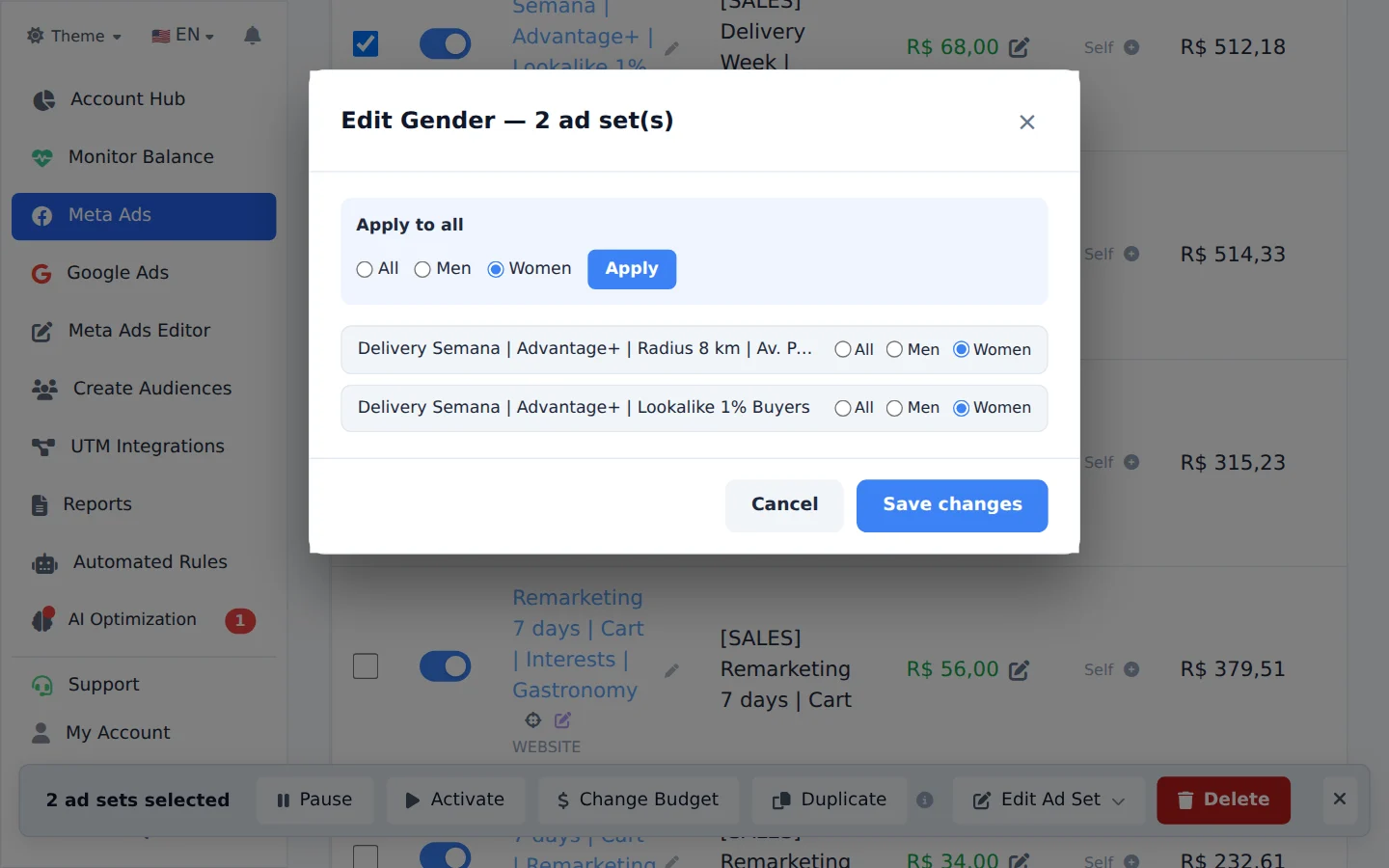
Go back to Edit Ad Set and pick Edit Gender. Choose All, Men or Women under Apply to all, apply and click Save changes.
Advantage+ audience turned on
With Advantage+ audience on, age and gender become a suggestion to Meta, and it may deliver outside the range. For a strict range, turn Advantage+ off in the same menu.
How to tell it worked
- The window shows the progress until the end, with no error.
- When you open Edit Age again, each ad set already shows the new range.
If something goes wrong
| Symptom | Likely cause | What to do |
|---|---|---|
| Meta refused the age | The range is not allowed for the country or for the campaign special category | Read the reason in the window and pick an allowed range |
| Edit Age does not show | You are not on the Ad Sets tab | Switch tabs and check the ad sets again |
Frequently asked questions
How do I edit the age range and gender for multiple ad sets at once?
On the Ad Sets tab, select the ad sets, open Bulk edits, click Edit Set, and choose Edit Age or Edit Gender. In the age window, set the minimum and maximum age and use Apply to all, or adjust ad set by ad set in the list. In the gender window, choose All, Men, or Women; you can also apply to all. Click Save changes and follow the progress in the window. Changing targeting can restart an ad set's learning phase in Meta, so avoid changing ad sets that already perform well too often.