
Google Ads
Where the Google campaign shows
Limit the campaign to cities, neighborhoods, states or a radius around the business address.
Quick answer
In Google Ads, click Edit on the campaign and pick Locations. Type the city, neighborhood or state and pick it from the list, or use a radius in kilometers around an address. Click Save: the campaign location list is replaced in Google Ads.
Watch the walkthrough 0:21
Before you start
- With no location chosen, the campaign runs in the whole country.
- A radius works well for neighborhood businesses, such as clinics, restaurants and gyms.
- You can also exclude a region, so the campaign does not show there.
Step by step
In this example, the clinic campaign starts showing only in the Santo Amaro neighborhood.
- 1
Open Locations
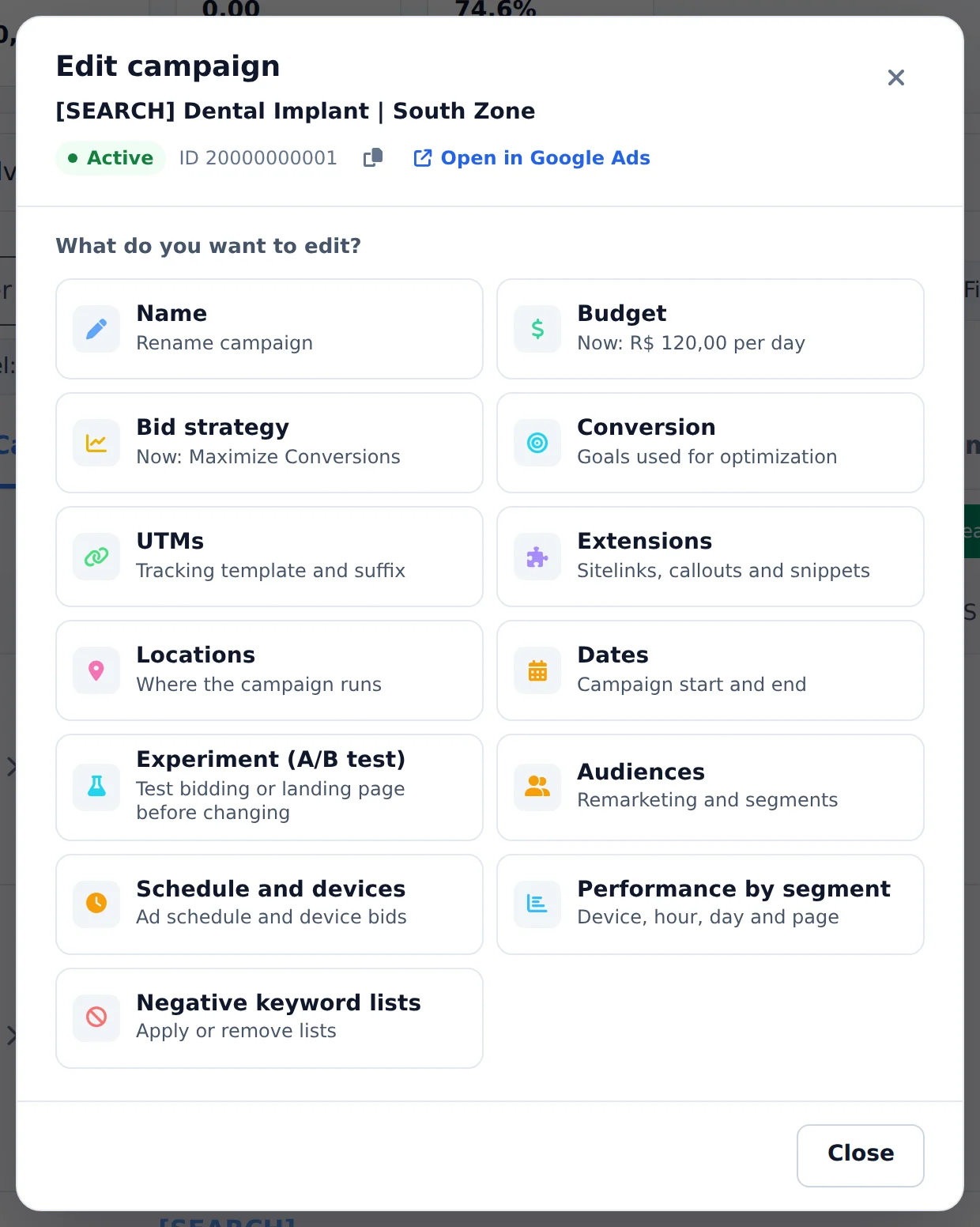
Click Edit, below the campaign name, and pick the Locations card. The window shows the locations the campaign already uses.
 1
1- 1Locations
- 2
Add the area
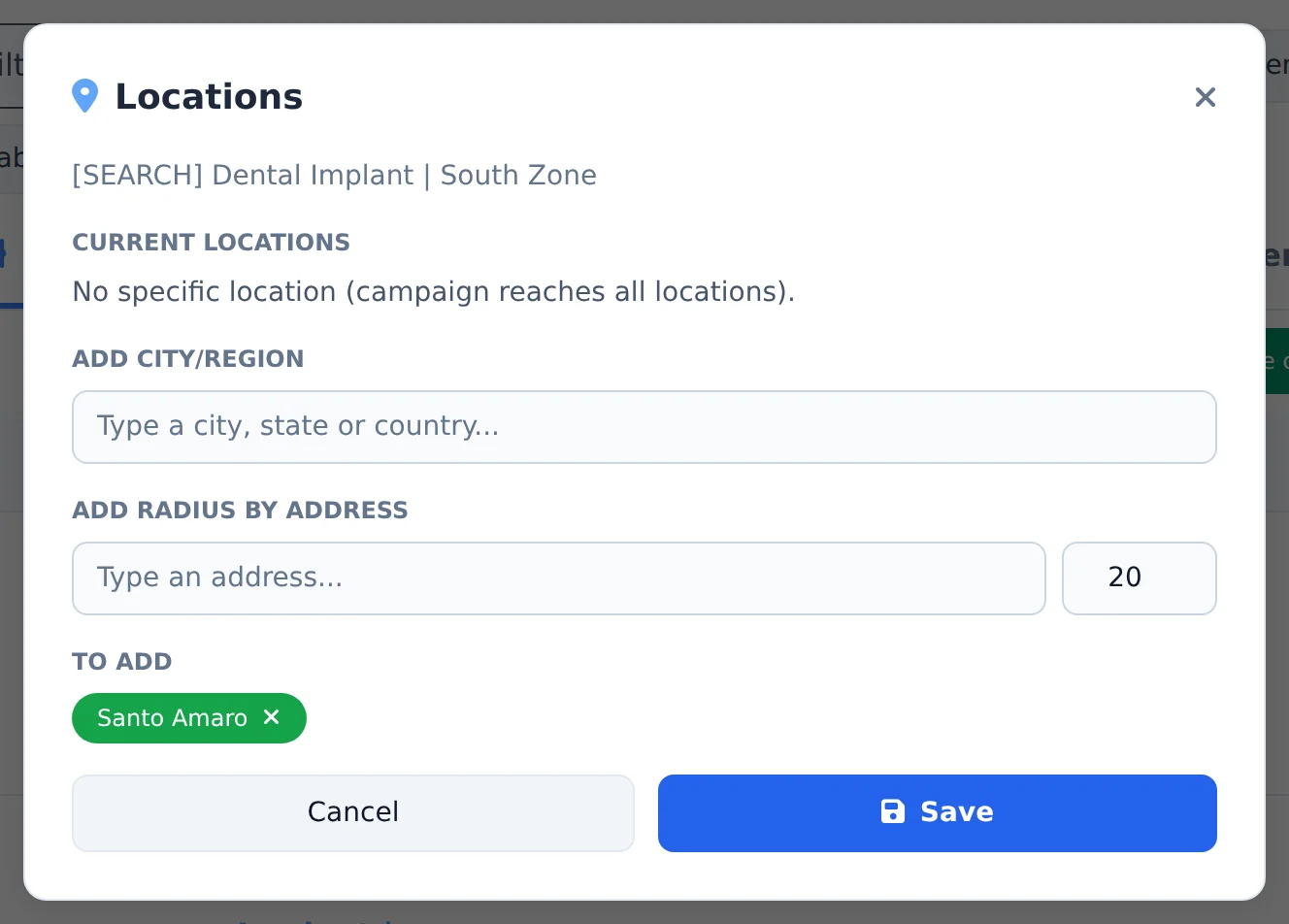
Under Add city/region, type the city, neighborhood or state and pick it from the list. For a radius, enter the business address under Add radius by address and the distance in kilometers. What you picked shows under To add.
 123
123- 1Search city, state or country
- 2Radius around an address
- 3Locations to add
- 3
Save
Click Save. The campaign starts running only in the listed locations.
Several campaigns at once
To change the location of several campaigns, check them all, click Bulk Edit and use Edit campaigns in the bottom bar.
How to tell it worked
- The notice in the corner confirms the locations were saved.
- When you open Locations again, the list shows only the chosen locations.
- The Locations card in Edit sums up the campaign locations.
If something goes wrong
| Symptom | Likely cause | What to do |
|---|---|---|
| The neighborhood does not show in the search | Google does not have that neighborhood as a region | Use a radius around the address |
| The campaign stopped getting impressions | The chosen area is too small for the budget and keywords | Widen the radius or add nearby cities |
| The Locations card does not show | It is an ad group, and location is a campaign setting | Open Edit on the campaign row |