
Meta Ads
Edit ads in bulk
Change the text, headline, URL, URL parameters or just the name suffix of several ads at once.
Quick answer
In Meta Ads, open the Ads tab, check the ads and click Bulk Edit. Under Edit Ad, pick Edit Text, Edit Headline, Edit URL or URL Parameters. Type the new value, click Apply to send it to all of them and click Save changes.
Watch the walkthrough 0:37
Before you start
- Under Meta rules, changing text, headline or URL creates a new creative: the ad goes back to review and the previous creative interactions stay with it.
- Changing only the name has no such effect.
- Leaving the headline empty removes the ad headline. Ads with headline variations do not accept this edit.
Step by step
In this example, we change the text of three ads and their name suffix.
- 1
Select the ads
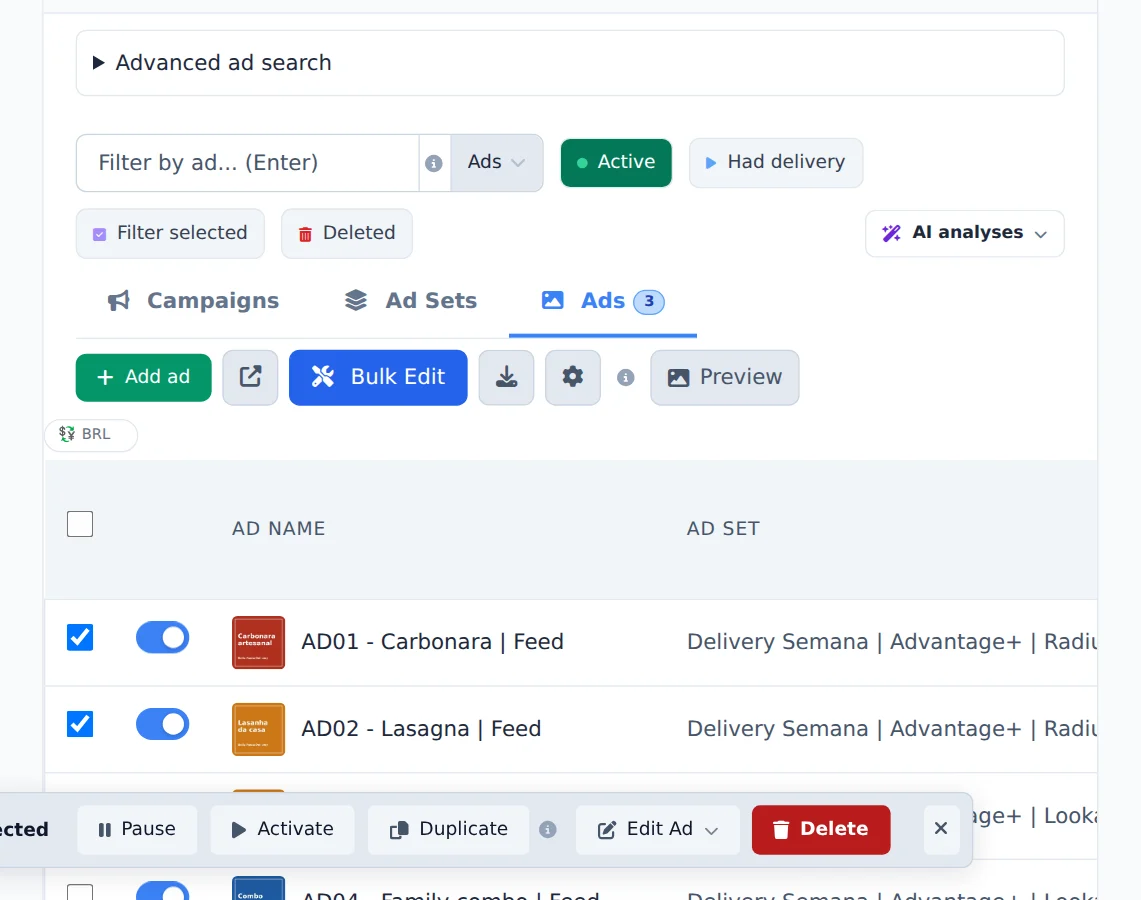
Open the Ads tab, check the ads and click Bulk Edit.
- 2
Change the text of all
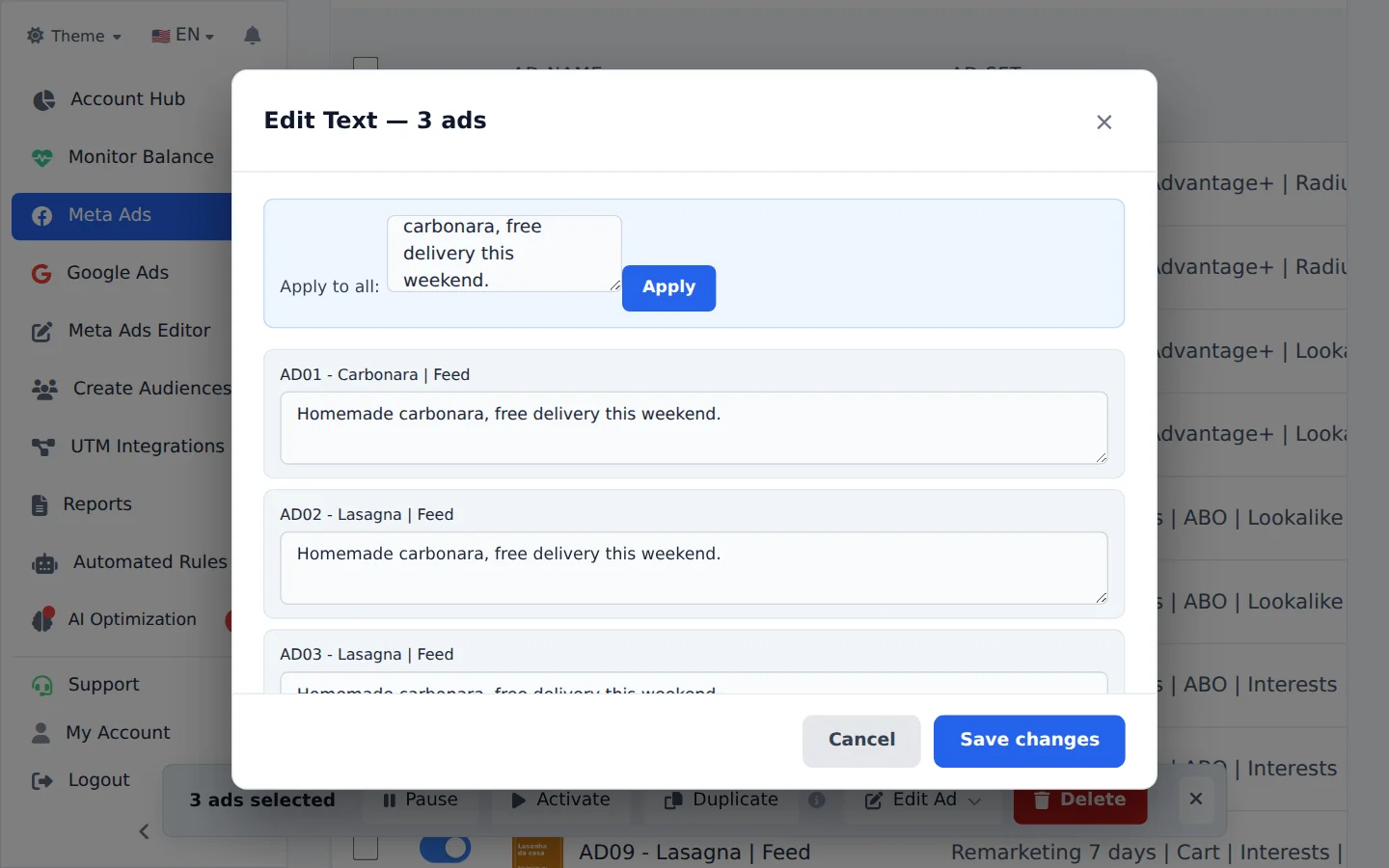
Under Edit Ad, pick Edit Text. Write the new text and click Apply: it goes to everyone on the list, and each row can still be adjusted. Click Save changes.
- 3
Change only the name suffix
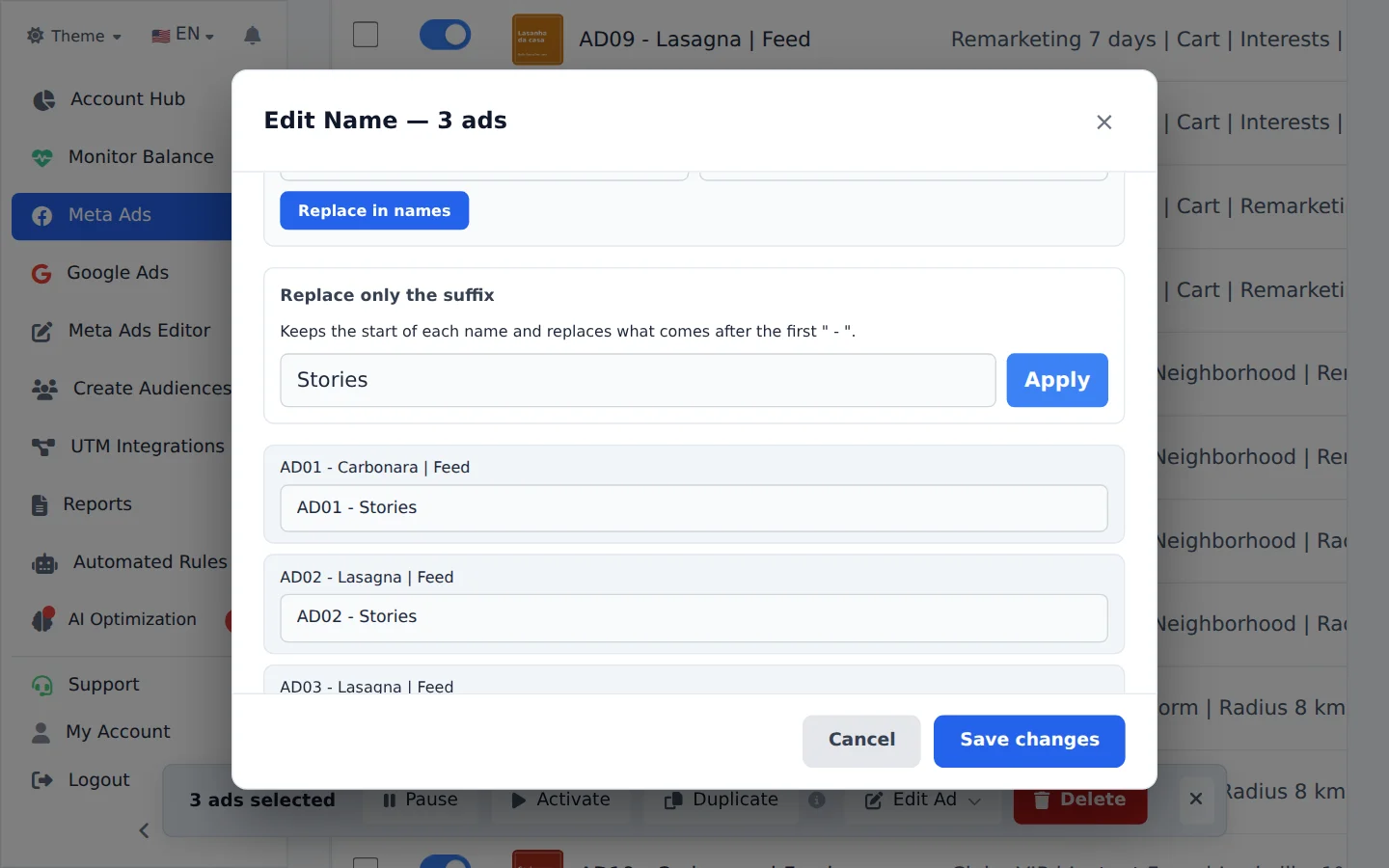
Headline and URL are in the same menu. For the name, open Edit Name and use Replace only the suffix: it keeps the beginning (such as AD01) and replaces what comes after the dash. Apply and save.
UTMs on every ad
URL Parameters, in the same menu, writes the UTMs (such as utm_source and utm_campaign) on every checked ad, including Meta dynamic variables.
How to tell it worked
- The window shows the progress in batches until it finishes.
- The table shows the new names right away; the new text shows in the ad preview.
If something goes wrong
| Symptom | Likely cause | What to do |
|---|---|---|
| An ad did not accept the headline | It has headline variations (dynamic ad) | Edit that ad in Meta Ads Manager |
| The ad went back to In review | Text, headline or URL changed and Meta is reviewing the new creative | Wait for the review; it runs again once approved |
Frequently asked questions
How do I edit the copy or destination URL for multiple ads in bulk?
On the Ads tab, select the ads, open Bulk edits, click Edit Ad, and choose Edit Text or Edit URL from the menu. In the window you can set one value for all ads at once or adjust ad by ad, then click Save changes. The same menu also has a URL Parameters option, for setting UTMs such as utm_source and utm_campaign in bulk, including Meta's dynamic variables. Important: Meta requires a new creative version for any change to text or URL, so the ad may go back into Meta's review and lose the social interactions (likes and comments) accumulated on the previous version. Changing only the ad name does not have this effect. Changes are processed in batches, and the window shows the progress until it's done.
Can I edit ad titles in bulk or one by one?
You can edit them both ways.
Individual: open Edit ad in the Manager. In addition to the text and URL, you can add, change or remove the title.
Bulk: select the ads, open bulk edits and choose Title. If all of them have the same title, the field is pre-filled so you can replace it in one go.
Details that often cause questions:
- Leaving the field empty REMOVES the ad's title. This is on purpose, for people who want an ad without a headline.
- Changing the title creates a new creative in Meta (a Meta rule, not an Editor rule). Comments and likes on the original post are not lost when the ad uses an existing post, but the creative's metrics reset.
- Dynamic ads (with title variations) don't support this edit. In that case, use Meta Ads Manager.
How do I change only the ending (suffix) of several ad names at once?
In Meta Ads, on the Ads tab:
- Turn on Bulk edits and select the ads.
- Open the name editor.
- In the Change Ad Complement only box, type the New Ad Complement and click Apply.
It keeps the beginning of each name and replaces everything after the first " - ". Example: "VID01 - Black Friday" with the Ad Complement "Christmas" becomes "VID01 - Christmas". Leaving the field empty removes the Ad Complement. Click Save to apply the changes: the new names show up in the table right away.