
Audiences and UTM Integrations
Lookalike audiences
Create 1% to 10% lookalikes from the audiences you already have, with several sources and percentages at once.
Quick answer
In Create Audiences, pick the account and turn on Enable Lookalikes. Under Source audiences, add one or more audiences you already have, check the percentages (1%, 2%, 3%, 5% and 10%) and pick the Country. Click Create Audiences: one lookalike comes out for each source with each percentage.
Watch the walkthrough 0:40
Before you start
- The source must be a custom audience that already exists in the account, such as buyers or a customer list.
- Lookalikes do not use a retention period.
- The name follows the pattern Lookalike - Source - 1%.
Step by step
In this example, we create lookalikes of buyers and of people who engaged with Instagram.
- 1
Pick the account
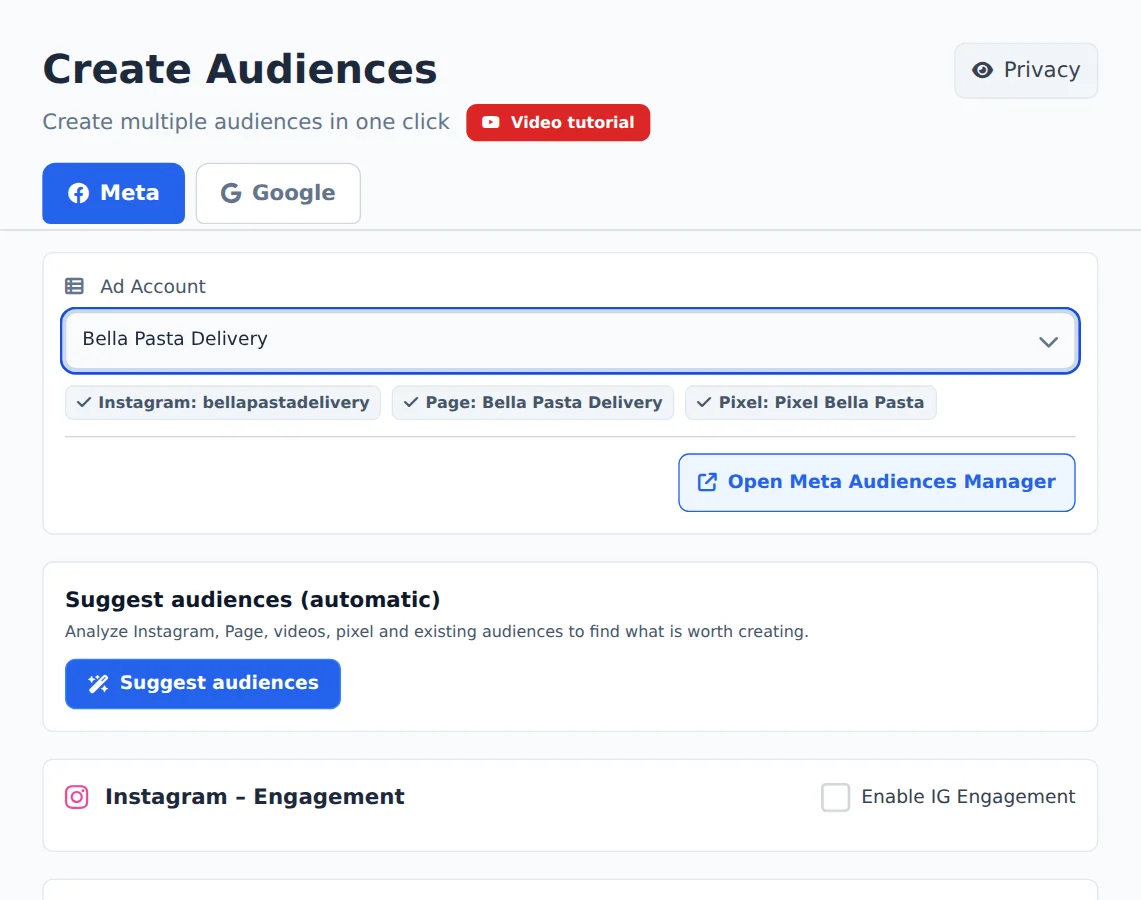
Open Create Audiences in the side menu and, on the Meta tab, pick the ad account in the selector at the top. Ads Editor finds its Instagram, Page and Pixel on its own.
- 2
Pick the sources
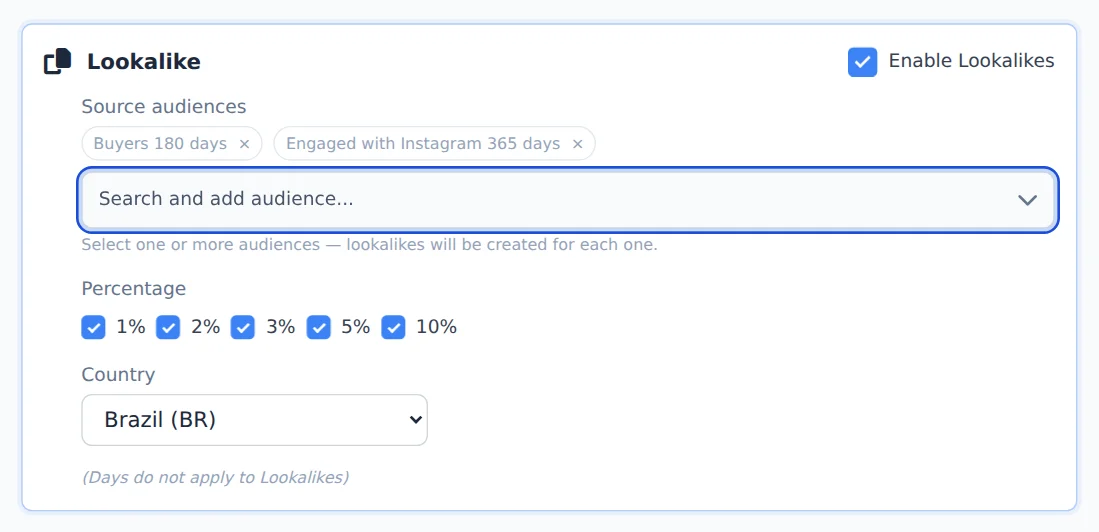
Turn on Enable Lookalikes. Under Source audiences, search and click the audiences that will serve as a base: each one becomes a tag.
- 3
Percentage and country
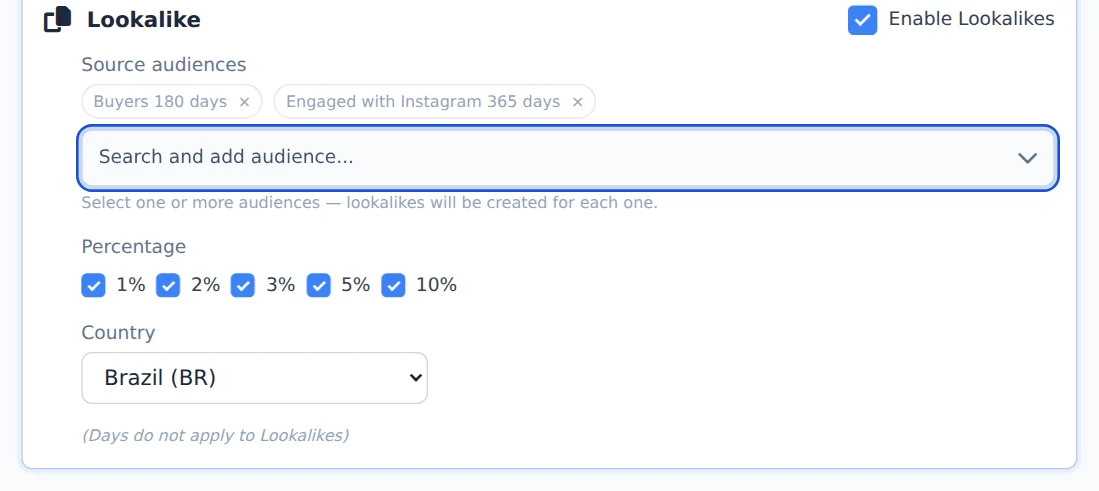
Check the percentages: 1% is the closest to the source, 10% the broadest. Two sources with 1% and 3% make four audiences. Check the Country (the default is Brazil).
- 4
Create the lookalikes
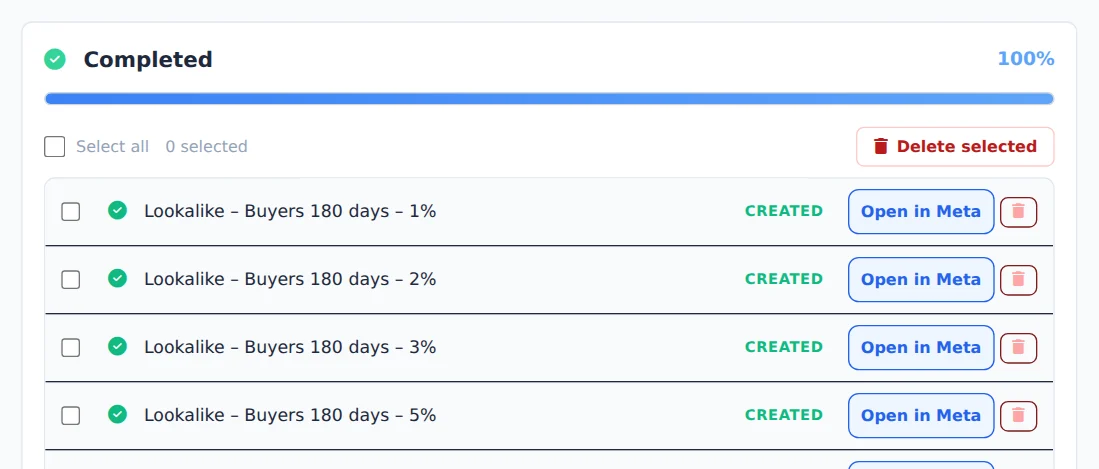
Click Create Audiences. Creation runs on the server and the progress panel shows each audience created in Meta.
Once the base exists, come back
Audiences you create now (website, list, engagement) show up as sources next time: create the base first and the lookalikes after.
How to tell it worked
- The progress panel ends in Completed.
- In Meta, each lookalike shows the source and percentage in its name.
If something goes wrong
| Symptom | Likely cause | What to do |
|---|---|---|
| The source I wanted does not show | The audience does not exist in the account yet or belongs to another account | Create the base audience first or pick the right account |
| Meta refused the lookalike | The source has too few people (Meta asks for at least 100 from the chosen country) | Use a bigger source or a longer period |
Frequently asked questions
How do I create Lookalike audiences?
Turn on the Lookalike section with the Enable Lookalikes button. In the Source Audiences field, search for and add one or more existing custom audiences from the account. Each source you add becomes a tag, and you can combine several. Then select the percentages you want (1%, 2%, 3%, 5% and 10%) and choose the Country (the default is Brazil). Ads Editor creates one lookalike for each combination of source and percentage. For example, 2 sources with 1% and 3% selected create 4 audiences. Names follow the pattern Lookalike - SourceName - 1%. Important: retention periods don't apply to lookalikes, so you don't need to select days to create them.