
Meta Ads
Schedule when the copy starts
Get the campaign ready today so it starts on its own on the right day and time, without coming back to turn it on.
Quick answer
In Meta Ads, check the campaign or ad set, click Bulk Edit and Duplicate. Open Schedule start (optional) and pick the day and time. The copy is created active and only starts delivering at that moment. When empty, the copy follows Duplicate as active.
Watch the walkthrough 0:29
Before you start
- The time must be at least 5 minutes ahead, in your browser time zone.
- The start applies to the ad sets. An ad has no start of its own: it follows the ad set.
- If the original end date falls before the new start, the end is removed. With a lifetime budget, the end becomes the start plus 14 days.
Step by step
In this example, we get a campaign ready to start at 8 AM three days from now.
- 1
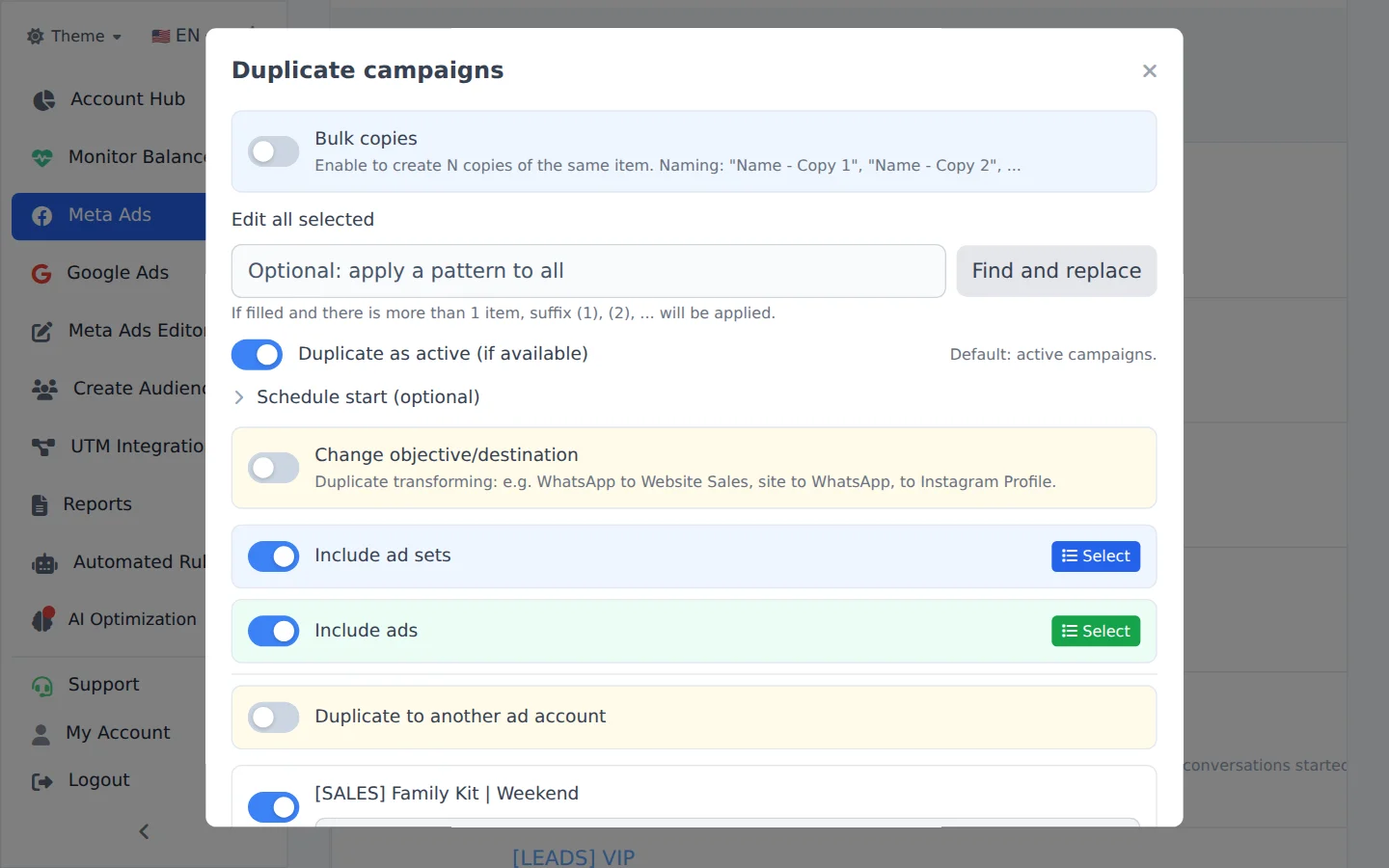
Open Duplicate
Check the campaign, click Bulk Edit and, in the action bar, Duplicate.
- 2
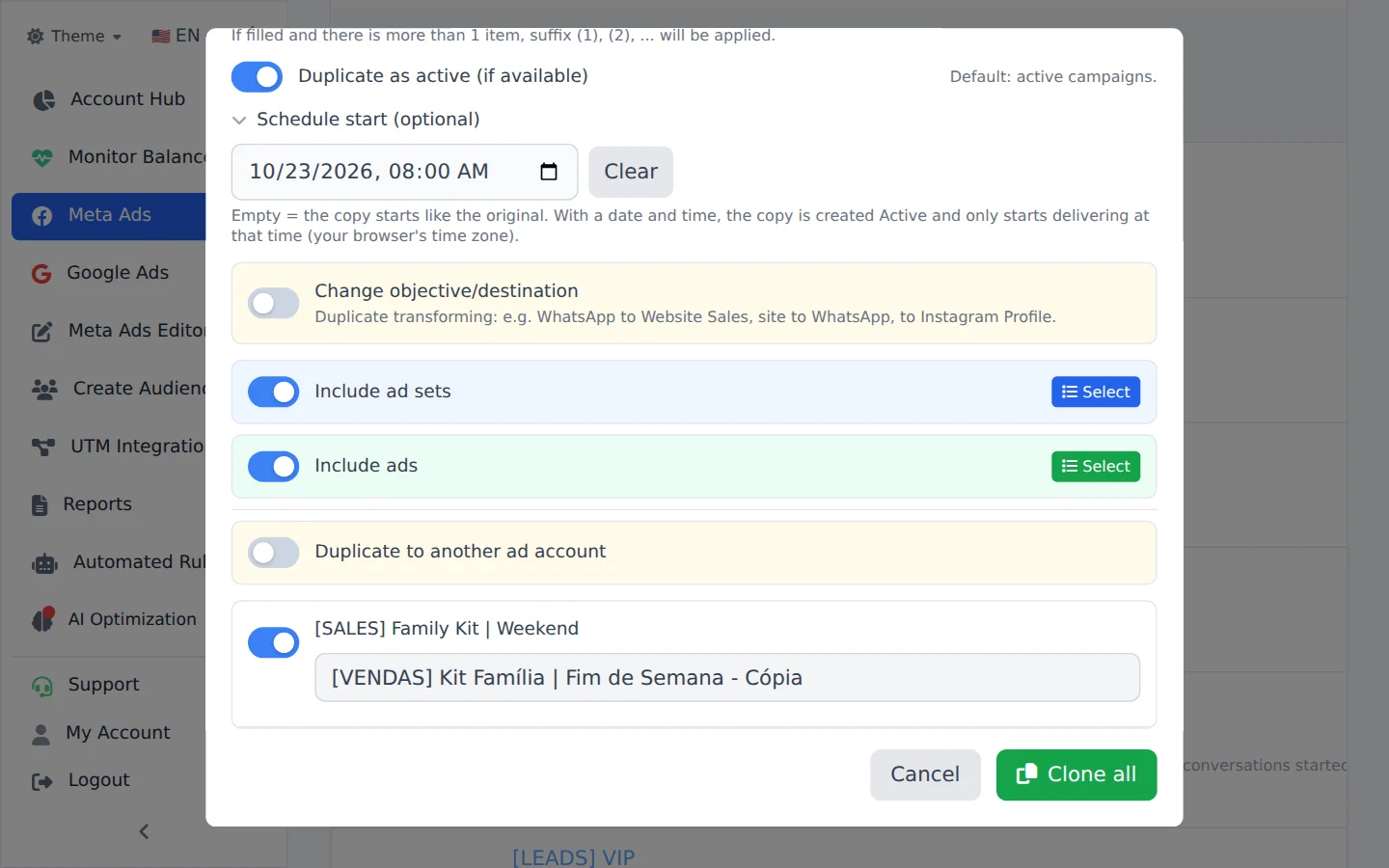
Pick date and time
Open Schedule start (optional) and pick the day and time. Clear goes back to default: the copy starts like the original.
- 3
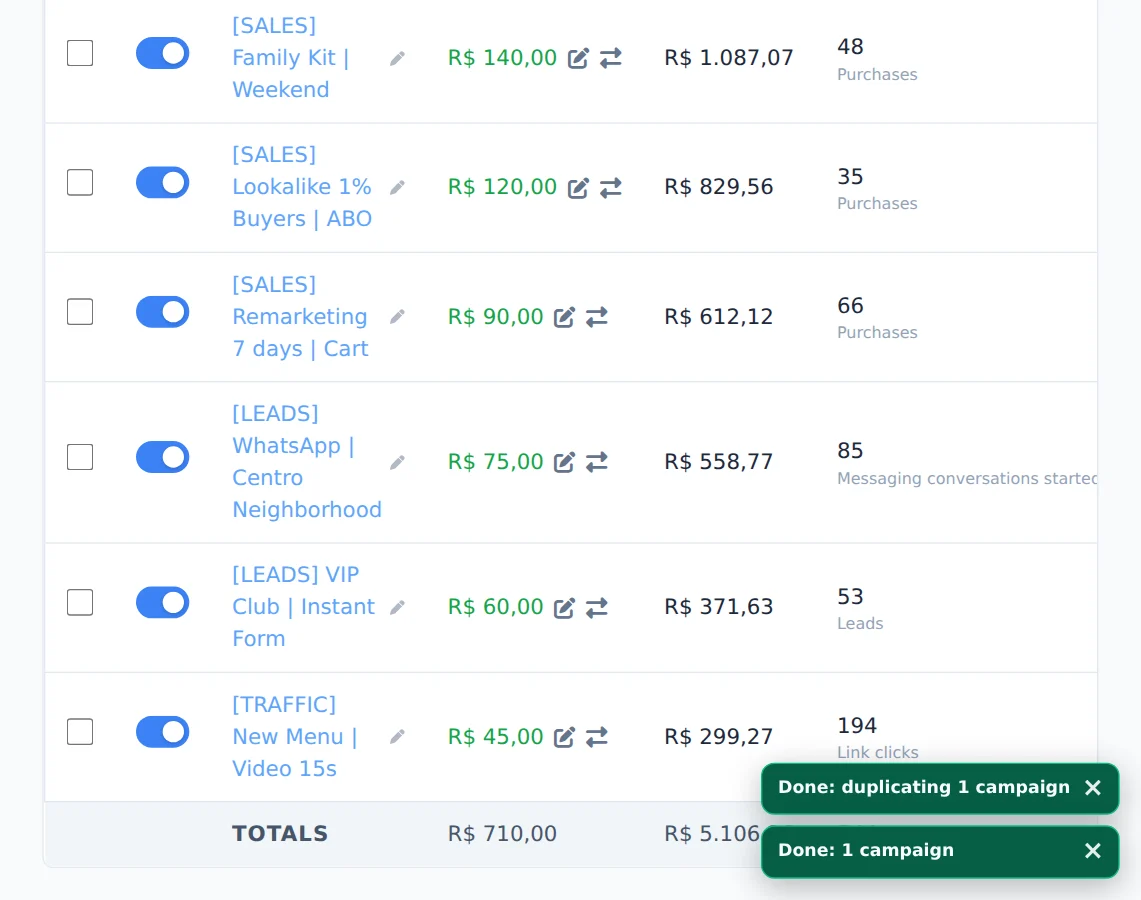
Confirm the duplication
Click the confirm button. The copy is created now, active, and waits for the chosen time to start delivering.
Good for a set date
Start of the month, a promotion with a start time or a weekend campaign: build it calmly during the week and leave the copy scheduled.
How to tell it worked
- The card in the corner ends in Completed.
- The copy shows active in the list, with no spend until the chosen time.
If something goes wrong
| Symptom | Likely cause | What to do |
|---|---|---|
| Ads Editor refused the time | It is in the past or less than 5 minutes away | Pick a later time |
| I want to pause or activate an existing campaign on a date | The scheduled start only applies to copies | Use a rule in Automated Rules with Specific Date |
Frequently asked questions
Can I schedule the start date and time when duplicating a campaign or ad set?
Yes. The Duplicate modal for campaigns and ad sets has a Schedule start (optional) field. It appears in Meta Ads (Bulk edits → select → Duplicate) and on the duplicate icon (⧉) in Meta Ads Editor.
- Empty: the copy is not scheduled and follows the status you chose when duplicating.
- With date and time: the copy is created Active and only starts running at that time (in your browser's time zone). You don't need to come back to turn it on.
Rules:
- The time must be at least 5 minutes in the future. If it's in the past, Ads Editor refuses before creating anything.
- If the original's end date falls before the new start, the end date is dropped. For an ad set with a lifetime budget (which requires an end date), the end date becomes the start plus 14 days.
- The start applies to ad sets. An ad has no start of its own: it follows its ad set.
You can also schedule through AI Copilot or MCP: just ask for the start date and time when duplicating the campaign or ad set. For safety, a copy made by the AI is created paused; once you activate it, it only starts running at the scheduled time.
How do I schedule campaigns to pause or activate at a specific date and time?
Create a New Rule, choose the scope (for example, Active Campaigns), the Pause or Activate action and, under Schedule, select Specific Date and fill in the Date and Time. In this mode, you don't need to add any metric conditions: the schedule itself is the trigger, and the action applies to everything in scope at that moment. To limit it to specific campaigns, use Filter by name (for example, Contains: promo). The rule runs once, at the scheduled time (Brasília time, UTC-3), and you get a notification of what was done.
If you only want to set when an ad set or campaign ends (Meta's own end date), you don't need a rule. In Meta Ads, select the items and use End Date in the bulk edit bar.