
Meta Ads
Switch between ABO and CBO
Move the budget from the campaign to the ad sets, or the other way around, without recreating the campaign.
Quick answer
In Meta Ads, on the Campaigns tab, click the arrows next to the campaign budget, in the Budget column. Going to CBO, you set the campaign budget (the sum of the ad sets is suggested); going to ABO, each ad set budget (an even split is suggested). Check it and click switch.
Watch the walkthrough 0:22
Before you start
- CBO: the budget sits on the campaign and Meta spreads it across the ad sets. ABO: each ad set has its own.
- Meta allows one switch every 2 hours per campaign, and switching may restart the learning phase.
Step by step
In this example, we move a CBO campaign to ABO, with the budget split between two ad sets.
- 1
See each campaign level
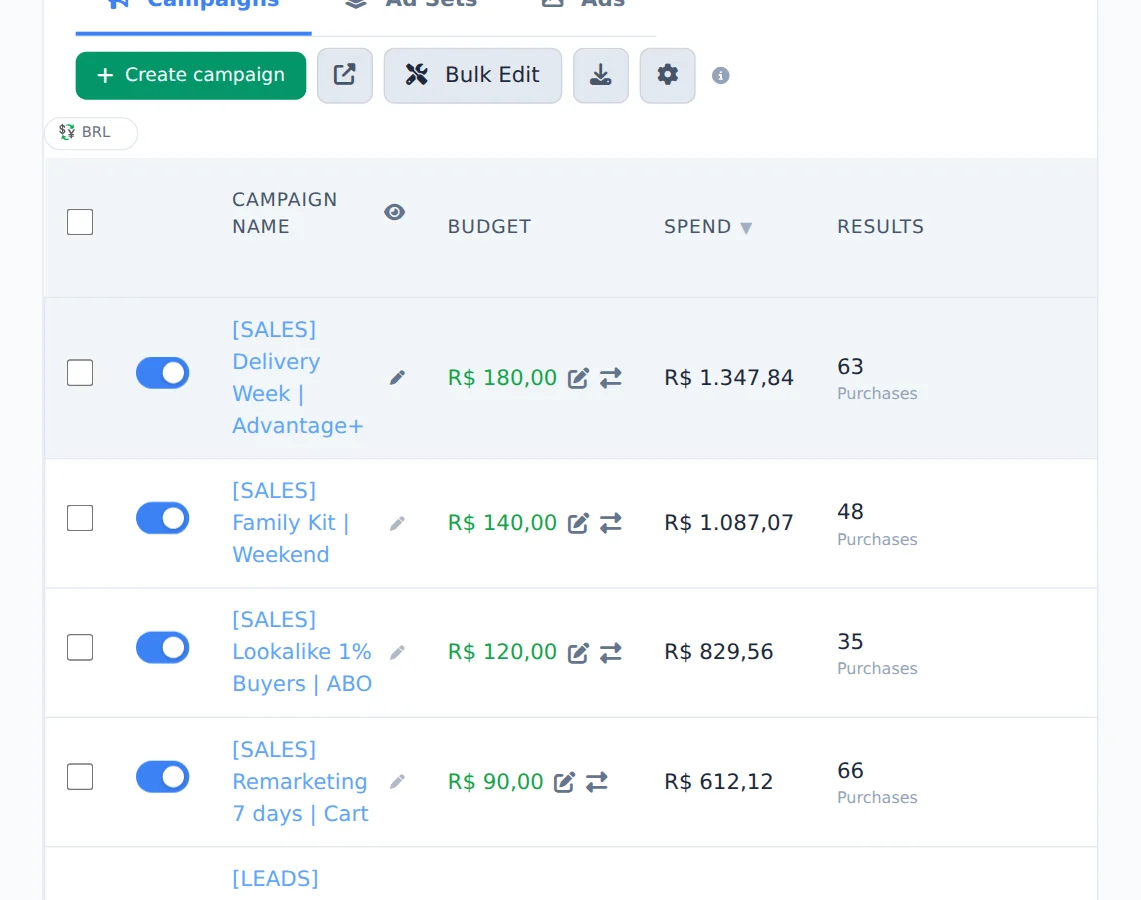
In the Budget column, the pencil changes the amount and the arrows next to it switch the campaign level.
- 2
Click the switch
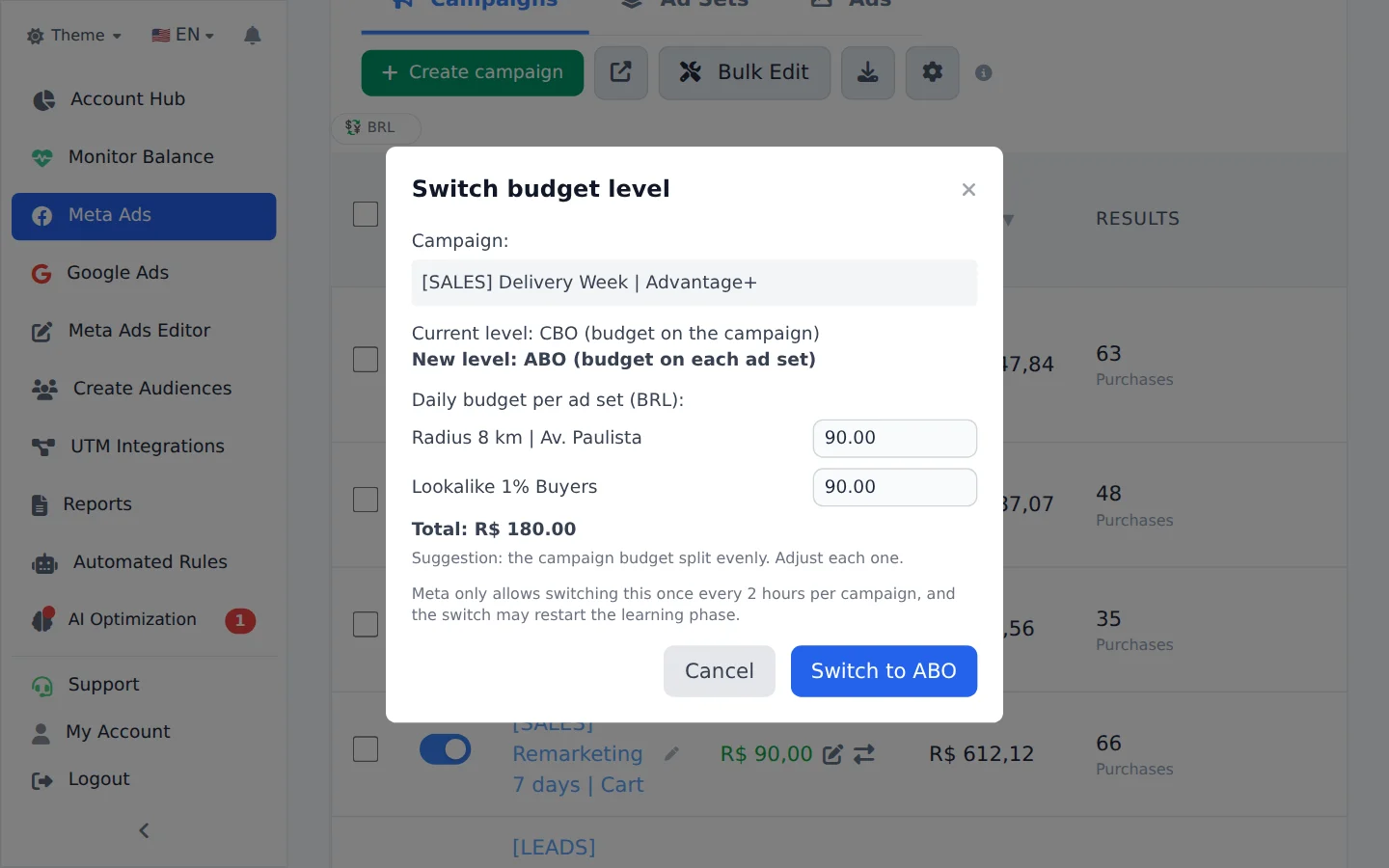
Click the arrows on the campaign that will change. A window opens with the suggested budget for the new level.
- 3
Review and switch
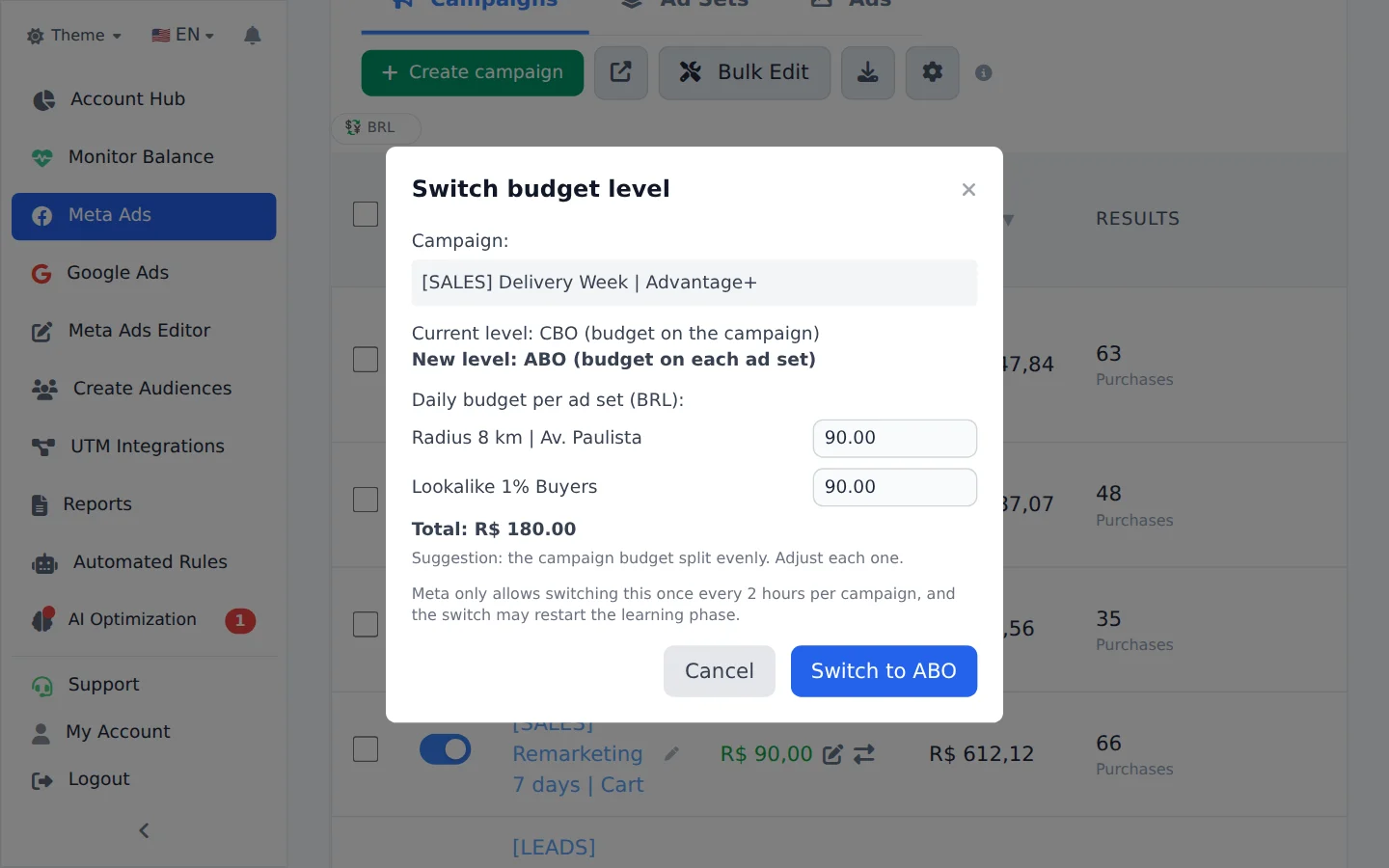
Going to ABO, the budget comes split across the ad sets; adjust each amount if you want and check the total. Click the switch button.
One switch every 2 hours
If Meta refuses, the campaign already switched levels less than 2 hours ago. Wait and try again.
How to tell it worked
- With CBO, the Budget column shows the amount on the campaign row.
- With ABO, the campaign shows that the budget lives on the ad sets, and each ad set has its own amount.
If something goes wrong
| Symptom | Likely cause | What to do |
|---|---|---|
| Meta refused the switch | The campaign switched levels less than 2 hours ago | Wait the 2 hours and try again |
| The arrows do not show | You are on the Ad Sets or Ads tab | Go back to the Campaigns tab |
Frequently asked questions
How do I change a Meta campaign from ABO to CBO, or from CBO to ABO, without recreating it?
In Meta Ads (side menu), in the campaigns view, look at the Budget column: next to the budget there is a switch icon. Click it.
- Switching to CBO (campaign budget): you set the campaign's daily budget, and the sum of the ad set budgets is suggested by default.
- Switching to ABO (ad set budget): you set the budget for each ad set, and an equal split is suggested by default.
Nothing needs to be recreated. Meta gives two warnings: it allows one switch every 2 hours per campaign, and the switch may restart the campaign's learning phase.