
Account, team, and subscription
Turn on two-step verification
Protect your account with a code from your phone or email, on top of the password. Whoever steals the password cannot get in.
Quick answer
Open My Account and go down to Security: Two-Factor Authentication. Click Use authenticator app, scan the QR with the app on your phone, type the 6 digit code and confirm. Keep the recovery codes that show up.
Watch the walkthrough 0:29
Before you start
- Have an authenticator app on your phone: Google Authenticator, Microsoft Authenticator, Authy or the iPhone Passwords app.
- Without an app, you can get the code by email.
- Every customer can turn it on, on any plan. Each team member turns it on in their own account.
Step by step
In this example, we turn on verification with Google Authenticator.
- 1
Pick the method
In the side menu, click My Account and go down to Security: Two-Factor Authentication. Click Use authenticator app. If you prefer to get the code by email, click Use email code.
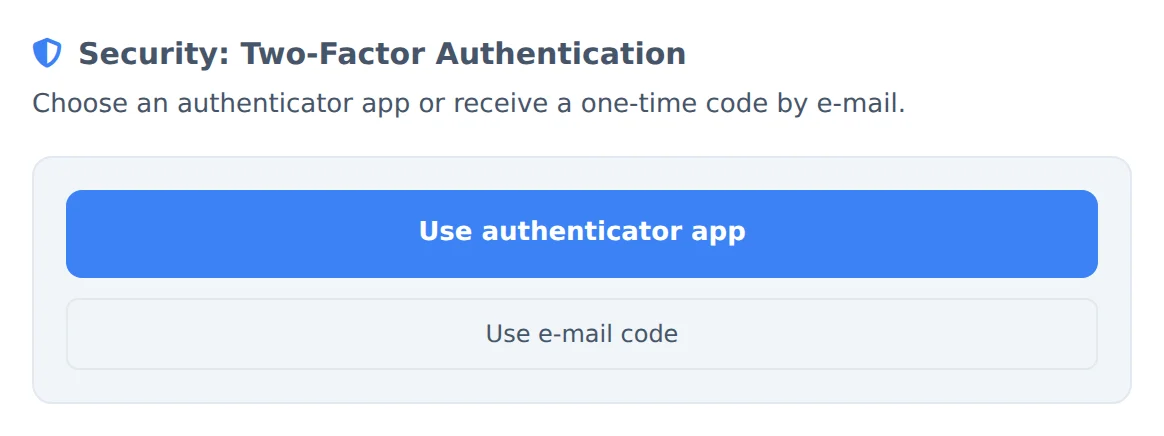 12
12- 1Use authenticator app
- 2Use email code
- 2
Scan the QR and confirm
Open the authenticator app on your phone, tap add and scan the QR on the screen. The app starts showing a 6 digit code that changes every 30 seconds: type the current code and confirm.
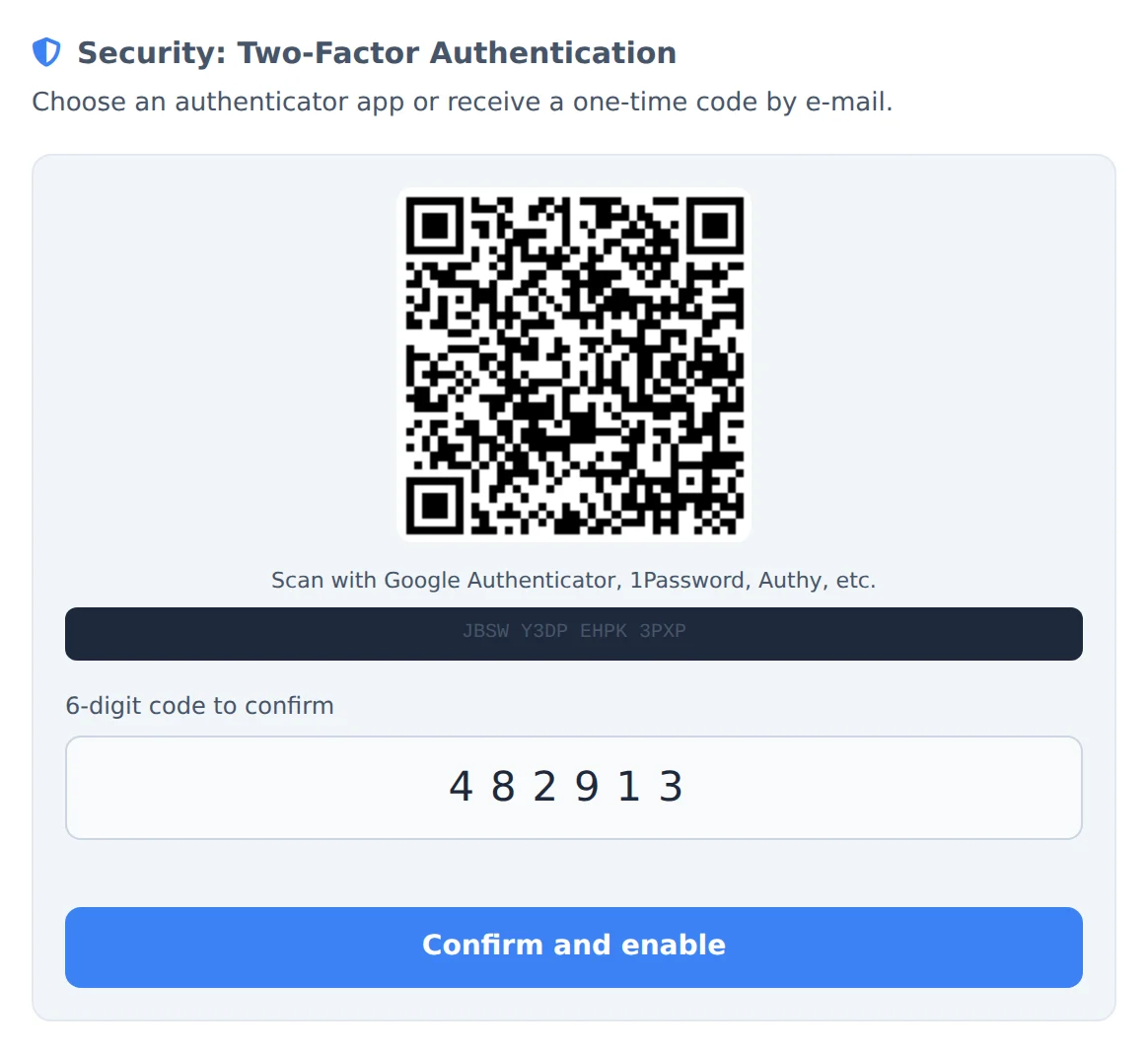 12
12- 1QR code
- 26 digit code
- 3
Keep the recovery codes
The recovery codes show up. Keep them somewhere safe (in a password manager, for example): each one gets you in once if you lose your phone.
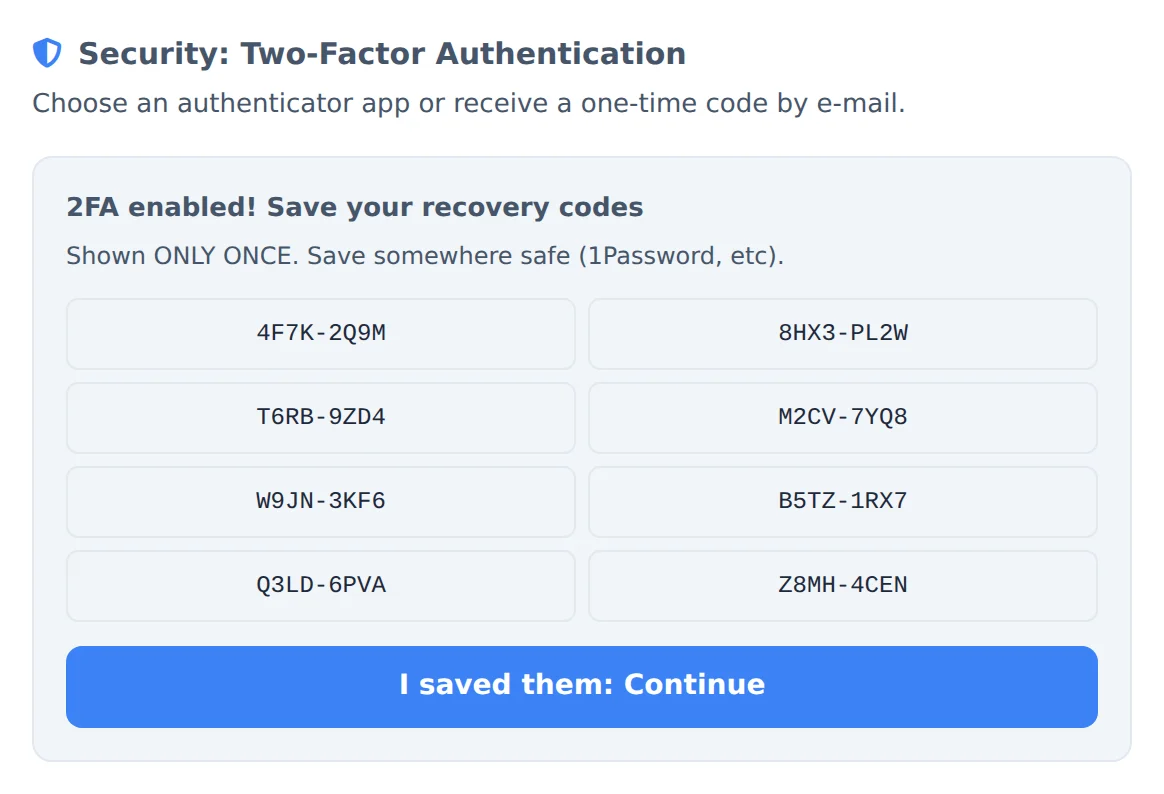 1
1- 1Recovery codes
No phone and no codes
If you lose your phone and the recovery codes, only support can unlock the account, after confirming it is you. Keep the codes before closing the screen.
How to tell it worked
- The section shows the active 2FA label and the chosen method.
- On the next login, after the password, Ads Editor asks for the code.
If something goes wrong
| Symptom | Likely cause | What to do |
|---|---|---|
| The code is refused | The phone clock is off or the code already changed | Turn on automatic time on the phone and type the new code |
| I lost my phone | The authenticator app stayed on the old device | Log in with a recovery code and turn verification on again on the new phone |
| The email with the code does not arrive | It went to spam or is taking a while | Check spam and wait a minute before asking for another one |