
Meta Ads
Duplicate campaigns in Meta Ads
Copy a campaign with the ad sets and ads you choose, with a new name and paused for review before you activate it.
Quick answer
In Meta Ads, check the campaign, click Bulk Edit and then Duplicate. Adjust the copy name, decide with Duplicate as active whether it starts running and, under Select, choose the ad sets and ads that go along. Click the confirm button: the copy runs on the server and the card in the corner shows its progress.
Watch the walkthrough 1:00
Before you start
- The same path duplicates campaigns, ad sets or ads: just be on the right level tab.
- By default, campaigns and ad sets are duplicated active and ads paused. You can change that in the window itself.
- The copy runs on the server: you can keep using the app or close the page while it finishes.
Step by step
In this example, we duplicate a delivery sales campaign to test a new creative.
- 1
Select the campaign
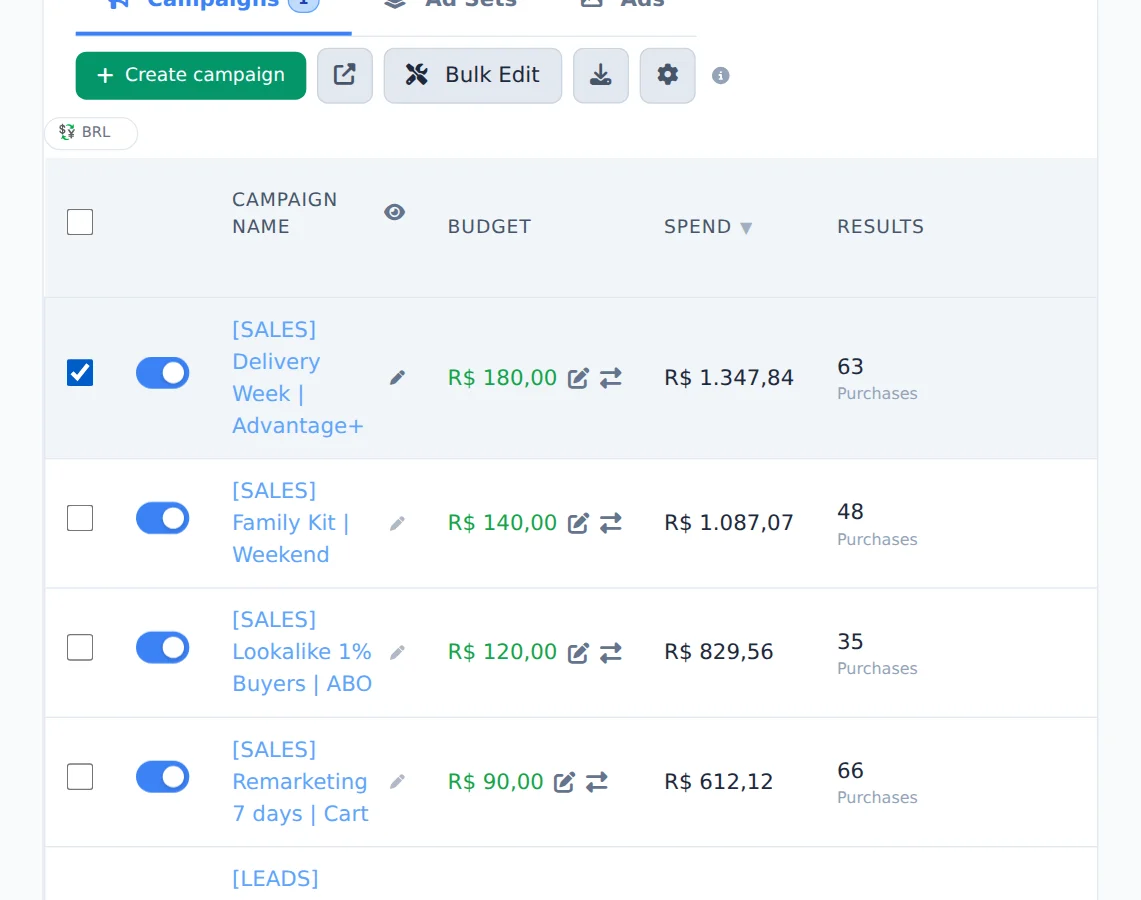
On the Campaigns tab, check the box of the campaign you want to copy. You can check more than one.
- 2
Open Duplicate
Click Bulk Edit to open the action bar and, there, Duplicate.
- 3
Name the copy and set its status
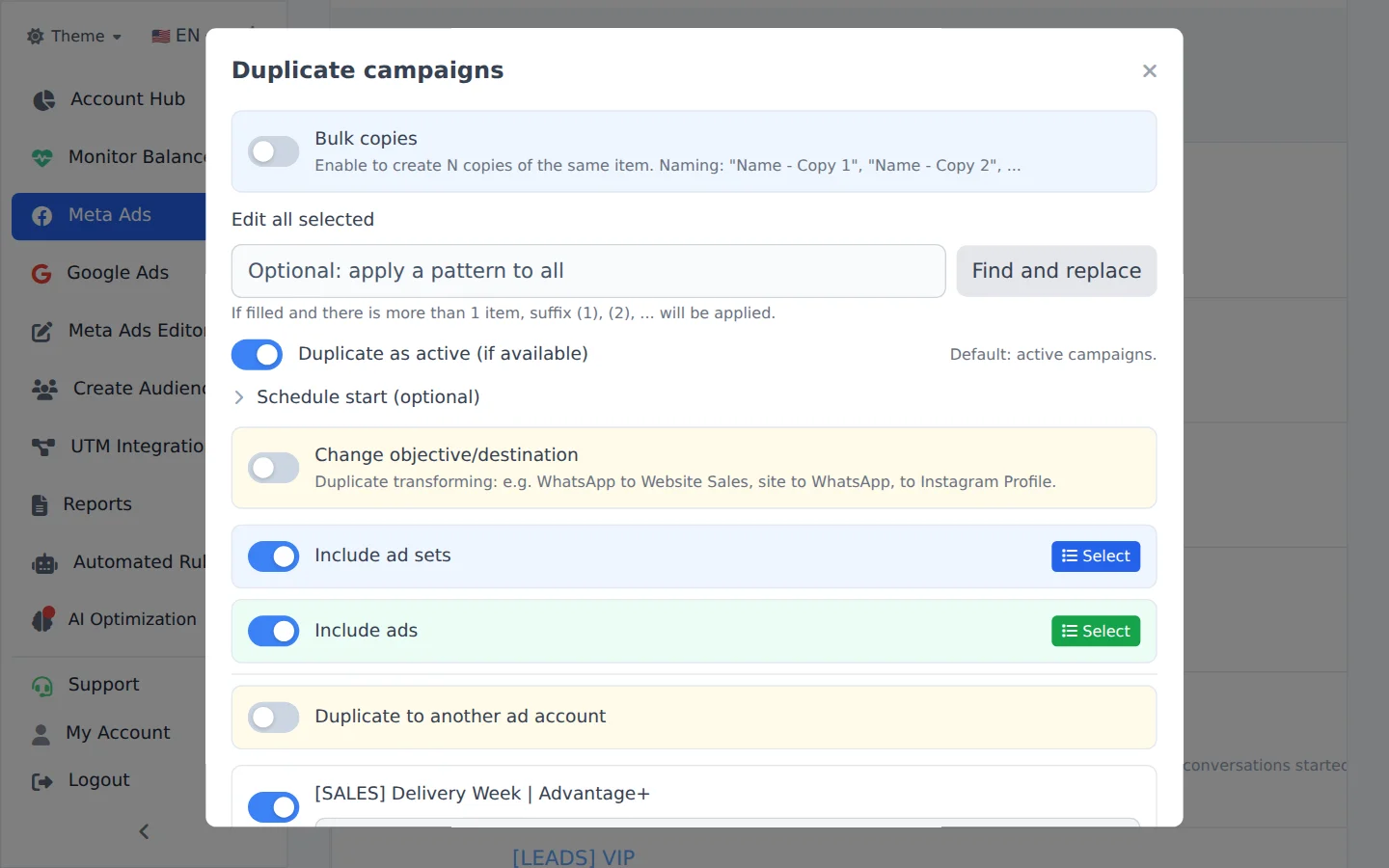
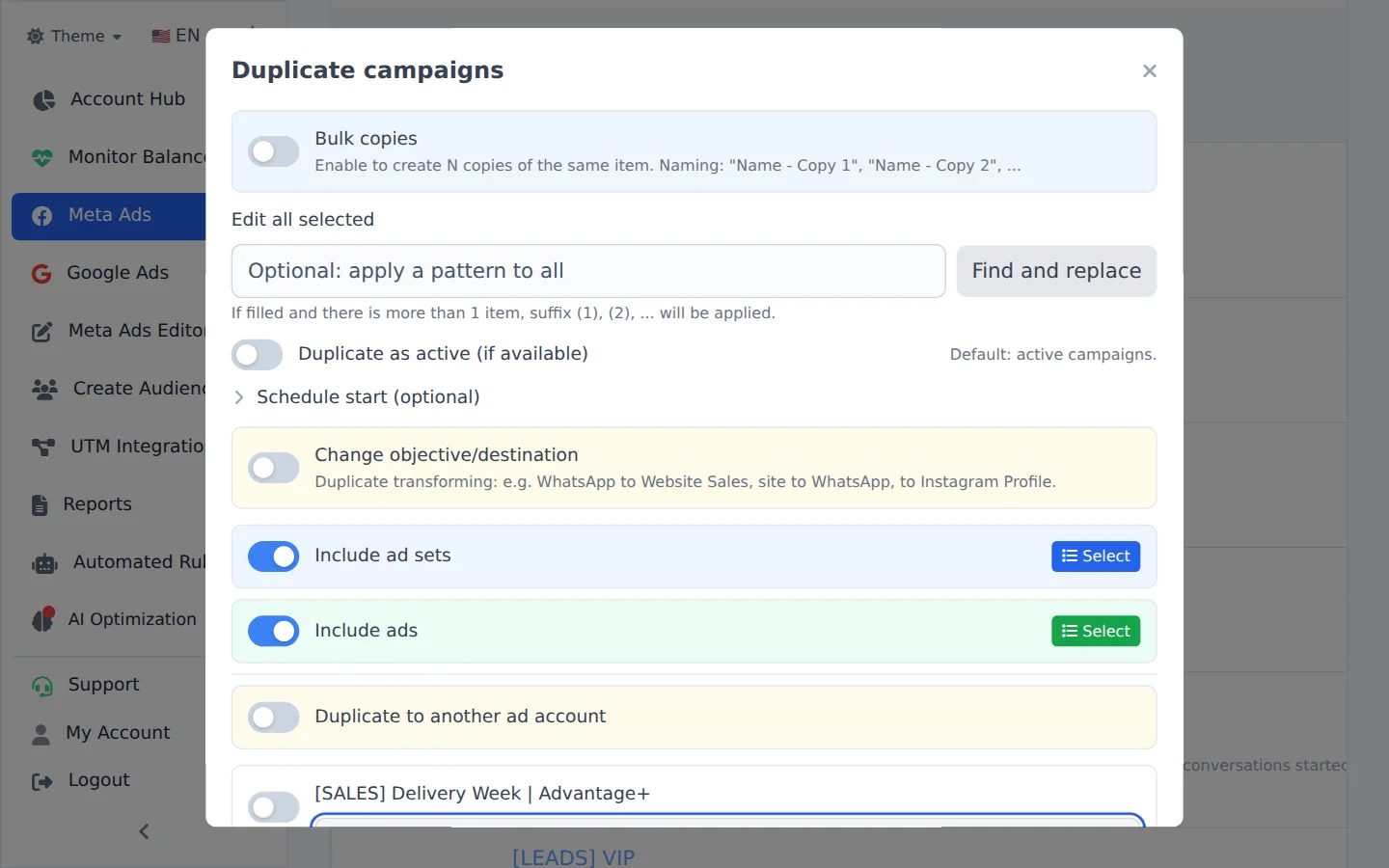
The copy name comes ready, ending in Copy: change it if you want. Turn off Duplicate as active so the copy starts paused and you can review it first. For several copies at once, turn on Bulk copies.
- 4
Choose the ad sets and ads
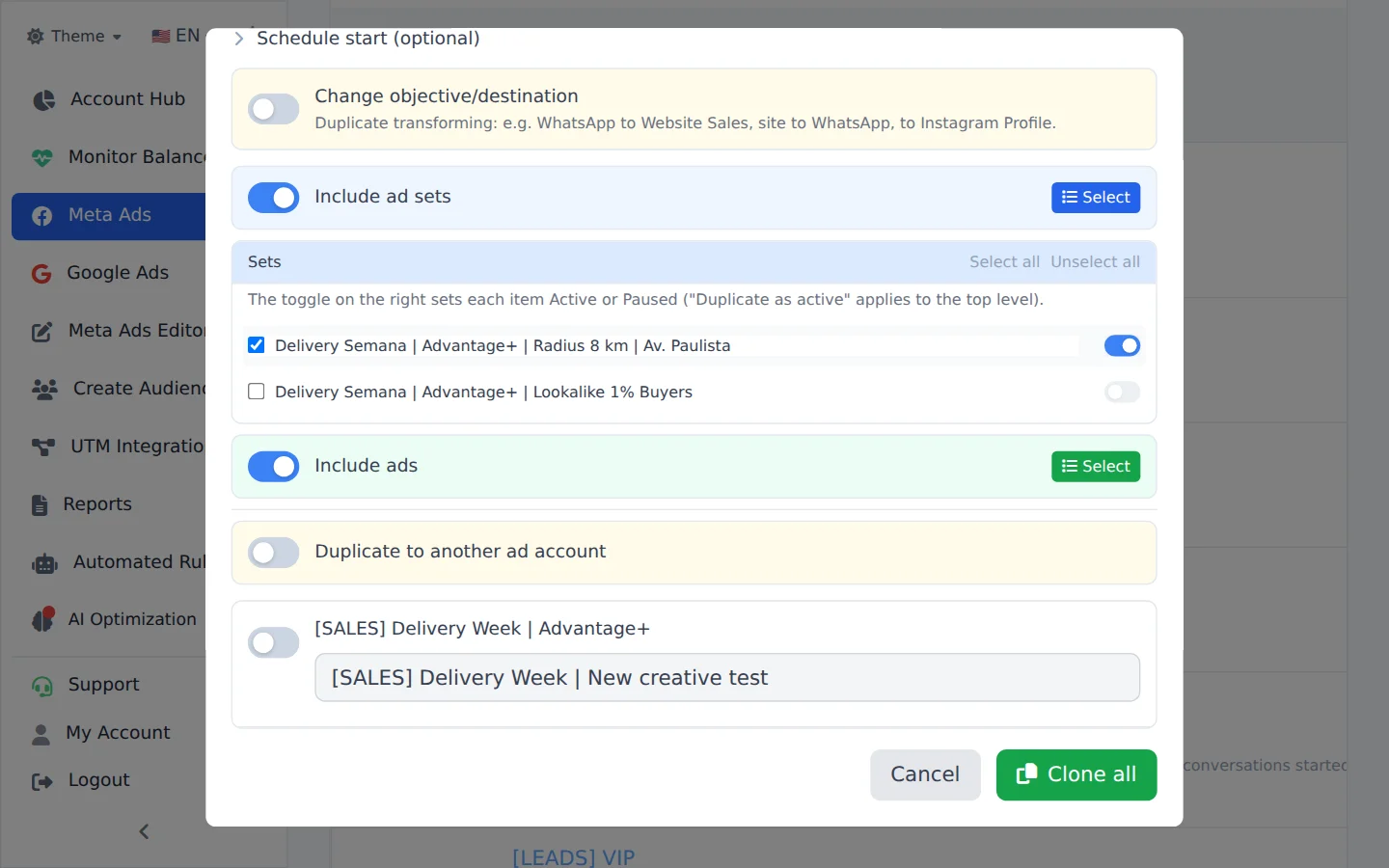
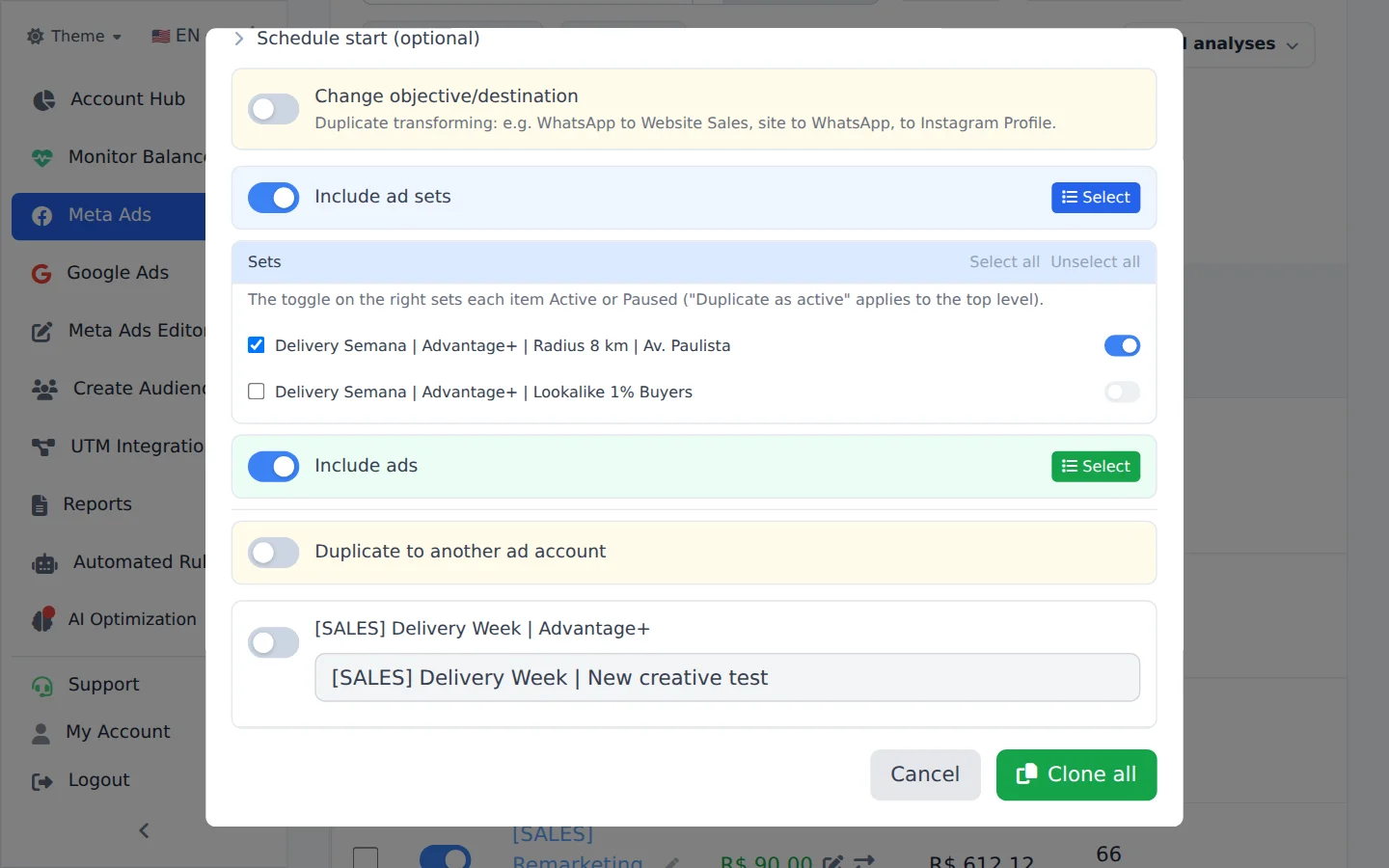
By default every ad set and ad goes along. Click Select to choose: uncheck what should not be copied, and use the switch on the right to decide whether each ad set starts active or paused.
- 5
Advanced options
The same window has Change objective/destination (duplicate while converting, for example from WhatsApp to website), Schedule start (the copy starts on the day and time you pick) and Duplicate to another ad account.
- 6
Confirm the duplication
Check everything and click the confirm button (Duplicate or Clone all, depending on what goes along). The card in the corner follows the copy until the end.
Start paused, activate later
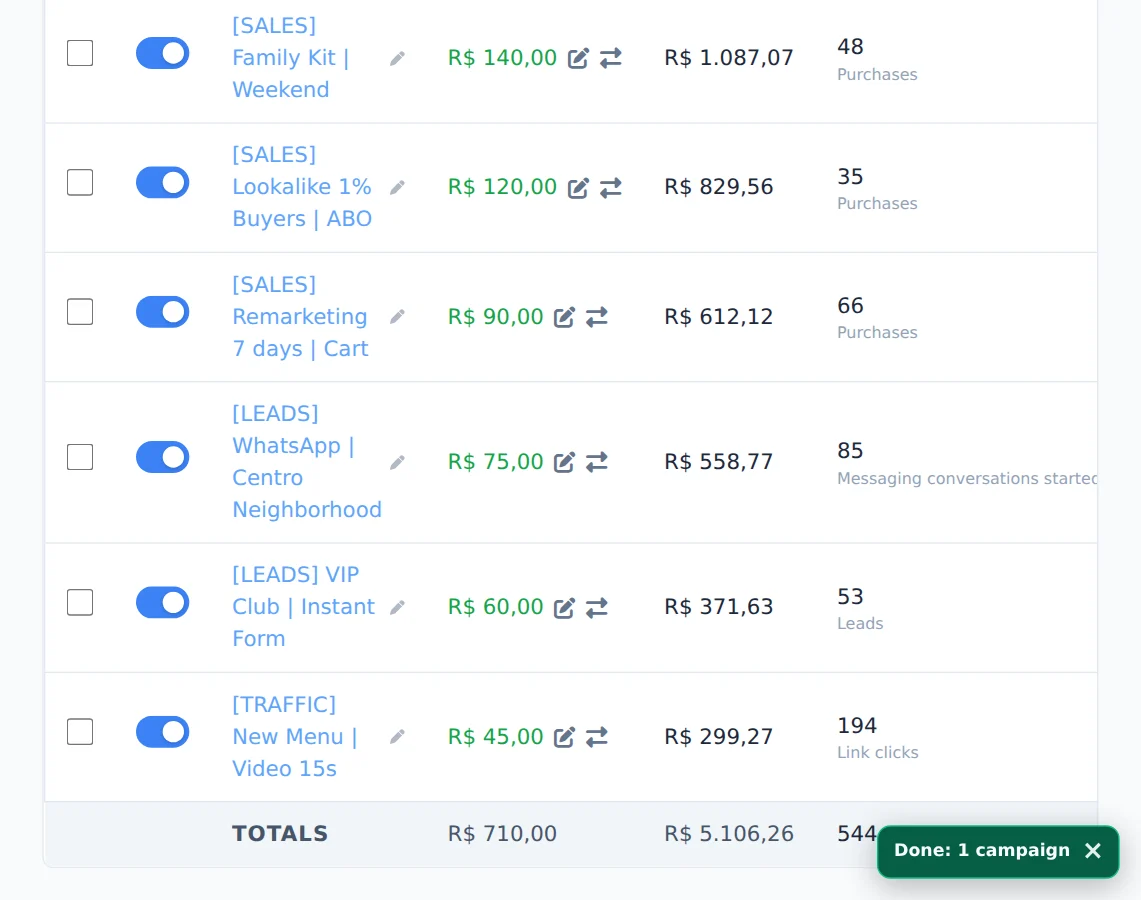
Duplicating paused gives you time to swap the copy creative, audience or budget before it spends. When everything is right, activate it with the row switch.
How to tell it worked
- The card in the corner ends in Completed, in green.
- The copy shows in the campaign list with the name you gave it.
- When you open the copy, only the ad sets and ads you left checked are there.
If something goes wrong
| Symptom | Likely cause | What to do |
|---|---|---|
| The card says Done with warnings | The campaign and ad sets were created, but some ad was not | Read the reason on the card, fix it and duplicate the missing ads with Duplicate into another ad set |
| The card says the duplication failed | Meta refused the copy, and nothing was created | The reason shows under the notice; fix it and duplicate again |
| The copy is not in the list | A filter is hiding the new campaign | Click Clear all and turn off Active if the copy started paused |
Frequently asked questions
How do I duplicate campaigns, ad sets, or ads in Meta Ads?
Select one or more items in the table, open Bulk edits and click Duplicate. In the modal, you can rename each copy (the default is the original name with the suffix Copy), apply a naming pattern to all of them, use Find and replace to change text in the names, and use Duplicate as active to choose whether the copies start running. By default, duplicated campaigns and ad sets start active, while duplicated ads start paused. You can change each item with the on/off buttons in the list. When you duplicate campaigns, the entire structure is included: use Include ad sets and Include ads, then use Select to choose exactly which ad sets and ads are included in the copy. Bulk copies creates 2, 3, 5, or 10 copies of the same item at once and numbers them automatically. For another destination: an ad can go to ad sets in another campaign, including one in another account (Duplicate into another ad set, with Destination account); an ad set can go to another campaign in the same account (Duplicate into another campaign); and a campaign can go to another ad account (Duplicate to another ad account). Progress appears in the card in the corner of the screen. When duplicating a campaign or ad set, Schedule start (optional) lets you choose a date and time. The copy starts Active and begins delivery only at that time, at least 5 minutes in the future. If left blank, the copy is not scheduled and follows the status you chose when duplicating.
Why does a duplication show "Completed with warnings" or "Duplication failed"?
The card in the bottom-right corner tracks the duplication and shows what happened:
- Duplicating campaigns: 3/10: still in progress.
- Completed (green): everything was created. It disappears on its own after a few seconds.
- Completed with warnings (orange): the copy was created, but with a caveat, and the reason appears below. The most common case: the campaign and ad sets were created, but the ads were not. The card stays on screen so you can read it. Open the copy in Meta Ads, check what's missing and fix the cause (for example, a Page or Instagram account that the destination account can't use); then just duplicate the missing ads with Duplicate into another ad set.
- Partial (orange): some of the copies worked; the reason for the first failure appears below.
- Duplication failed (red): nothing was created, and the reason appears below. Example: "The target account has no pixel, and this campaign optimizes for website conversions. Create or share a pixel with the target account and duplicate it again."
For a single copy, the card ends in Completed or Failed, also with the reason.
Can I duplicate an ad into another ad set, or an ad set into another campaign?
Yes. Select the ad or ad set, click Bulk edits above the table, and then click Duplicate in the bar that appears below.
Ad: Turn on Duplicate into another ad set. Under Destination account, keep the current account or choose another active Meta ad account. Select one or more Destination campaigns and then the Destination ad sets in each campaign. The ad is duplicated into every selected ad set, including ad sets in campaigns with a different objective (the creative is adapted to the destination). When the destination is another account, the image or video is uploaded again and the ad uses a Page available to that account.
Ad set: Turn on Duplicate into another campaign and select the destination campaigns. Use Include ads to choose whether the ads in the ad set should also be duplicated. An ad set can only be duplicated into campaigns in the same account. To move the full structure to another account, duplicate the campaign with Duplicate to another ad account.
Progress appears in the card in the corner of the screen. If a copy fails, the card shows how many succeeded and the reason for the first failure.