
Meta Ads Editor
Create a campaign or ad set in the editor
Create new ad sets or a whole campaign without leaving the Meta Ads Editor, then upload the ads right after.
Quick answer
In the Meta Ads Editor, pick the account and campaigns and check Create new ad set: the wizard opens right there to duplicate an ad set of the campaign or build the audience from scratch. For a whole campaign, check Create new campaign. Everything starts paused and shows up checked in the editor, ready for the ads.
Watch the walkthrough 0:28
Before you start
- Pick a single account: the wizard creates in the checked account.
- With several campaigns checked (up to 10), the ad set is created in each one. On a CBO campaign it does not ask for a budget.
- With no campaign checked, Create new ad set creates the campaign together with the ad sets.
Step by step
In this example, we create a new ad set in a delivery business campaign before uploading the creatives.
- 1
Pick the account and the campaign
Open the Meta Ads Editor, pick the ad account and check the campaign (or campaigns) that will receive the ad set.
- 2
Create a new ad set
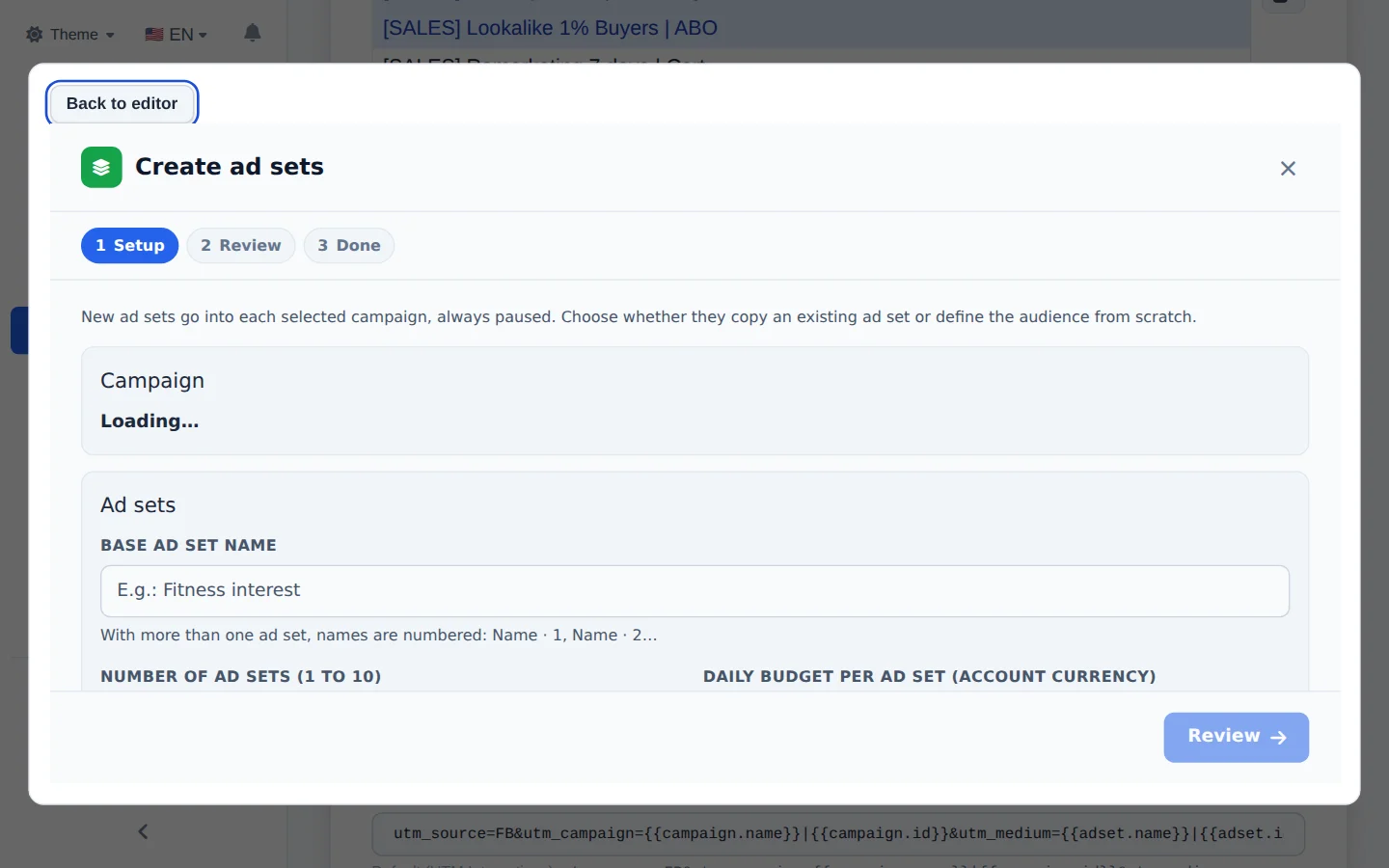
Check Create new ad set. In the wizard, choose to duplicate an ad set of this campaign (the screen says which one is the source) or to create from scratch, with Advantage+, location, age, interests and audiences. The review shows names and budget before creating. Back to editor closes without creating anything.
- 3
Or a new campaign
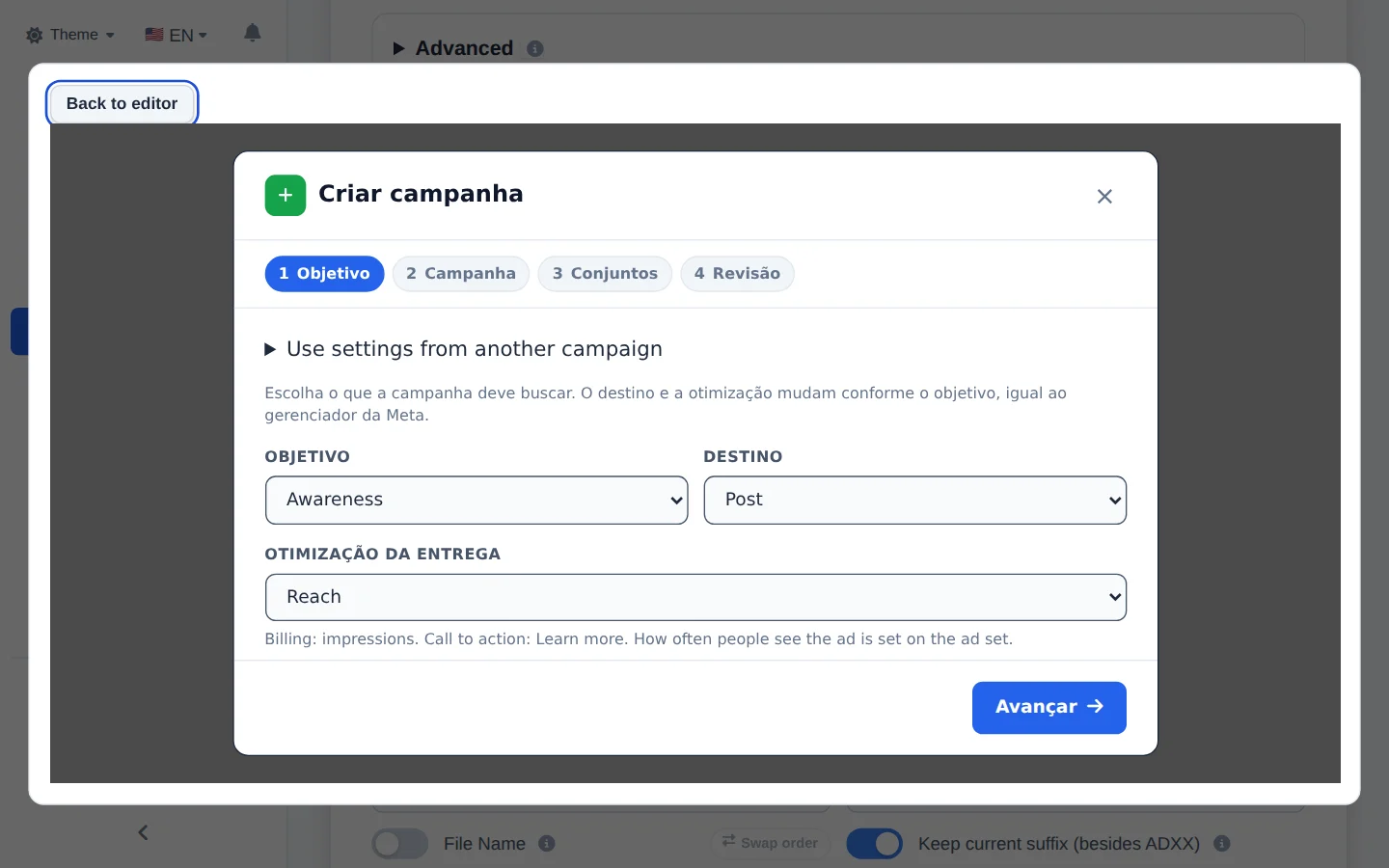
Check Create new campaign to open the full wizard (objective, budget and audience), with up to 10 numbered campaigns at once. Once created, the campaign and ad sets show up checked in the editor.
From the wizard straight to the ads
After creating, the editor already has the new structure checked: pick the creatives and click Create Ads.
How to tell it worked
- The new campaign or ad set shows up checked in the editor lists.
- In Meta Ads, the structure shows as paused.
If something goes wrong
| Symptom | Likely cause | What to do |
|---|---|---|
| The box unchecks itself | More than one account is checked, or more than 10 campaigns | Keep a single account and up to 10 campaigns |
| The list did not refresh after creating | The structure was created, but the screen did not reload | Refresh the campaigns in the editor; do not create it again |
Frequently asked questions
Can I create a campaign or ad set directly in Meta Ads Editor, without going to Meta Ads Manager?
You can do this directly on the Meta Ads Editor upload screen.
New campaign: select the account and click Create new campaign. The campaign wizard opens (objective, budget, audience), and you can create up to 10 campaigns at once, with numbered names. All of them are created paused.
New ad set: select the campaign (or several) and click Create new ad set. You choose:
- Duplicate an ad set from this campaign (the screen shows which ad set is the source and lets you change it), or
- Create from scratch and build the audience right there (Advantage+, location, age, interests, custom audiences).
With several campaigns selected, it creates the ad set in all of them. On a CBO campaign it doesn't ask for a budget (the campaign controls the amount). The review step shows the names and budget before creating, and everything is created paused. If no campaign is selected, the wizard creates the campaign along with the ad sets.