
Account, team, and subscription
Plan, subscription and AI credits
See your plan and invoices, change the card or the plan, and buy extra AI credits.
Quick answer
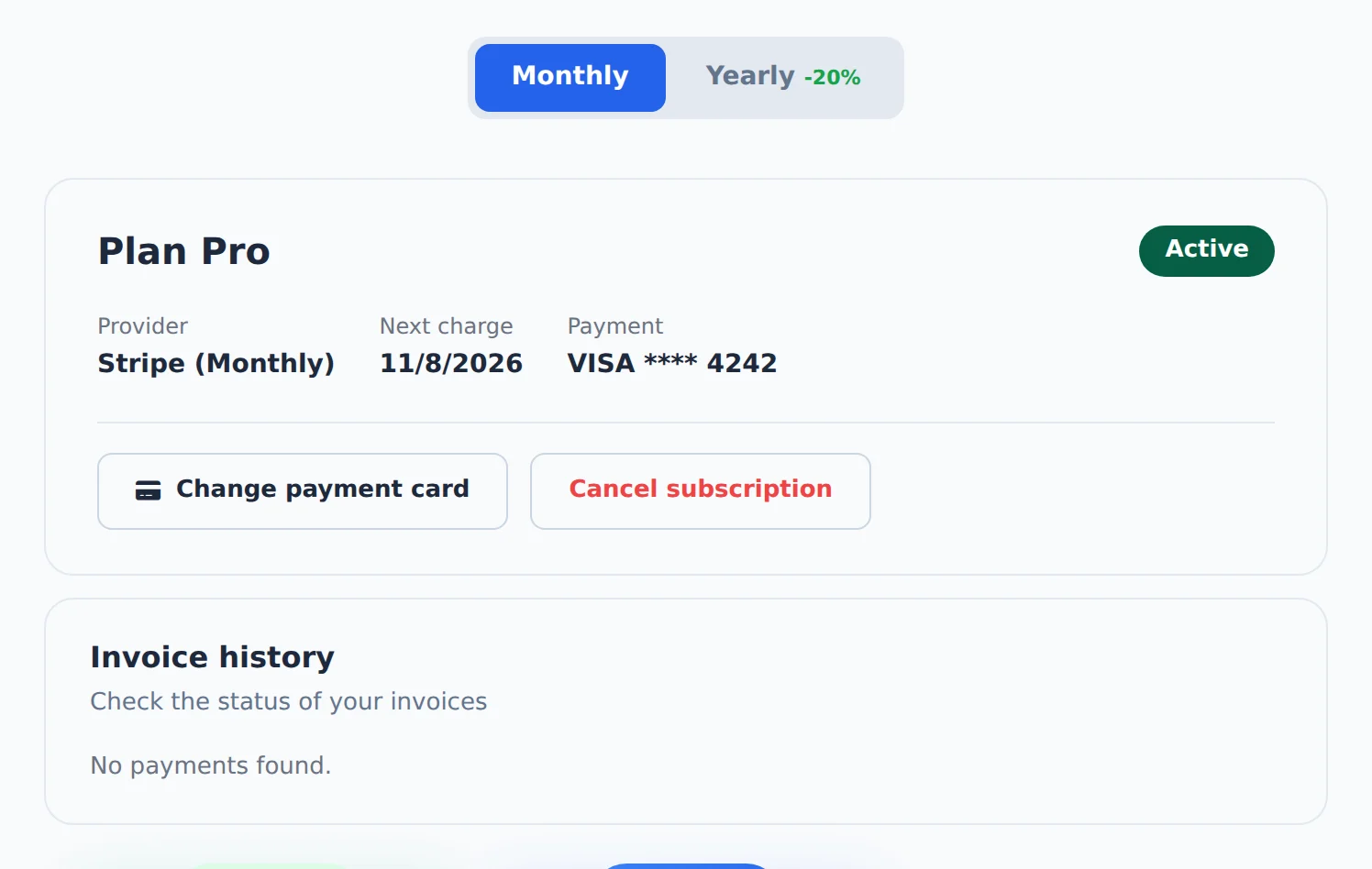
Open My Subscription in the menu. The top card shows the plan, the next charge and the card, with Change payment card. Below are the Invoice history and the plans to switch to. Extra AI credits are bought in AI Copilot, on the Increase limit button.
Watch the walkthrough 0:25
Before you start
- On the monthly card plan, you change plans and cards yourself. On the yearly plan (card or Pix), changes are done by support.
- Only the account owner sees and changes the subscription. Team members use the owner’s plan.
Step by step
In this example, the agency checks the Pro plan, compares it with Business and buys AI credits.
- 1
See your current plan
In the side menu, click My Subscription. The card shows the plan, status, next charge and the card used. Change payment card opens the secure Stripe portal to change the card. The Invoice history lists the charges, with each invoice link.
 12
12- 1Change payment card
- 2Invoice history
- 2
Compare and change plans
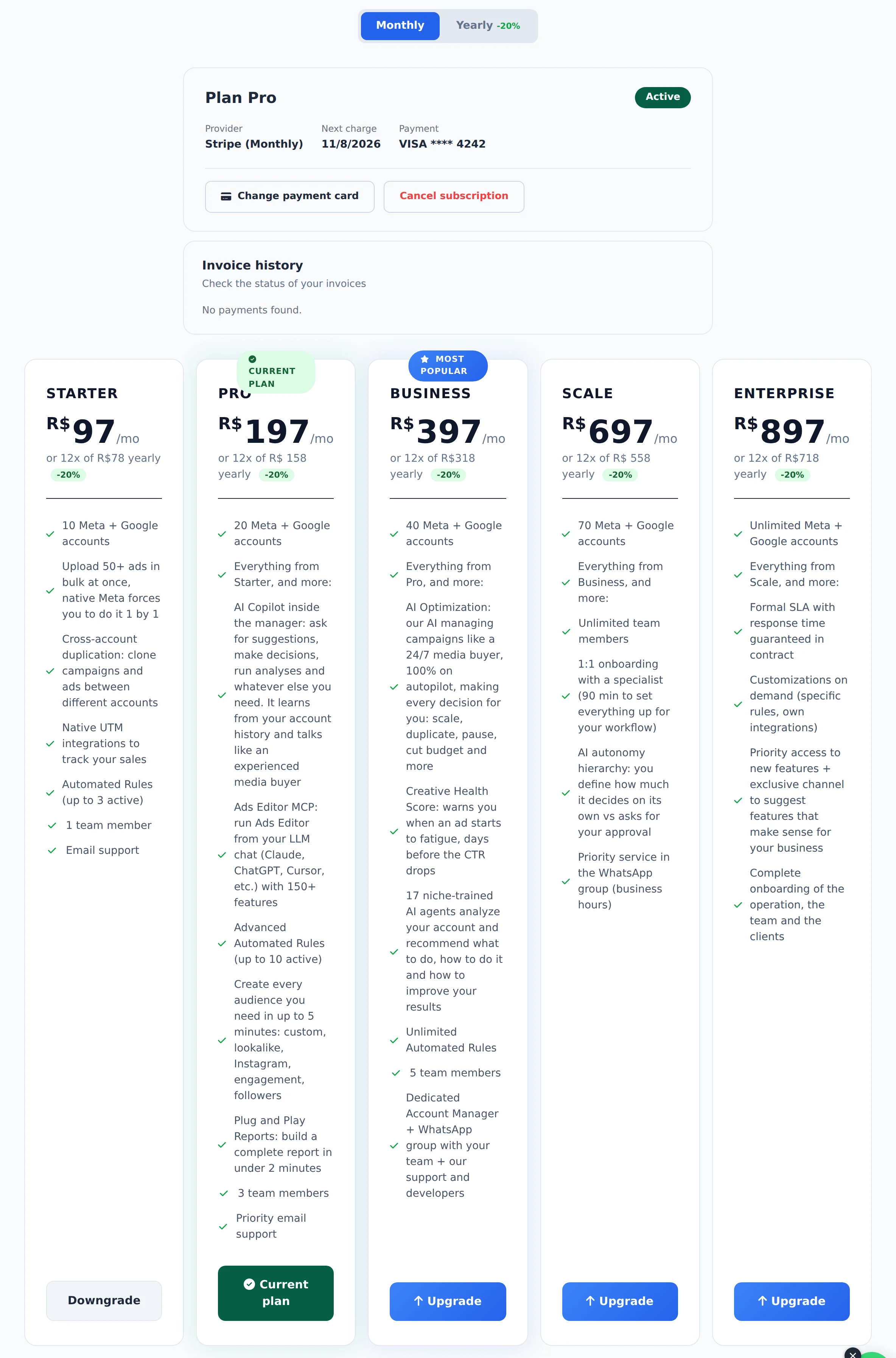
Below, each plan shows the price, how many accounts it includes and what comes with it. Annual shows the discounted price. On the monthly plan, the card button changes plans: on an upgrade, the difference is charged right away; on a downgrade, the adjustment comes on the next charge.
 123
123- 1Annual
- 2Your plan
- 3Another plan
- 3
Buy AI credits
Credits for the Copilot, analyses and AI texts are bought in AI Copilot, on the Increase limit button. Purchased credits add up and are only used after the plan daily quota.
 1
1- 1Increase limit
Before moving to a smaller plan
Check the limits of the smaller plan (accounts, members, rules and reports). Whatever goes over the limit stops working when the plan changes.
How to tell it worked
- After the change, the new plan card shows the Current plan label.
- The new payment shows up in the Invoice history.
If something goes wrong
| Symptom | Likely cause | What to do |
|---|---|---|
| There is no button to change plans | The subscription is yearly or an old plan | Talk to support to make the change |
| The charge failed | The card declined or asked for authentication | Click Change payment card and add another card |
| The history is empty right after paying | The confirmation is still arriving | Wait a moment and reload the page |
Frequently asked questions
How do I upgrade or downgrade my plan?
It depends on how you pay.
Monthly plan (card): in My Subscription, the cards for the other plans show Upgrade or Downgrade.
- Upgrade: the difference is prorated and charged to your card, and the new plan takes effect immediately.
- Downgrade: the change applies on your next billing date, and you keep your current plan's features until the end of the cycle.
Annual plan (card or Pix, Brazil's instant payment method) and legacy special plans (Lifetime, Annual): plan changes aren't available in the app. To request one, contact support.
Before downgrading, check the limits of the lower plan: accounts, team members, rules and reports.
How do I change my subscription payment card?
It depends on how the subscription was paid.
Monthly plan (card, via Stripe): in My Subscription, on the subscription card, click Change payment card. Stripe's secure portal opens so you can add the new card, which will be used for your next charge.
Annual plan (card or Pix, Brazil's instant payment method): support handles card changes. Contact support to request one.
Where do I find my invoices and receipts?
In My Subscription, the Payment history section lists your charges with the date, amount and status of each one. When available, the Invoice column has a link that opens the invoice or receipt for that payment, which you can use for checking or for your accounting. The history loads automatically when you open the page. If it's empty right after a purchase, wait a moment and reload, since payment confirmation can take a short while to appear.
Looking for what Meta charged to your ad account, not your Ads Editor subscription? That's under the Charges button, in Meta Ads or Monitor Balance, with PDF export.
How do I buy more AI credits for the Copilot?
Open AI Copilot in the side menu and, in the credits panel, click Increase limit. The screen shows the one-time packages available, their current prices and how long they stay valid before you confirm.
Purchased credits accumulate and are only used after your plan's daily quota runs out. Team members use the owner's balance. Only the owner of an account on a paid plan can buy credits, and the purchase must be made in a browser.
To raise your daily quota, compare plans in My Subscription.
How do I cancel my subscription?
Support handles subscription cancellations. Contact support to request one.
What is the difference between monthly and annual billing? Is annual worth it?
On the monthly plan, your card is charged every month and the plan renews automatically. On the annual plan, you sign up for the full period at once, and checkout shows your savings and the available payment methods.
Open My Subscription to compare current prices. Choose annual if you plan to use Ads Editor for the whole period. Choose monthly if you'd rather reassess every month. The terms shown at checkout take precedence.