
Meta Ads
Advanced ad search
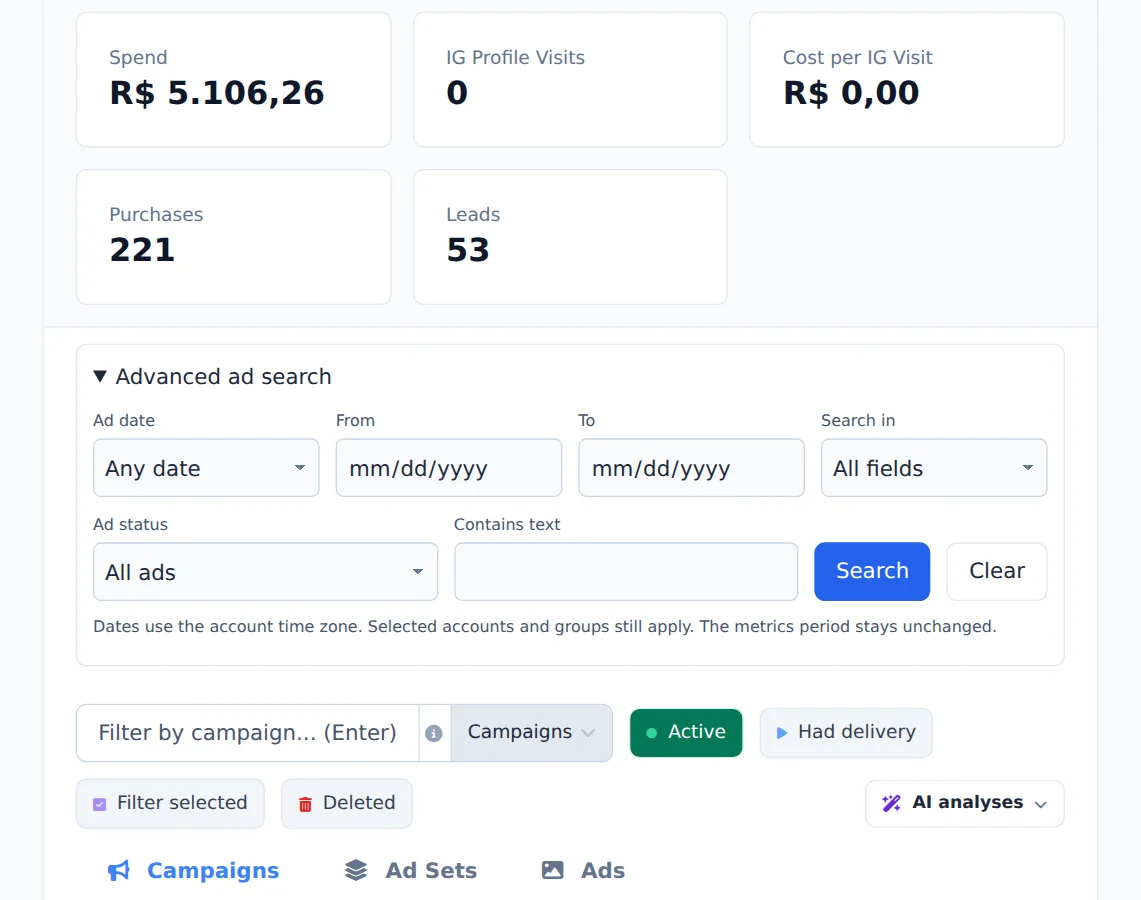
Find an ad by its text, name, URL, ID or the date it was created or edited.
Quick answer
In Meta Ads, click Advanced ad search, above the table. Pick the date (created or edited in the period), where to search (All fields, Ad copy, Name, URL or ID) and type the text under Contains text. Click Search: the result opens in the Ads tab.
Watch the walkthrough 0:22
Before you start
- The search respects the accounts and groups already picked in the selector at the top.
- Dates follow the account time zone, and the table metrics period does not change.
Step by step
In this example, we look for the ads that mention delivery fees in the copy.
- 1
Open the advanced search
Click Advanced ad search, above the table. Under the ad date, you can filter by created in the period or last edited in the period.
- 2
Say where to search and what
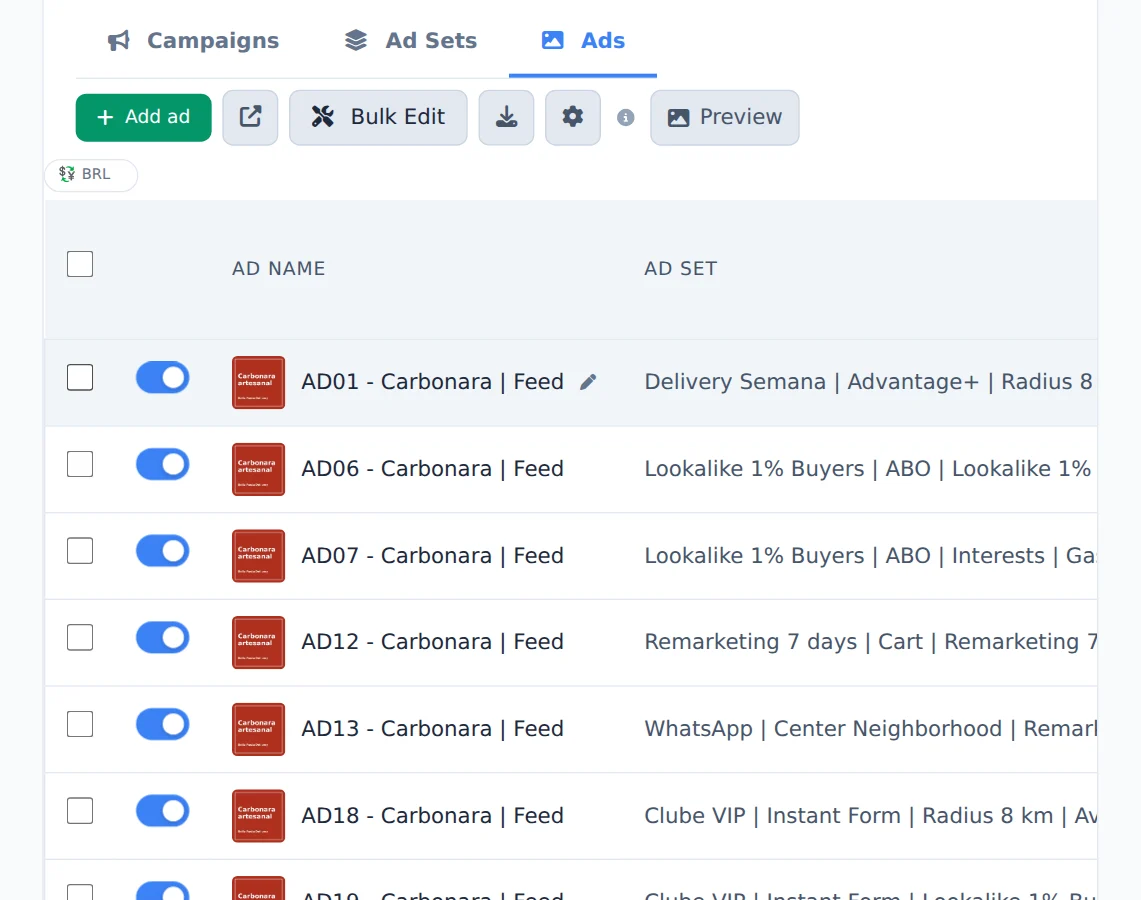
Under Search in, pick Ad copy. Under Contains text, type what you are looking for and click Search. The result opens in the Ads tab; Clear goes back to the full list.
Found it? Edit in bulk
With the result on screen, check the ads and use Bulk Edit to change the text, URL or URL parameters of all of them at once.
How to tell it worked
- The Ads tab opens with only the ads that match the search.
- The search stays on until you click Clear.
If something goes wrong
| Symptom | Likely cause | What to do |
|---|---|---|
| No ads found | The text is not in the chosen field, or the date is too narrow | Switch Search in to All fields and the date to any date |
| Ads from another account are missing | That account is not picked in the selector at the top | Check the account in the selector and search again |
Frequently asked questions
How do I find an ad by creation date, text, URL or ID?
Use Advanced Ad Search, above the table in Meta Ads and Google Ads. Click the title to open the panel:
- Ad date: Any date, Created in the period or Last edited in the period, with From and To.
- Search in: All data, Text / copy, Name, URL (destination link, with or without https) or ID.
- Ad status: All ads or Only active ads.
- Contains text: what you want to find.
Click Search: the results open in the Ads tab. Clear resets the search. Dates follow the account's time zone, the search respects the accounts and groups already selected, and the metrics period of the table doesn't change.
On Google, the date covers the last 30 days plus the history Ads Editor has already stored; older dates may not be available.
The same search works in AI Copilot and MCP, for Meta and Google: for example, "list active ads with the words free shipping in the copy" or "find ads created yesterday with the link loja.com/promo".