
Meta Ads
Delete in bulk
Delete several campaigns, ad sets or ads at once, reviewing the list before you confirm.
Quick answer
In Meta Ads, check the items, click Bulk Edit and Delete. The confirmation window shows what will go: review it and click Delete. Deleting happens straight on Meta and cannot be undone; to just stop delivery, use Pause.
Watch the walkthrough 0:25
Before you start
- Deleting cannot be undone, neither in Ads Editor nor in Meta Ads Manager.
- Deleting a campaign takes its ad sets and ads with it.
- If you want to keep the history, pause instead of deleting.
Step by step
In this example, we delete two old campaigns that no longer run.
- 1
Check what goes
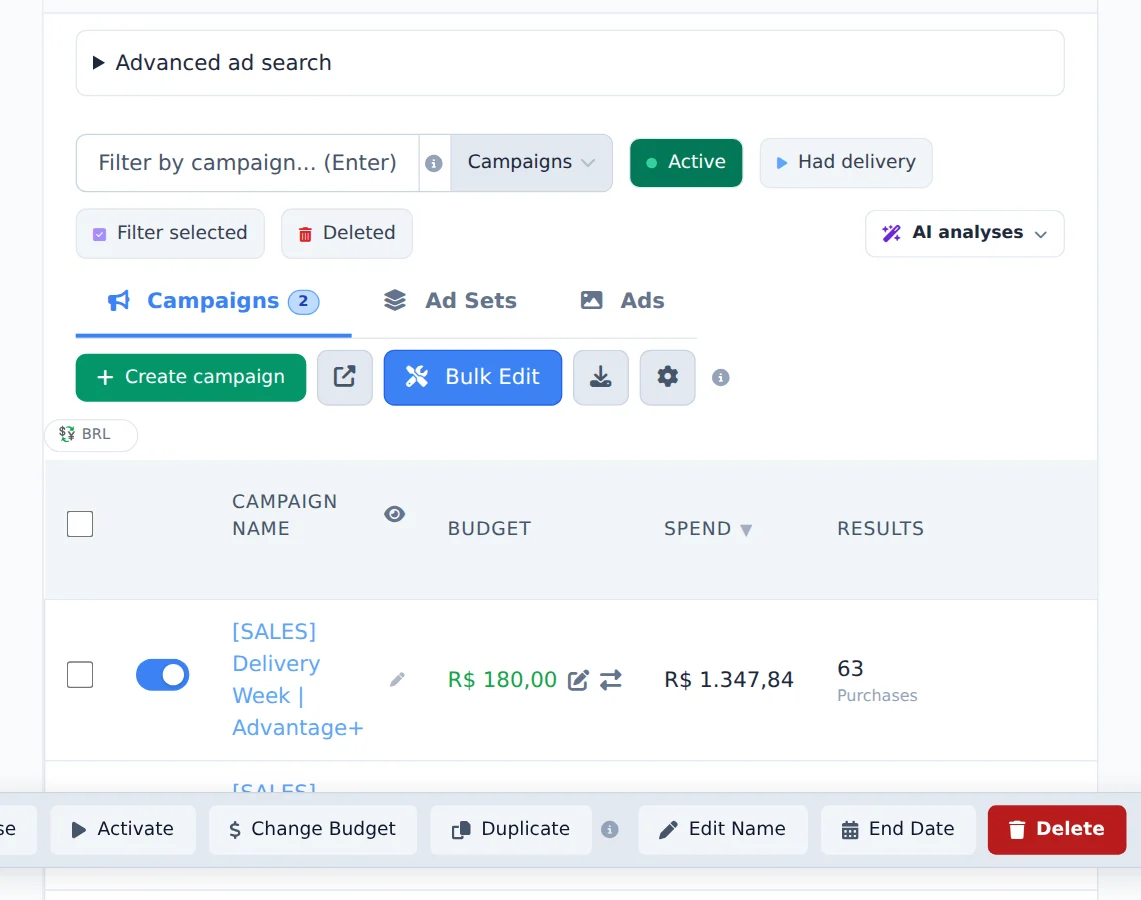
Check the items and click Bulk Edit. Filter selected shows only what is checked, so you can review it first.
- 2
Delete and confirm
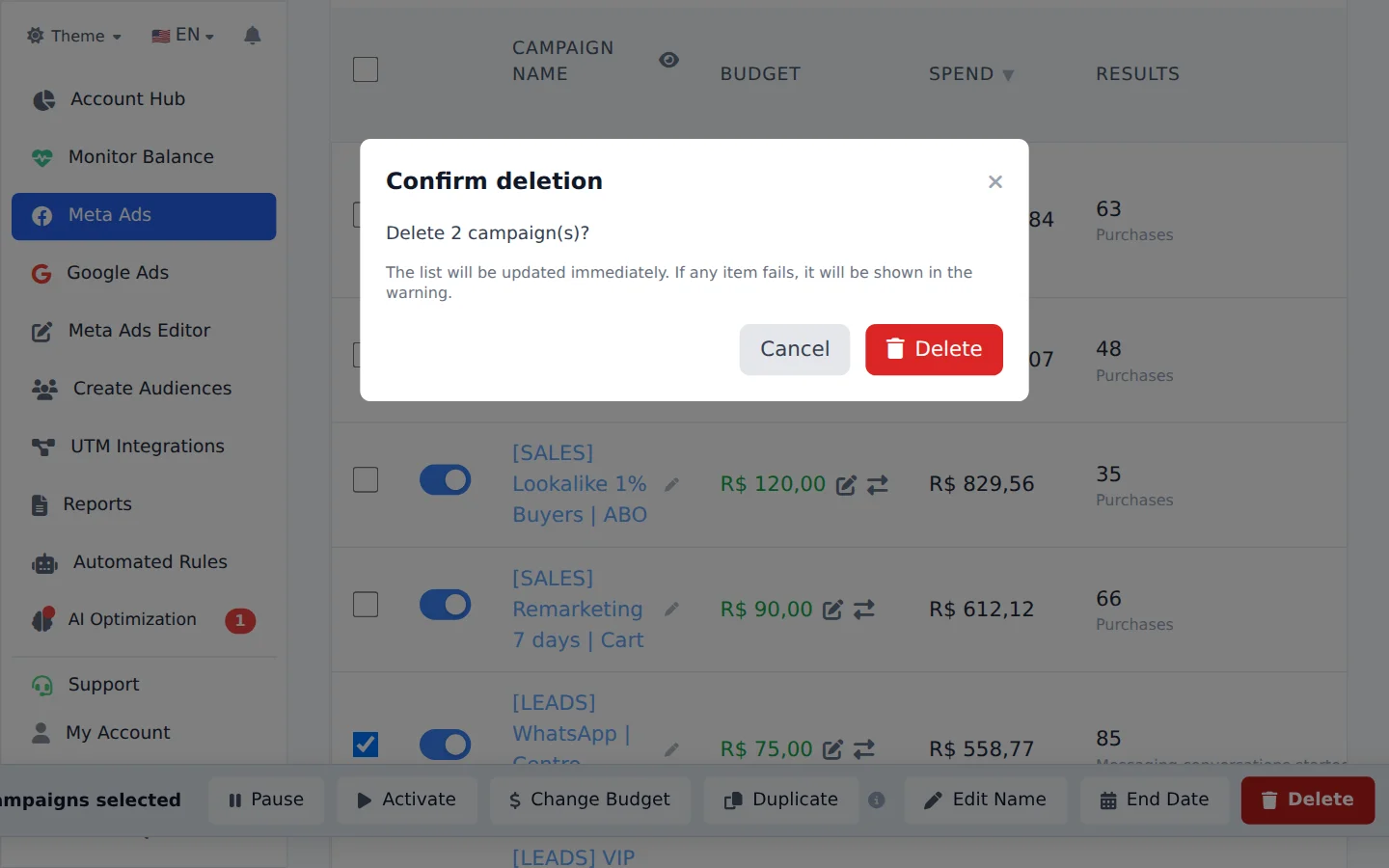
Click Delete. The window lists what will be deleted; review it carefully and click Delete to confirm. The list updates right away, and if an item fails the notice says which one.
When in doubt, pause
A paused campaign does not spend, keeps all its history and runs again with one click. Delete only what you are sure you will not use.
How to tell it worked
- The items disappear from the table right away.
- The notice confirms how many were deleted.
If something goes wrong
| Symptom | Likely cause | What to do |
|---|---|---|
| An item was not deleted | Meta refused to delete that item | See which one in the notice and try again, or delete it in Meta Ads Manager |
| I deleted something by mistake | Deleting cannot be undone | If the campaign was good, rebuild it from a copy of another campaign with Duplicate |
Frequently asked questions
How do I delete campaigns, ad sets, or ads in bulk, and can I undo it?
Select the items, open Bulk edits, and click Delete. A confirmation window shows what will be deleted. Review it carefully, then click Delete to confirm. The list updates immediately, and if any item fails, a notice tells you which ones. Heads up: deletion happens directly in Meta and cannot be undone, neither in Ads Editor nor in Meta Ads Manager. If you only want to stop delivery while keeping the history, use Pause instead of Delete. Tip: turn on the Filter selected filter before deleting to check exactly what is selected.