
Audiences and UTM Integrations
Automatic audience suggestions
Ads Editor reads what the account has and proposes the audiences worth creating. Nothing is created without your click.
Quick answer
In Create Audiences, pick the account and, on the Suggest audiences (automatic) card, click Suggest audiences. Uncheck what you do not want, click Review to see the list with each audience name and confirm with Create.
Watch the walkthrough 0:33
Before you start
- Suggestions come from what the account really has: Instagram, Page, campaign videos, Pixel and existing audiences.
- What already exists in the account (by name) is left out and shows as Already exists.
- Customize manually only fills in the form below, so you can adjust it before creating.
Step by step
In this example, we let Ads Editor suggest the audiences of a delivery business.
- 1
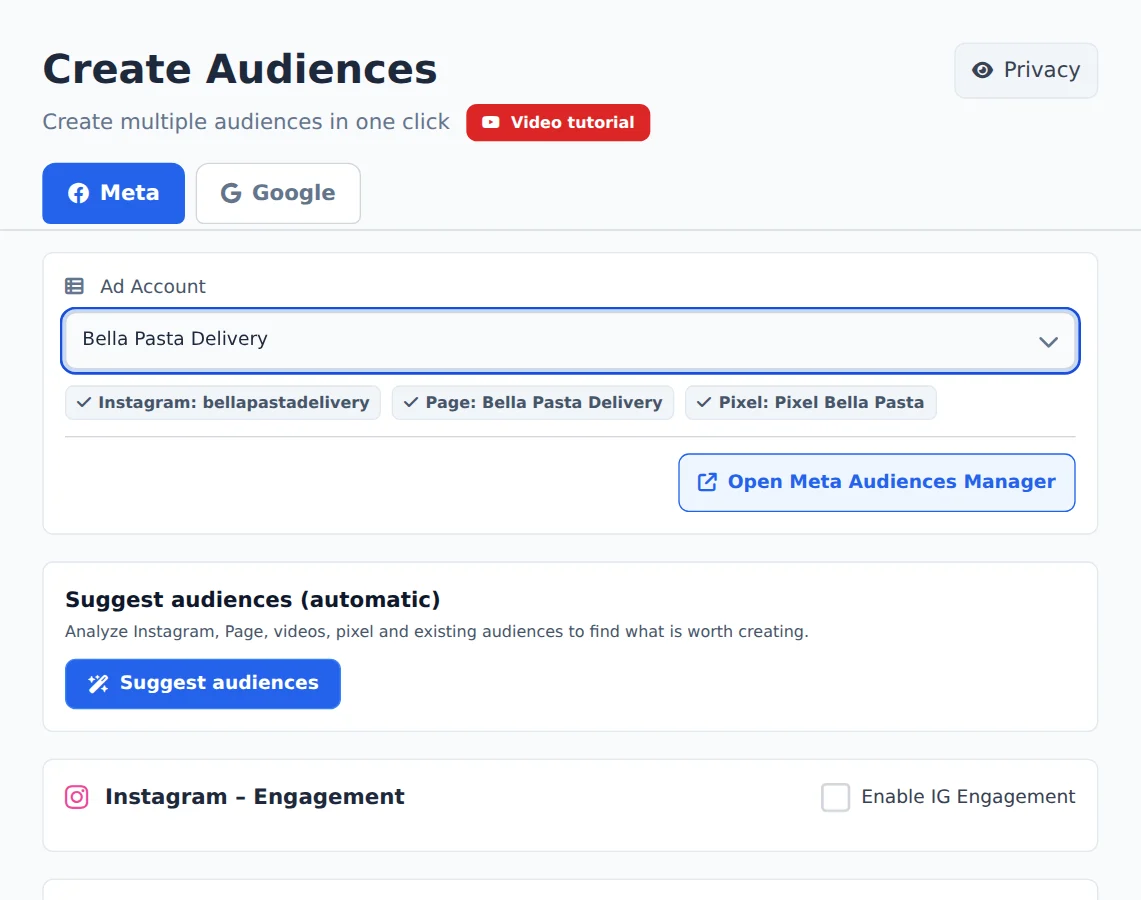
Pick the account
Open Create Audiences in the side menu and, on the Meta tab, pick the ad account in the selector at the top. Ads Editor finds its Instagram, Page and Pixel on its own.
- 2
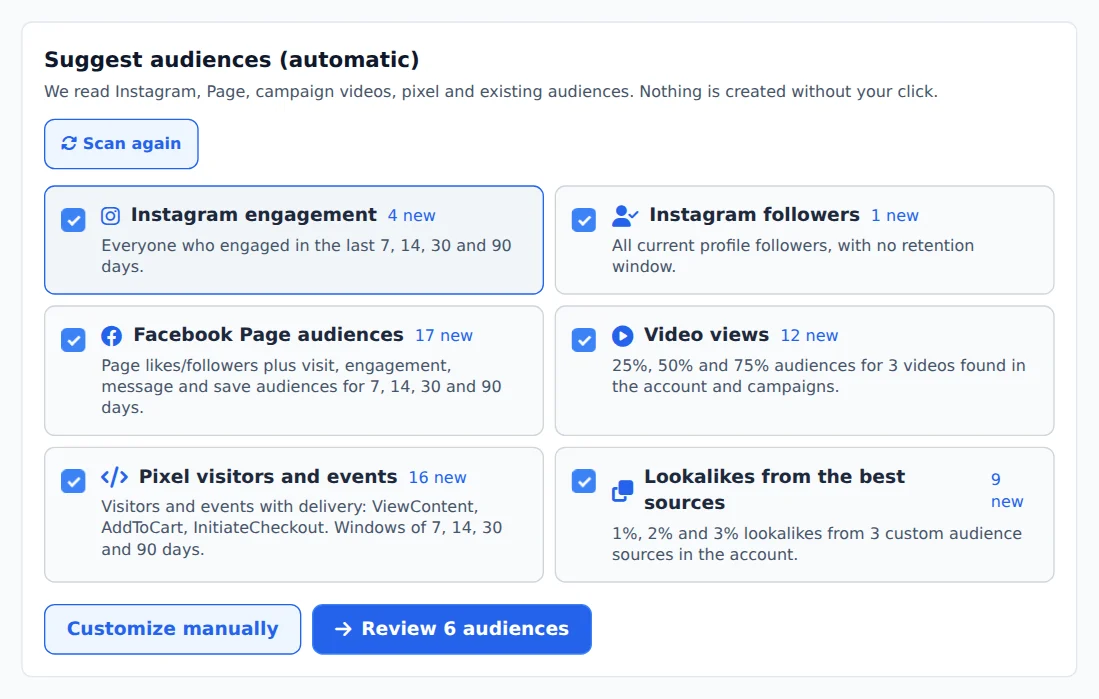
Ask for suggestions
On the Suggest audiences (automatic) card, click Suggest audiences. Each suggestion shows how many new audiences it creates.
- 3
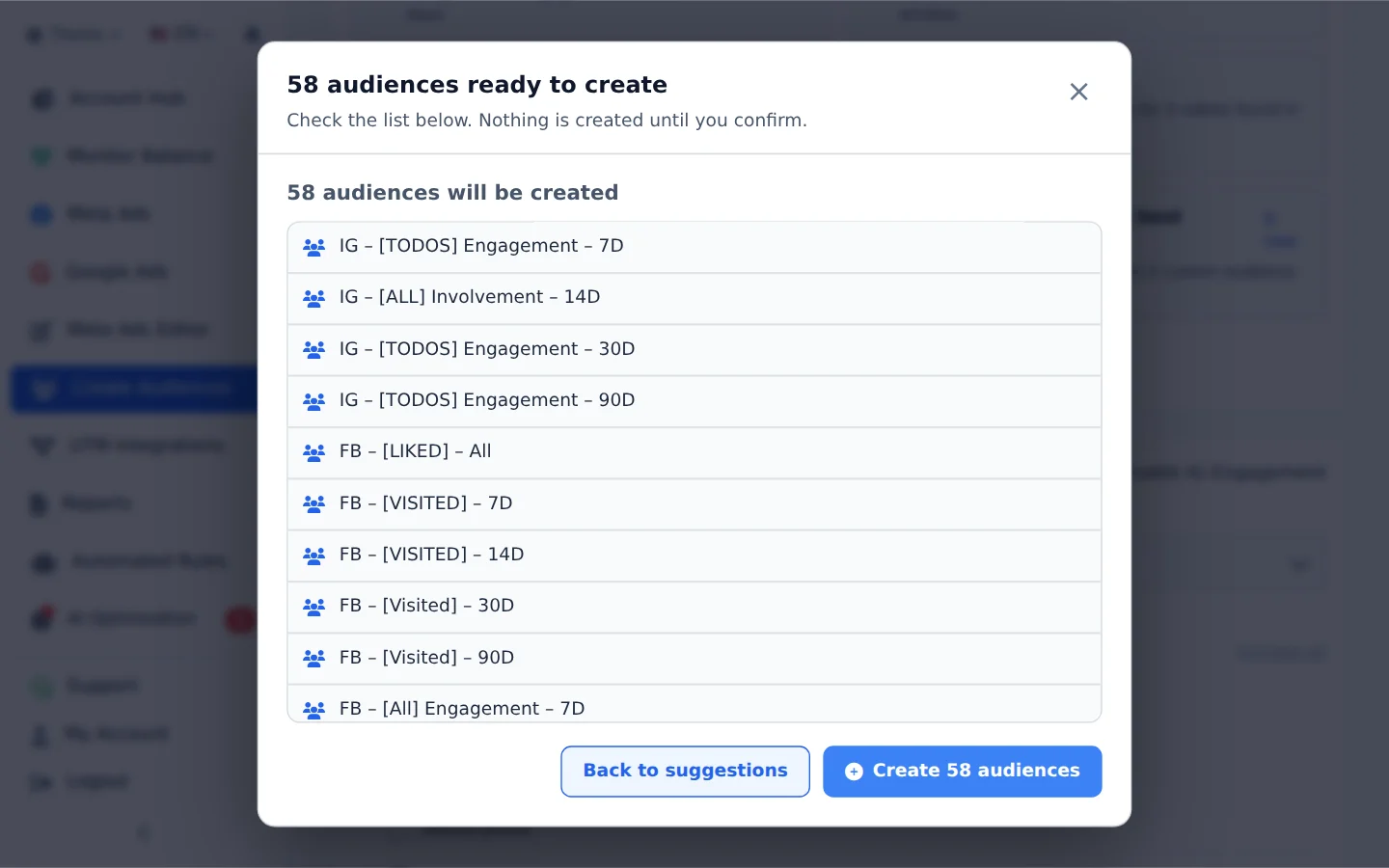
Review before creating
Uncheck what you do not want and click Review. The review lists each audience with the name it will have in Meta.
- 4
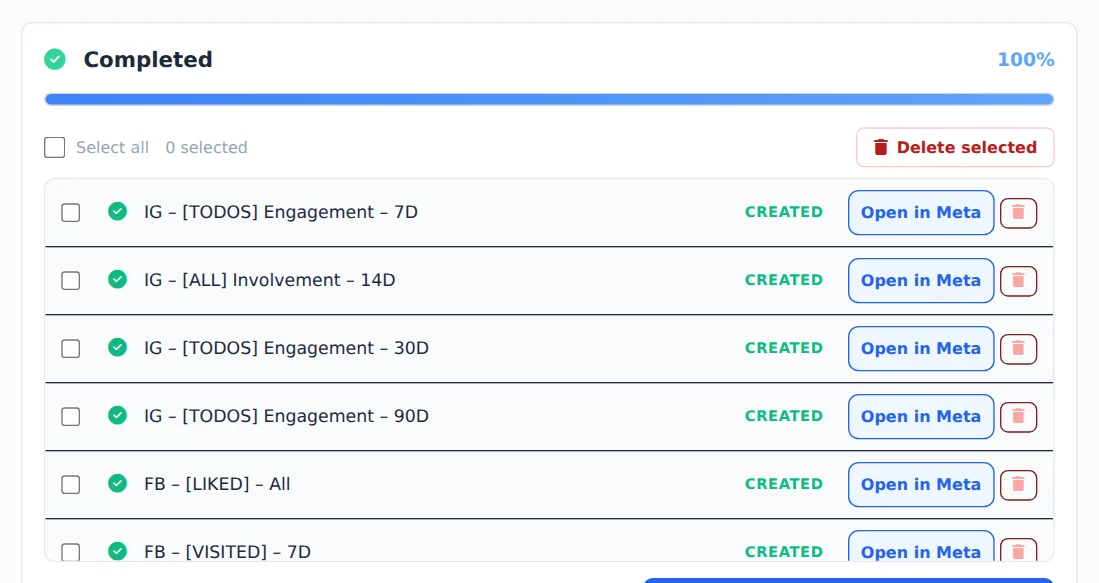
Confirm the creation
Click Create in the review. The progress panel shows each audience created.
Run it again later
After creating the base audiences, click Scan again: they become sources for the suggested lookalikes.
How to tell it worked
- The progress panel ends in Completed.
- The suggestions you created now show as Already exists.
If something goes wrong
| Symptom | Likely cause | What to do |
|---|---|---|
| No creation was suggested | The account already has those audiences or has no assets with data yet | Check the account Instagram, Page and Pixel, or create them by hand in the form |
| Suggestions do not load | The account analysis failed at that moment | Click Scan again |
Frequently asked questions
Does Ads Editor automatically suggest audiences for my Meta account?
Yes. In Create Audiences, on the Meta tab, choose the account and use the Suggest audiences (automatic) card. It reads what the account actually has and only suggests what you can create:
- Instagram engagement over 7, 14, 30 and 90 days, plus profile followers;
- Facebook Page audiences (likes and followers, visits, engagement, messages and saves);
- people who watched 25%, 50% and 75% of the videos used in your campaigns;
- website visitors and the pixel events that are firing;
- 1%, 2% and 3% lookalikes of the best sources you already have.
Anything that already exists in the account (matched by name) is left out. Nothing is created automatically: Edit in the form only fills in the screen, and Review and continue shows the list of what will be created. Creation only starts when you confirm in Create Audiences. After you create the base audiences, they appear as sources in the next round of lookalikes.
Shortcut: in Meta Ads, Edit set → Audiences → Create or suggest audiences opens this screen in a new tab, already on the ad set's account.