
Automation and AI
AI account diagnosis
The AI reads the account and delivers a report with what to do today and in the next 7 days, with the number behind each action, for the media buyer or ready for the client.
Quick answer
In Meta Ads or Google Ads, with the account selected, click AI analyses, on the filter row, then AI diagnosis. Choose who the report is for (For the media buyer or For the client) and click Run diagnosis. It takes about 2 minutes. You can copy the result as text or export it as a PDF. Nothing is changed in the account.
Before you start
- AI diagnosis is part of the Pro plan and above (Pro, Business, Scale and Enterprise), for Meta and Google. During the free trial, the Meta account diagnosis is available. On Starter, the item shows the Pro badge.
- Each diagnosis uses AI credits. The cost is shown on screen before you run it.
- It is a report: it suggests, and you decide and apply.
Step by step
In this example, we run the diagnosis of a Meta account to send to the client.
- 1
Open the account in the manager
Open Meta Ads (or Google Ads) and pick an account in the selector. The diagnosis covers one account at a time.
 1
- 1Account selector
- 2
Open AI diagnosis
On the filter row, click AI analyses and choose AI diagnosis. The window shows the account that will be read.
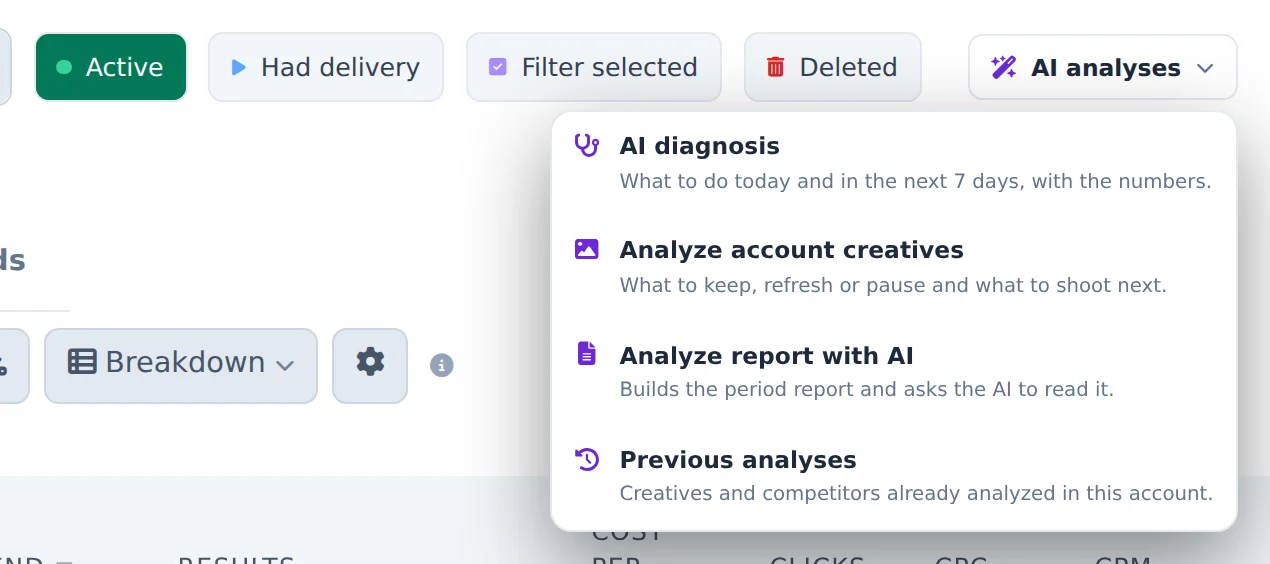 12
- 1AI analyses
- 2AI diagnosis
- 3
Choose who the report is for
Under Who the report is for, choose For the media buyer (actions with numbers and deadlines: pause, cut or raise budget, swap ads) or For the client (plain language: what is going well and what will change, ready to send).
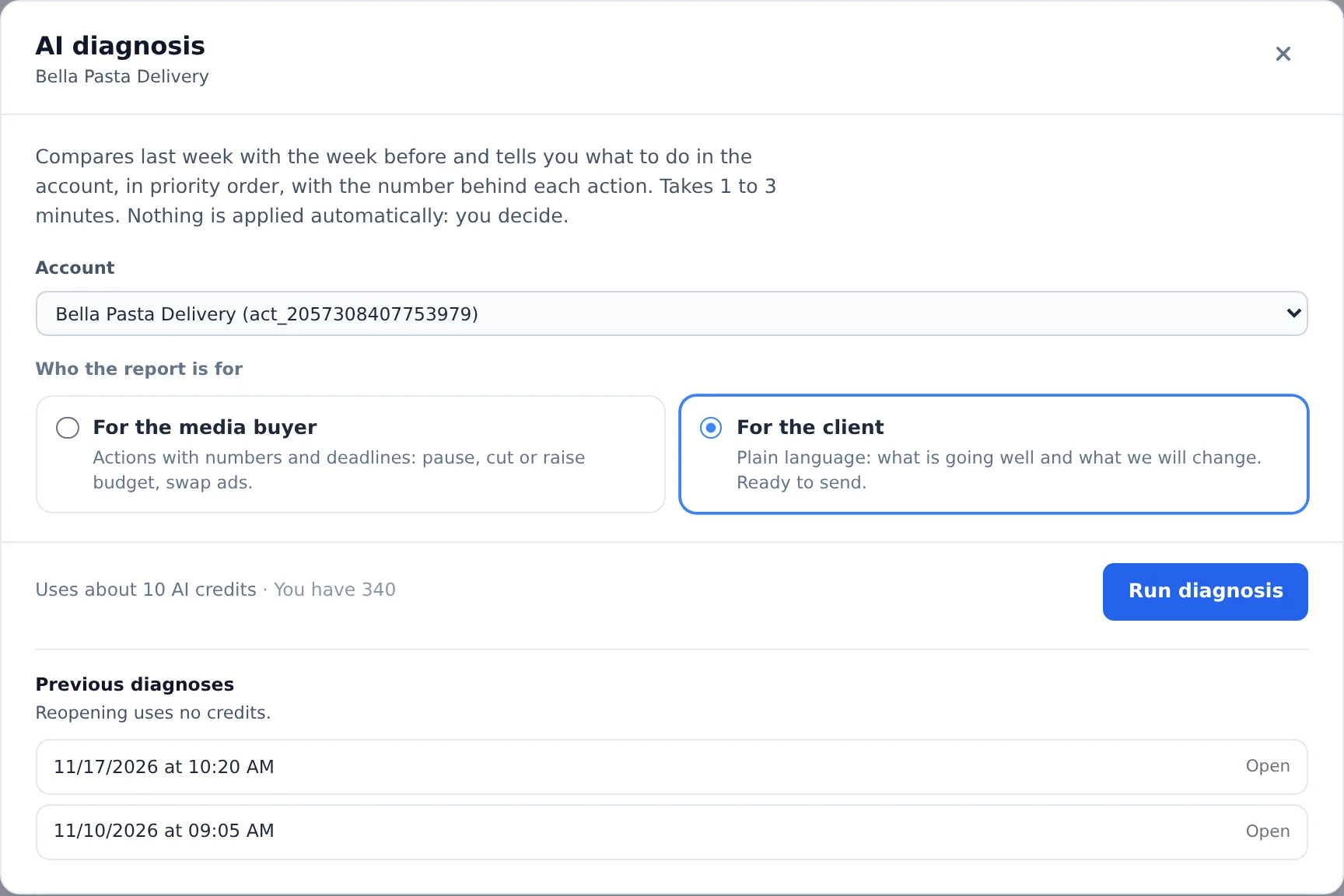 123
- 1Account that will be read
- 2For the media buyer
- 3For the client
- 4
Run the diagnosis
Check the cost in credits and click Run diagnosis. Reading takes about 2 minutes. If it takes longer, you can close the window and reopen it later: the diagnosis keeps running.
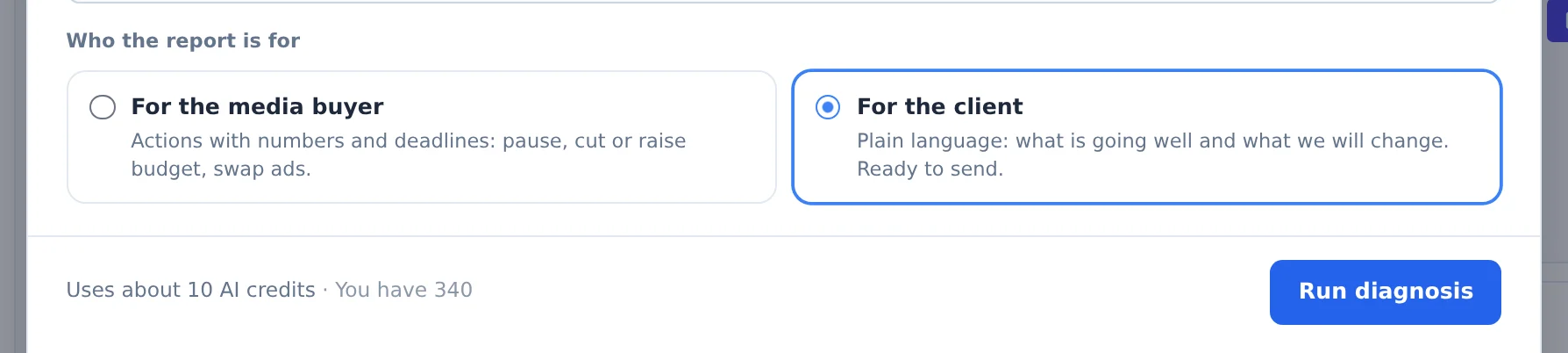 12
- 1Cost in AI credits
- 2Run diagnosis
- 5
Copy, export or reopen
Copy text leaves the report ready to paste into WhatsApp or an email to the client, and Export PDF downloads the file. Under Previous diagnoses, reopen a past diagnosis without using credits. New diagnosis runs another one.
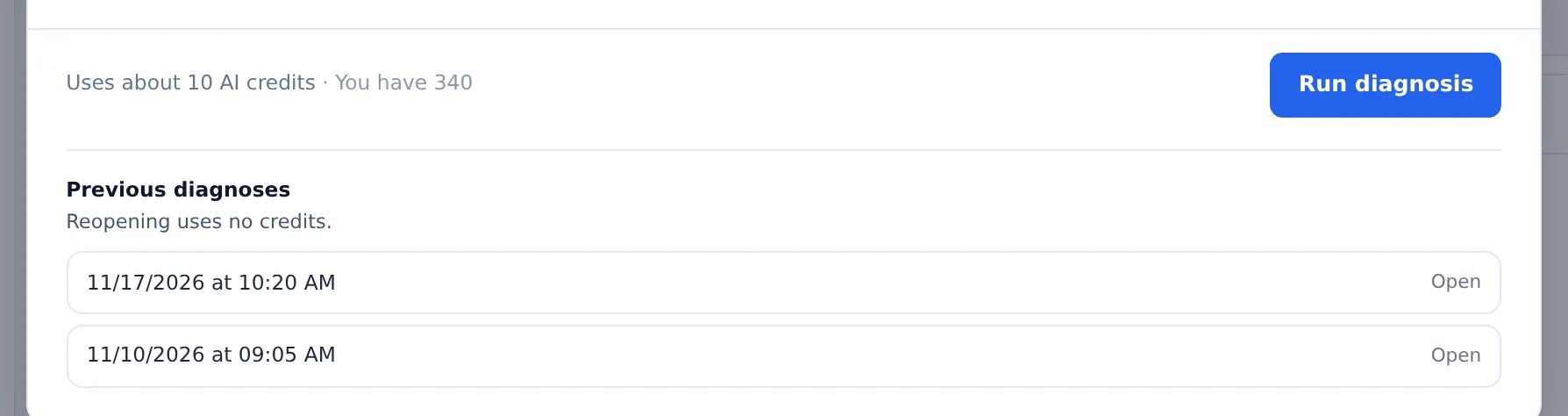 1
- 1Previous diagnoses: reopening uses no credits
What the Google one looks at
In Google Ads, the diagnosis reads keywords, search terms and conversions and points out what to fix, with suggested negatives. In Meta Ads, it brings the account health score, the comparison with the previous week and what to do, with the number behind each action.
Also through the Copilot and MCP
You can ask for the same diagnosis in a conversation: "Run the diagnosis for account X". See Talk to the AI Copilot and Everything you can do through MCP.
How to tell it worked
- The report opens in the same window, with the plan for the next 7 days.
- The diagnosis shows up under Previous diagnoses for the account.
If something goes wrong
| Symptom | Likely cause | What to do |
|---|---|---|
| The item has the Pro badge and opens an upgrade notice | The plan does not include AI diagnosis | Change plans in My Subscription: the notice already takes you to the right plan |
| No account selected shows up | The manager has no account chosen | Pick an account in the selector and open the diagnosis again |
| The diagnosis did not finish | Reading the account took longer than expected | Try again in a few minutes. If it happens again, contact support |
| During the free trial, the Google Ads diagnosis shows as locked | During the free trial, only the Meta account diagnosis is available | The Google account diagnosis is part of the Pro plan and above |
Frequently asked questions
What is AI diagnosis and which plans include it?
AI diagnosis reads an ad account and delivers a report with what to do today and over the next 7 days, with the number behind each action. You find it under AI analyses, on the filter row of Meta Ads and Google Ads.
- You choose whether the report is For the media buyer or For the client, and you can copy the text or export a PDF.
- Each diagnosis uses AI credits, and the cost is shown before you run it. Reopening a past diagnosis uses none.
- Nothing is changed in the account.
Plans: AI diagnosis is part of Pro and above (Pro, Business, Scale and Enterprise), for Meta and Google. During the free trial, the Meta account diagnosis is available. Starter does not include it.
See also
Analyze creatives with AITalk to the AI CopilotPeriod analysis with AI in the reportPlan and subscription